
7 Unexpected Ways Hackers Can Access Your Accounts
7 Unexpected Ways Hackers Can Access Your Accounts

The digital age has brought incredible convenience—but it’s also opened the door for hackers to take advantage of weak points in our online habits. And they’re not just relying on obvious tricks like bad passwords or phishing emails anymore. Cybercriminals are becoming more creative, using sophisticated and lesser-known tactics to access personal and business accounts. In this article, we’ll highlight seven surprising ways hackers can gain access to your information—and more importantly, how you can protect yourself.
What Are the Most Common Hacking Techniques?
Hacking tactics have evolved significantly, fueled by advancements in technology and human manipulation techniques. While traditional attacks like brute force remain common, modern hackers have leveled up. A few common methods include:
Social engineering – tricking people into handing over sensitive information
Credential stuffing – using leaked credentials from data breaches to access other accounts
AI-powered attacks – where artificial intelligence helps generate believable phishing emails or bypass security systems
Understanding these foundational tactics helps us recognize how hackers build more complex, unexpected attack strategies—which we’ll cover in the next section.
How Do Hackers Exploit Lesser-Known Vulnerabilities?
Not all cyberattacks rely on the obvious. Hackers frequently take advantage of overlooked aspects of digital security. Here are some of the more surprising ways they can compromise your accounts:
Cookie Hijacking
Cookies help websites remember who you are—but they also store login sessions. If a hacker intercepts your cookies (especially over unsecured Wi-Fi), they can impersonate you and access your accounts without ever needing a password.
SIM Swapping
Your phone number is often tied to two-factor authentication. With SIM swapping, a hacker tricks your mobile provider into transferring your number to their device. Once they have control, they can intercept texts and reset your account credentials.
Deepfake Technology
Deepfakes use AI to create convincing video or audio of someone’s likeness. Hackers can use this to impersonate coworkers, executives, or family members in phishing schemes that trick victims into sharing sensitive data.
Exploiting Third-Party Apps
When you connect your accounts to third-party apps, you’re only as secure as those apps. Hackers often look for weak security in these connections to access your main accounts through the back door.
Port-Out Fraud
This is similar to SIM swapping but involves transferring your phone number to a different carrier. Once the number is under the hacker’s control, they can intercept calls and recovery codes.
Keylogging Malware
A keylogger records every keystroke you make. If this malware is on your device, it can capture usernames, passwords, and personal information—all without you knowing.
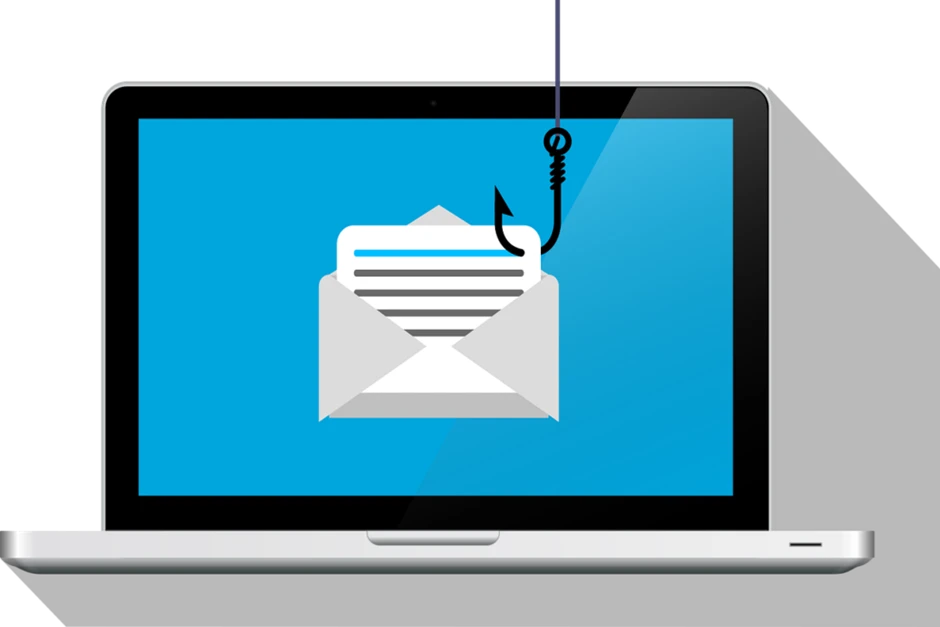
AI-Powered Phishing
Gone are the days of poorly written scam emails. AI-generated phishing emails are customized, convincing, and hard to spot—even for experienced users. In the next section, we’ll walk through practical ways to stay protected from these under-the-radar threats.
How Can You Protect Yourself from These Threats?
These tactics may sound intimidating—but with the right defenses, you can significantly reduce your exposure. Here’s how:
Strengthen Your Authentication Methods
Go beyond basic username and password. Use **multi-factor authentication (MFA)** whenever possible—preferably with an app-based authenticator or a physical security key instead of text message codes.
Monitor Your Accounts Regularly
Check account activity for any unauthorized access or changes. Enable login alerts and review permissions often—especially for financial, work, and cloud-based services.
Avoid Public Wi-Fi Networks
Public Wi-Fi is an easy target for cybercriminals. If you must connect, use a **VPN** to encrypt your data and prevent cookie theft or session hijacking.
Be Cautious With Third-Party Apps
Review what permissions each app has before connecting it to your accounts. Remove access for apps you no longer use—and stick to trusted platforms.
Educate Yourself About Phishing
Stay alert for red flags like unfamiliar links or strange requests—even if they appear to come from someone you know. When in doubt, verify through another communication method before responding. Up next, we’ll cover broader cybersecurity habits that everyone should adopt in today’s threat-heavy environment.
What Additional Cybersecurity Measures Should You Take?
Smart habits and good tools are your best defense. Here are some key strategies to layer into your overall approach:
Regular Software Updates
Outdated software is one of the easiest ways in. Keep your devices, browsers, and applications updated to close security gaps.
Data Backups
Use the **3-2-1 backup rule**: keep three copies of your data (two local on different devices, one offsite or in the cloud). This is especially important in case of ransomware or system failures.
Use Encrypted Communication Tools
For sensitive conversations—whether personal or professional—use messaging platforms that offer end-to-end encryption.
Invest in Cybersecurity Training
Whether for yourself or your team, education is a powerful defense. Understanding how attacks work helps you recognize and respond to threats faster. By combining these broader practices with protections against lesser-known hacking methods, you’ll greatly improve your digital security posture.
Secure Your Digital Life Today
Cybersecurity isn’t just for IT departments anymore—it’s a critical part of everyday life. The more hackers evolve, the more important it is to stay ahead.
At Lightwire Solutions, we help individuals and businesses stay protected with layered security strategies and tailored support. Contact us today to find out how we can help safeguard your data and give you peace of mind in an ever-changing digital world.
Article used with permission from The Technology Press.