
Skip to content

Blog

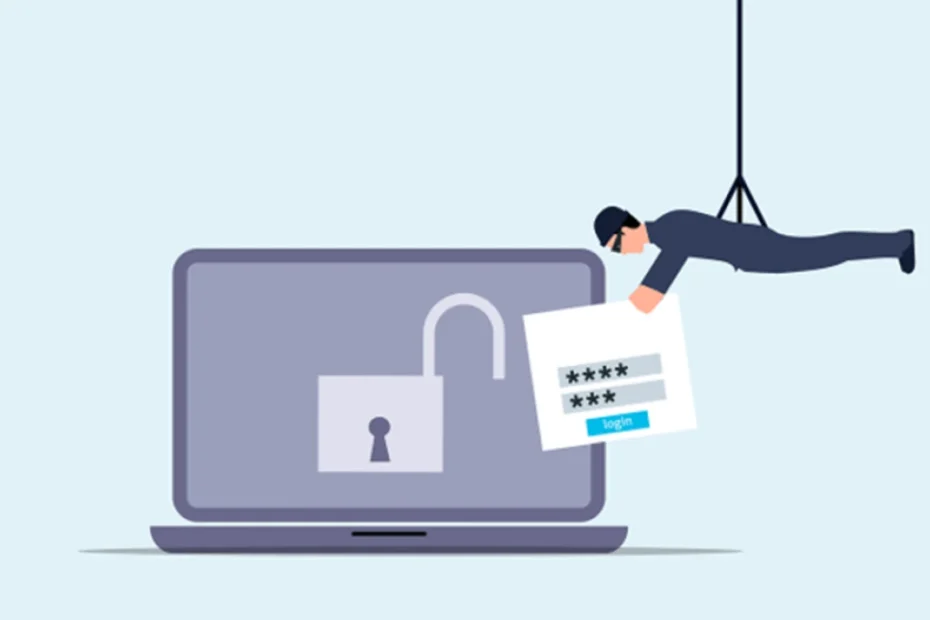
"10 Steps to Prevent a Data Breach: A Lightwire Solutions Guide" blog banner - Laptop with an open lock and a figure stealing login credentials, representing a data breach.

10 Steps to Prevent a Data Breach: A Lightwire Solutions Guide

Data breaches can harm your business, costing you money and damaging your reputation. At Lightwire Solutions, we help businesses stay secure by implementing proactive IT strategies. Let’s explore how you can prevent data breaches before they happen.

What is a Data Breach?

A data breach happens when sensitive information—such as names, emails, or credit card numbers—is accessed or stolen by unauthorized individuals. This can be devastating for your customers and your business.

Why Should You Care About Data Breaches?

A data breach isn’t just an IT issue—it’s a business problem. It can result in financial losses, legal consequences, and a loss of customer trust. That’s why Lightwire Solutions emphasizes the importance of cybersecurity as a fundamental part of your business operations.

How Do You Prevent a Data Breach?

Here are 10 key steps to strengthen your business’s security and protect your data:

1. Use Strong Passwords

Weak passwords are an easy target for hackers. Use long, complex passwords with a mix of letters, numbers, and symbols. A password manager can help keep them secure.

2. Update Your Software

Outdated software leaves vulnerabilities that cybercriminals exploit. Enable automatic updates for your systems, and let Lightwire Solutions manage your software patches to keep your business secure.

3. Train Your Employees

Your employees are your first line of defense. Regular security training helps them recognize phishing emails, suspicious links, and potential cyber threats. Lightwire Solutions offers cybersecurity awareness training to keep your team prepared.

4. Use Encryption

Encryption protects sensitive data by making it unreadable to unauthorized users. We implement encryption strategies to safeguard your emails, files, and communications.

5. Limit Access to Data

Not every employee needs access to all data. Restrict access based on job roles to minimize risk. Lightwire Solutions can help set up role-based permissions and secure access controls.

6. Create Backups of Your Data

Regular data backups ensure you can recover lost information if an attack occurs. We provide managed backup solutions, including cloud-based and offline backups, to keep your business resilient.

7. Use a Firewall

Firewalls act as a security barrier between your network and potential threats. Lightwire Solutions ensures your firewall is properly configured and updated for maximum protection.

8. Be Careful with Emails

Most data breaches start with phishing emails. Never click on links or download attachments from unknown sources. Our advanced email security solutions help filter out malicious messages before they reach your inbox.

9. Protect Your Wi-Fi

Unsecured Wi-Fi networks are an easy entry point for hackers. Use strong passwords, disable guest access, and regularly update your Wi-Fi security settings. Lightwire Solutions can help secure your network and implement advanced protections.

10. Have a Plan

Even the best defenses can be breached. Having a response plan in place minimizes damage. Lightwire Solutions helps businesses create and test incident response plans so you can react quickly and effectively in case of an attack.

How Often Should Security Be Checked?

Cyber threats are constantly evolving, so security isn’t a one-time fix. Regular security audits help identify vulnerabilities before they become problems. Lightwire Solutions provides ongoing monitoring and risk assessments to keep your defenses strong.

Are Small Businesses at Risk of Data Breaches?

Yes! Small businesses are prime targets for cybercriminals because they often lack the security measures of larger companies. That’s why Lightwire Solutions offers enterprise-level protection tailored for businesses of all sizes.

What Tools Help Prevent Data Breaches?

Firewalls, encryption, multi-factor authentication, and endpoint protection are all essential tools. Lightwire Solutions provides a comprehensive suite of cybersecurity solutions to keep your business safe.

How Much Does It Cost to Prevent a Data Breach?

Investing in cybersecurity costs far less than recovering from a data breach. The cost of prevention is like an insurance policy for your business—it protects your data, finances, and reputation. Lightwire Solutions offers affordable security solutions that scale with your business needs.

Stay Safe and Secure with Lightwire Solutions

Data security is critical to protecting your business and customers. By taking these proactive steps, you reduce your risk of a data breach. Lightwire Solutions is here to help—whether you need cybersecurity training, advanced threat protection, or managed IT security. Don’t wait until a breach happens. Contact Lightwire Solutions today to strengthen your business’s security and stay ahead of cyber threats.

Article used with permission from The Technology Press.
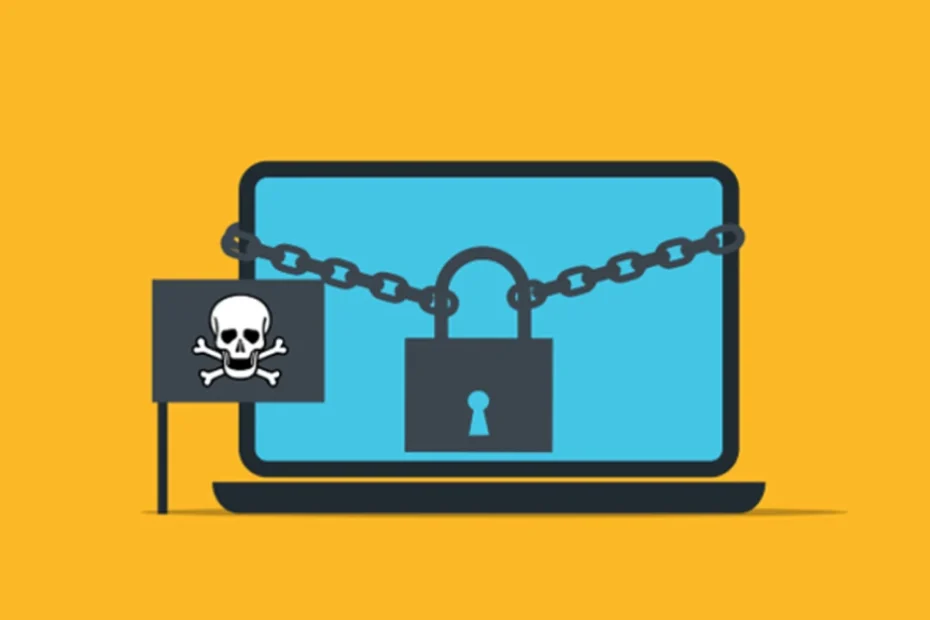
"How to Protect Yourself and Your Business from Ransomware" blog banner - laptop wrapped in a heavy chain with a padlock and a pirate skull flag, representing a ransomware.

How to Protect Yourself and Your Business from Ransomware

Don’t let cybercriminals hold your data hostage – be prepared.

Ransomware has become a major threat to individuals and businesses alike. It can lock up your files and demand payment to get them back. Understanding how to prevent attacks and respond effectively is key to keeping your data safe. At Lightwire Solutions, we specialize in cybersecurity measures that help businesses stay protected from ransomware and other cyber threats.

What is Ransomware?

Ransomware is a type of malicious software designed to infiltrate your computer, encrypt your files, and demand a ransom for their release. This can be both a frightening and costly experience, especially for businesses that rely on access to critical data. Lightwire Solutions helps businesses implement cybersecurity strategies that minimize the risk of ransomware attacks.

How Does Ransomware Work?

Ransomware often spreads through phishing emails or compromised websites. It can also move across networks, affecting multiple devices. Once inside, it encrypts files using strong algorithms, rendering them inaccessible until a ransom is paid. Having a solid cybersecurity plan in place, like the ones Lightwire Solutions provides, can help businesses defend against these threats.

How Does Encryption Work?

Encryption secures data by transforming it into unreadable code using algorithms and keys. While encryption is crucial for protecting sensitive information, ransomware attackers use it against victims by locking files and withholding the decryption key. Lightwire Solutions offers data protection solutions that ensure your encryption works for you, not against you.

How Can You Prevent Ransomware Attacks?

There are many proactive steps to reduce the risk of ransomware infections. Here are some key preventive measures:

Keep Your Software Up to Date

Regularly updating your operating system and applications helps close security gaps that ransomware exploits. Lightwire Solutions provides managed IT services to ensure your systems remain secure and up to date.

Use Strong Antivirus Software

A robust antivirus solution can detect and block ransomware before it causes harm. Lightwire Solutions helps businesses implement advanced security tools to enhance protection against cyber threats.

Be Careful with Emails

Many ransomware attacks start with phishing emails. Avoid opening emails from unknown senders and never click suspicious links. Lightwire Solutions provides cybersecurity awareness training to help employees recognize phishing attempts.

Back Up Your Files

Regularly backing up important data to an external source or secure cloud storage can save you in case of an attack. Lightwire Solutions offers reliable backup and disaster recovery solutions to ensure your data is always protected.

What Should You Do If You Get Ransomware?

If you suspect a ransomware infection, follow these steps to minimize damage:

Disconnect from the Network

Immediately disconnect your device from the internet to prevent the ransomware from spreading. Lightwire Solutions can help contain and assess the attack to prevent further damage.

Don’t Pay the Ransom

Cybersecurity experts advise against paying the ransom, as there’s no guarantee your files will be restored. Paying also fuels more attacks. Lightwire Solutions can assist with data recovery and mitigation strategies.

Report the Attack

Report the incident to law enforcement and relevant cybersecurity authorities. Sharing details can help prevent future attacks. Lightwire Solutions helps businesses navigate the reporting process and implement stronger security measures.

Use Your Backups

If you have clean backups, restore your files to recover lost data. Lightwire Solutions provides automated backup solutions that ensure your data is always recoverable in case of an attack.

How Can Businesses Protect Themselves?

Businesses need additional security measures to defend against ransomware threats. Here’s how to stay protected:

Train Your Employees

Cybersecurity awareness is crucial. Employees should be trained to recognize phishing emails and suspicious activities. Lightwire Solutions offers security awareness training to empower teams against cyber threats.

Limit Access to Key Files

Restrict file access to only those who need it. This helps minimize the spread of ransomware if an infection occurs. Lightwire Solutions can implement role-based access controls to strengthen security.

Have a Response Plan

A well-defined incident response plan ensures quick action in the event of an attack. Lightwire Solutions helps businesses create and test cybersecurity response strategies to reduce downtime.

How is Ransomware Evolving?

Cybercriminals are continuously developing new ransomware tactics. Here’s what to watch for:

Attacks on Mobile Devices

Ransomware is no longer just a computer problem—attackers are now targeting smartphones and tablets. Lightwire Solutions offers mobile security solutions to protect all business devices.

Double Extortion

Some ransomware now steals data before encrypting it. Attackers threaten to leak sensitive information if victims refuse to pay. Lightwire Solutions helps businesses safeguard data and prevent unauthorized access.

Attacks on Cloud Services

As businesses move more data to the cloud, ransomware is targeting cloud storage and services. Lightwire Solutions provides secure cloud solutions and monitoring to prevent cloud-based attacks.

Stay Safe and Prepared

Ransomware is a serious and growing threat, but with the right precautions, you can protect yourself and your business. Keeping software updated, training employees, and maintaining secure backups are essential steps.

At Lightwire Solutions, we specialize in proactive cybersecurity solutions to safeguard businesses from ransomware and other cyber threats. **If you need assistance securing your network or recovering from an attack, contact us today.**

Article used with permission from The Technology Press.

"7 Ways AI Can Complicate Work" blog banner - Minimalist workspace with a silver laptop, a white ceramic coffee mug, a small potted succulent in a white square planter, and a smartphone on a wooden desk.

7 Ways AI Can Complicate Work

AI is changing the way we work. While it can make certain tasks easier, it also comes with challenges. As businesses look to integrate AI into daily operations, it’s important to understand where it can go wrong and how to use it effectively. At Lightwire Solutions, we help businesses leverage AI safely and efficiently while ensuring their IT infrastructure remains secure and reliable.

What is AI and How Does It Affect Work?

AI (Artificial Intelligence) allows computers to perform tasks that typically require human intelligence—like writing, analyzing data, and even creating art. It has the potential to boost productivity, but it’s not perfect. Mistakes happen, and when they do, they can create real problems in the workplace. That’s why having a trusted IT partner, like Lightwire Solutions, is crucial in ensuring AI tools are properly integrated and monitored.

Where Can AI Go Wrong?

Incorrect Information

AI isn’t always accurate. It may mix up facts, pull outdated data, or make things up entirely. Relying on AI without verifying its output can lead to major workplace errors. Businesses that depend on AI-driven decisions should have IT safeguards in place, such as data validation processes and human oversight—something Lightwire Solutions helps implement for our clients.

Weird Outputs

AI can produce strange or nonsensical results—writing text that doesn’t make sense or generating odd images. This can waste time and cause confusion. With the right IT strategy, businesses can minimize these issues and ensure AI tools are optimized for efficiency.

Can AI Be Biased?

Yes. AI learns from human data, and if that data contains biases, AI will reflect them. This can lead to unfair or problematic decisions in the workplace. Lightwire Solutions helps businesses audit their AI tools and data sources to reduce biases and improve accuracy.

How Does AI Affect Jobs?

Job Loss Concerns

Many worry that AI will replace human jobs. It can perform some tasks faster and cheaper, which might reduce job opportunities in certain industries. However, with the right IT support, AI can be used to enhance human roles rather than replace them.

The Need for New Skills

On the flip side, AI is creating demand for new skills. Workers must learn how to collaborate with AI, which can be a challenge for some. Lightwire Solutions provides IT support and training to help teams adapt to evolving technology, ensuring businesses stay competitive.

Is AI Always Reliable?

No. AI can malfunction or break down, causing major disruptions. If businesses rely too heavily on AI without human oversight, these failures can be costly. With proactive IT management from Lightwire Solutions, companies can minimize downtime and ensure AI-driven systems run smoothly.

How Does AI Impact Teamwork?

AI can turn team-based tasks into solo work, reducing collaboration and creativity. While it can speed up processes, it may also lead to a more disconnected workforce. Businesses need to strike a balance between automation and human interaction—something we at Lightwire Solutions can help implement with the right collaboration tools and strategies.

What About Privacy and AI?

AI depends on vast amounts of data to function properly, raising privacy concerns. Businesses must ensure AI systems do not expose sensitive employee or customer data. Lightwire Solutions specializes in cybersecurity and data protection, helping businesses secure their AI-driven processes and maintain compliance with industry regulations.

How Can Businesses Use AI Safely?

To use AI effectively and safely at work, businesses should:

  • Check AI outputs carefully – Ensure accuracy before relying on AI-generated content.
  • Keep humans in charge of big decisions – AI should assist, not replace, critical decision-making.
  • Train workers to use AI effectively – Proper training prevents costly mistakes.
  • Have clear rules for AI use – Policies help guide responsible AI adoption.
  • Stay up-to-date on AI security and compliance – IT experts like Lightwire Solutions can help businesses navigate evolving AI regulations.

Get Started With AI the Right Way

AI can be a powerful tool, but it’s not without risks. Businesses that integrate AI without the right safeguards in place can face security vulnerabilities, misinformation issues, and operational disruptions. At Lightwire Solutions, we specialize in helping businesses implement AI securely and effectively. Whether you need IT support, cybersecurity solutions, or AI integration guidance, we’re here to help. Contact us today for a free assessment and see how we can make AI work for your business—without the headaches.

Article used with permission from The Technology Press.

Can Password Managers Be Hacked?

Password managers keep our online accounts safe. They store all our passwords in one place. But are they hackable?

What are Password Managers?

Password managers are like digital vaults: they save all your passwords inside themselves. You need only remember one master password, of course. This makes keeping a lot of accounts much easier to handle.

How Do They Work?

You make one main password. The manager scrambles your passwords. What this means is, it changes them into an unreadable format without a key.

Why Use Them?

People use password managers out of convenience and security. One single factor is the difficulty in remembering several strong passwords. A password manager allows you to generate and securely store all these.

Can Password Managers be Hacked?

Hackers always hunt for ways to steal your information. However, breaking into a password manager is not easy.

Security Measures

Password managers use very strong encryption. This makes them barely readable by hackers. They are also using two-factor authentication (2FA). The addition of this adds a layer of security. No system is perfect. If a hacker gets your master password, then they can access your vault. A few managers have had security issues in the past, but these are rare. At Lightwire Solutions, we ensure our clients are educated about these risks and equipped with the right tools to minimize them.

How Can You Protect Your Password Manager?

You can take steps to keep your password manager safe.

Choose a Strong Master Password

Make your master password long and unique. Use a mix of letters, numbers, and symbols.

Enable Two-Factor Authentication

2FA adds a layer of security. Even if someone knows your password, they need another code to log in.

Keep Software Up-to-Date

Always update your password manager. Updates fix security issues and keep your data safe. Lightwire Solutions can help you implement these practices across your organization to ensure maximum security.

What Happens If a Password Manager Gets Hacked?

If a password manager gets hacked, it can be serious. Hackers could access all your passwords.

Immediate Actions

Change your master password immediately. Decide which accounts could be affected and change their passwords as well.

Long-Term Solutions

Consider shifting to another password manager if it has been compromised anytime earlier. Keep up to date with any security news about your manager. Lightwire Solutions partners with businesses to implement secure password management systems and provide ongoing monitoring for potential risks.

Is the Use of Password Managers Worth the Risks?

Despite the risks, many people still use password managers. They make managing passwords much easier. It’s also safer than trying to remember them all yourself.

Benefits Outweigh Risks

The benefits of using a password manager usually outweigh the risks. They help you create strong, unique passwords for each account.

Trustworthy Options

Choose a reputable password manager with good reviews and security features. Do some research before deciding which one to use.

Take Control of Your Online Security Today!

Using a password manager will go a long way in enhancing your online security. Remember to choose a strong master password. You should also use two-factor authentication and keep your software updated. If you have any questions or need help in the selection of a password manager, contact Lightwire Solutions today! We’re here to help you secure your digital world with expert advice and tailored IT solutions.

Article used with permission from The Technology Press.

The Ultimate Guide to Encryption Methods

Encryption is a method of securing information. It converts readable data into secret code. Only the right key can decode it. This guide will help you understand different encryption methods.

What is Encryption?

Encryption is like a secret language. It converts regular text into unreadable text. This unreadable text is called ciphertext. Only people who have the right key will be able to convert it into normal text, called plaintext. At **Lightwire Solutions**, we help businesses implement strong encryption methods to protect their sensitive information and keep their operations secure.

Why Do We Use Encryption?

We use encryption to keep our information safe. It makes our data safe from hackers. This is very important for privacy and security. Whether you’re dealing with customer data or confidential business information, **Lightwire Solutions** can assist in setting up the right encryption methods to safeguard your organization’s data.

How does Encryption Work?

Encryption uses algorithms and keys. An algorithm is a set of rules for solving problems. A key is somewhat like a password that unlocks the secret message. Our team at **Lightwire Solutions** is experienced in implementing these algorithms to ensure your data is protected at every level.

Symmetric vs Asymmetric Encryption

There are two main types of encryption: symmetric and asymmetric. Symmetric encryption uses the same key for encryption and decryption. The same key is shared between the sender and receiver. It’s fast but less secure when the key is shared. Asymmetric encryption uses two keys: a public key and a private key. A public key can encrypt a message, while a private key can decrypt it. It’s more secure since only the private key unlocks the message. At **Lightwire Solutions**, we offer solutions based on both symmetric and asymmetric encryption, helping you find the right fit for your business needs.

What Are Some Common Encryption Methods?

There are numerous encryption methods in use today. Here are some of the most common ones:

AES (Advanced Encryption Standard)

AES is one of the most secure forms of encryption. It is symmetric encryption. AES can have 128, 192, or 256-bit keys. The longer the key, the harder it is to break. **Lightwire Solutions** uses AES for securing sensitive data, ensuring that your information is protected with some of the most advanced encryption methods available.

RSA (Rivest-Shamir-Adleman)

RSA is an asymmetric encryption method. It uses two keys: a public and a private key. RSA is widely used for secure data transmission. We help businesses implement RSA encryption to ensure secure communications, whether it’s for email or data transfer.

DES (Data Encryption Standard)

DES was once a popular symmetric encryption method. It uses a 56-bit key, which is now considered weak. DES has mostly been replaced by AES. If you’re still using older encryption methods like DES, **Lightwire Solutions** can help you upgrade to a more secure system, safeguarding your data with modern encryption standards.

ECC (Elliptic Curve Cryptography)

ECC is an asymmetric technique that offers better security and more compact key sizes. It is efficient and widely adopted in various mobile gadgets. We recommend ECC for mobile security to keep your data protected on-the-go.

How Do We Use Encryption in Everyday Life?

Encryption plays a major role in our daily life routines.

Online Shopping

When you purchase online, your payment information is encrypted. This protects your credit card information against hackers. At **Lightwire Solutions**, we ensure your business’s e-commerce platforms are secured with the latest encryption technologies to protect your customers’ sensitive data.

Messaging Apps

Apps like WhatsApp use encryption to keep your messages private. Only you and the person you are chatting with can read them. We also provide solutions for secure messaging for businesses, ensuring that internal communications stay private and protected.

Email Security

Many email services use encryption to protect your emails from being read by others. **Lightwire Solutions** offers email encryption solutions to protect sensitive business communication and prevent unauthorized access.

What Are the Challenges of Encryption?

Encryption has many benefits, but it also faces challenges.

Key Management

Managing keys securely is a challenge. If someone loses their key, they probably will lose their data. **Lightwire Solutions** helps organizations with key management strategies, ensuring that your encryption keys are kept secure and easily accessible to those who need them.

Performance Issues

Encryption could slow down the systems since it needs processing power for encryption and decryption. Our team can help optimize your systems to minimize performance slowdowns while keeping encryption in place, ensuring your data stays secure without sacrificing speed.

How Can You Stay Safe with Encryption?

You can take some steps to securely use encryption.

Use Strong Passwords

Always use strong passwords for accounts and devices. That will make hacking difficult as it will take time to access. **Lightwire Solutions** offers secure password management systems to help you maintain strong, unique passwords for all your accounts.

Keep Software Up-to-Date

Regularly update your software to protect against security vulnerabilities in software. We provide proactive software updates as part of our managed IT services to ensure your encryption methods stay up-to-date and secure.

Use Caution with Public Wi-Fi

If you need to use public Wi-Fi, avoid sensitive transactions unless you can encrypt your internet connection using a VPN. **Lightwire Solutions** can help you set up secure VPNs to protect your data, even when using public Wi-Fi.

Ready to Secure Your Data?

Encryption helps protect your personal information from threats. Understanding different methods can help you choose the right one for your needs. If you’re ready to take the next step in securing your data, **Lightwire Solutions** is here to help. Our team specializes in providing comprehensive encryption services tailored to your business. If you want more information or need help securing your data, contact us today!

Article used with permission from The Technology Press.
5 Common Cyber Threats in 2025: A Lightwire Solutions Guide

In 2025, cyber threats are in almost every nook and corner. They might be with the intent to destroy computers, steal data, or take money. Understanding what they are and how protection against them works will come in handy. At Lightwire Solutions, we specialize in helping businesses navigate and defend against these evolving threats.

What Are the Most Common Cyber Threats?

They come in so many forms, some old, some new, and very tricky. Here are some of the most common ones you should know about.

Phishing Attacks

Phishing attacks will always be in vogue. They make you give away your personal data. It may involve a phony message or fake websites. Always check the sender’s email address. Do not click on suspicious links. **Lightwire Solutions** offers advanced email security tools to detect and block phishing attempts before they reach your inbox.

Ransomware

Ransomware locks your files and demands money to unlock them. It can spread through email attachments or unsafe downloads. Keep your software updated and back up your files regularly. With **Lightwire Solutions**, you get reliable backup and disaster recovery services to keep your business running smoothly, even in the face of ransomware.

Malware

Malware is bad software that may cause damage to your computer. It can steal data or spy on you. Use antivirus software and avoid downloading files from unknown sources. **Lightwire Solutions** provides managed antivirus and endpoint detection to safeguard your devices.

How Can You Protect Yourself Online?

Safety online is important. Here are some simple steps to take to protect yourself from cyber threats.

Use Strong Passwords

Use strong and unique passwords for each account. A strong password includes letters, numbers, and symbols. Change your password regularly. **Lightwire Solutions** offers secure password management tools to simplify and strengthen your password practices.

Enable Two-Factor Authentication

Two-factor authentication is an added layer of security. When it is in place, one has to take an extra step to log in, for example, getting a code on one’s phone. Whenever possible, turn that on. We can help you set up two-factor authentication across your business systems.

Be Careful with Public Wi-Fi

Public Wi-Fi is not secure. It is easy for hackers to hack into the data of people who use public networks. Always connect your VPN when using any public Wi-Fi network. **Lightwire Solutions** provides secure remote access solutions to keep your data safe, no matter where you work.

Why is Cybersecurity Important for Everyone?

Cybersecurity doesn’t only apply to big corporations. Everyone should be knowledgeable about cyber threats and their prevention techniques.

Protect Personal Information

Your personal information is worth something. Cybercriminals can use it for identity theft or fraud. Be careful about what you share online. Our team at **Lightwire Solutions** offers end-user training programs to educate your employees on protecting sensitive information.

Secure Financial Transactions

Online banking and shopping are convenient but risky if not done securely. Use secure websites and monitor your accounts regularly for any suspicious activity.

What Should You Do If You Are a Victim of a Cyber Attack?

Sometimes, despite all precautions, you may still become the victim of a cyber-attack. Knowing your next step is paramount.

Report the Incident

An immediate report of the cyber-attack should be made to the authorities. This could help in investigations and reduce damage. **Lightwire Solutions** provides fast response times to minimize the impact of cyber incidents on your business.

Change Your Passwords

Immediately change all your passwords if you suspect a breach. This prevents further unauthorized access to your accounts.

How Will Cyber Threats Evolve in the Future?

Cyber threats will continually change with emerging technologies. It’s recommended to stay up-to-date on new threats for better protection.

AI-Powered Attacks

Cybercriminals will leverage artificial intelligence for more sophisticated attacks. AI supports them in selecting the right victims. Our team at **Lightwire Solutions** stays ahead of these developments to keep your business protected.

Internet of Things (IoT) Vulnerabilities

There are more and more devices connecting via the internet. They start to become the main targets of hackers. Make sure that all devices have updated security measures on them. **Lightwire Solutions** can help secure all your IoT devices for better peace of mind.

Stay Safe Online: Contact Lightwire Solutions for More Tips!

Cyber threats are real and growing every day. In this digital age, it is very important to protect yourself online. At **Lightwire Solutions**, we make cybersecurity simple and effective for businesses of all sizes. For more tips on staying safe online, contact us today! We are here to help you keep your digital life secure and your business thriving.

Article used with permission from The Technology Press.

10 AI Tools You Need in Your Office for Productivity

In today’s fast-moving world, everyone wants to work wiser, not harder. At Lightwire Solutions, we’re all about helping businesses do just that. The involvement of AI tools can make your work easier and faster, and we’re here to guide you in finding the right solutions. Let’s explore some AI tools that can boost productivity in your office.

What are AI Tools?

AI tools are software programs that use artificial intelligence. They help users complete tasks in an efficient and effective manner. At Lightwire Solutions, we’ve seen firsthand how these tools can transform businesses, making workflows smoother and more streamlined.

In What Ways Can AI Tools Help with Time Management?

Time management is crucial for productivity. AI tools can help you manage your day better. They can schedule meetings, remind you of events, and even suggest the best times to take breaks.

Smart Calendars

Smart calendars use AI to manage your schedule. With our managed IT services, Lightwire Solutions can integrate tools like these seamlessly into your day-to-day operations.

Task Managers

Task managers keep you on track. We can help you implement and maintain AI-enabled task managers that prioritize your tasks by deadline or urgency, ensuring you stay focused on what matters most.

Can AI Improve Communication?

Communication is key in any office. AI tools can make communication faster and clearer.

Email Assistants

Email assistants use AI to sort your inbox and draft replies. Lightwire Solutions can recommend and support tools that take the headache out of managing your emails.

Virtual Meeting Helpers

Virtual meeting helpers transcribe meetings in real time and highlight action items. We ensure these tools integrate smoothly with your systems, helping your team stay aligned.

How Do AI Tools Enhance Data Analysis?

Data analysis is critical for making informed decisions. AI tools can handle large data sets and extract meaningful insights faster than ever.

Data Visualization Tools

Lightwire Solutions can set you up with tools that not only create simple charts and graphs but also highlight trends to help you make proactive decisions.

Predictive Analysis

Looking ahead with data-driven insights is a game-changer. With our expertise, we help businesses adopt AI-powered predictive analysis tools to stay ahead of the competition.

Does AI Help in Creative Tasks?

It’s not just about numbers and schedules. AI tools are making waves in creative fields, too.

Article used with permission from The Technology Press.

5 Emerging AI Trends Changing the Workplace

The pace of technological advancement is accelerating. This is not news to anyone wading through the ChatGPT craze. Artificial intelligence (AI) is at the forefront of this revolution. We are swiftly seeing companies adopting AI solutions. Even more rapidly are software providers like Microsoft adding AI to tools.

The goal is to use AI to do things like:

  • Streamline operations
  • Automate tasks
  • Reduce errors
  • Boost business output

The 2024 Work Trend Index is a joint report by Microsoft and LinkedIn. It provides valuable insights into the current state of AI in the workplace. The study sheds light on how AI is transforming the way we work and provides fresh ideas and considerations for using AI effectively. As a business IT provider, Lightwire Solutions keeps a close eye on these trends to help our clients navigate these changes. Our goal is to empower you to leverage the power of AI to drive your business forward, from understanding the trends to implementing practical AI solutions.

Next, we’ll look at the main trends identified in the report and explore how they can impact your operations.

Employees Want and Expect AI at Work

Is your company lagging in AI adoption? You may find it harder to attract and keep top talent. The study shows that 75% of knowledge workers now use AI at work.

Employees understand that AI helps them do certain things faster, but they also worry when companies are slow to adapt. Partnering with employees in AI integration is crucial. For instance, gathering feedback on how AI can support their roles can guide where to start.

Lightwire Solutions can assist in establishing an AI adoption plan tailored to your team’s needs, helping you enhance productivity and attract top talent by meeting their AI expectations.

AI Skills Are Becoming More in Demand

New AI-driven roles are emerging, with job titles like “prompt engineer” becoming highly sought-after. As companies increasingly seek staff with AI skills, adding AI training is essential. This not only supports company goals but also equips employees with skills that enhance their day-to-day productivity.

Lightwire Solutions can help your team upskill with AI training, enabling you to harness the power of AI across your business. Whether through targeted workshops or hands-on guidance, we ensure your staff are well-prepared to meet AI demands.

The Evolving Role of Employees Using AI

The report also highlights a divide among employees in AI usage, ranging from skeptics to “power users.” These power users, using AI to re-engineer workflows, save over 30 minutes a day through automation, data analysis, and customer support.

Leverage the knowledge of your AI-savvy employees by turning them into in-house trainers. Lightwire Solutions can help set up structured AI processes and templates, allowing your power users to become an invaluable resource for training other team members.

Things Can Get Messy Fast without a Plan

Without a clear AI use policy, employees may adopt unapproved AI tools on their own, which can lead to inefficiencies and privacy concerns. This makes having a structured AI policy crucial.

Lightwire Solutions specializes in crafting AI using policies and strategies, helping you stay in control of your AI tools while ensuring data security and consistent implementation. Let us help you harness AI without the chaos, so your company benefits without any “Wild West” repercussions.

The Ethical Considerations and Trust in AI

As AI becomes more prevalent, the Work Trend Index highlights three ethical pillars: transparency, privacy, and bias mitigation. Businesses must deploy AI responsibly, communicating clearly to both employees and customers about how AI is used.

Lightwire Solutions can guide you in ethical AI deployment, from ensuring transparent practices to aligning with privacy standards. Building trust in AI is key, and we’re here to support you every step of the way.

Final Thoughts on AI in the Workplace

The 2024 Work Trend Index offers invaluable insights that can help your business understand and strategically embrace the transformative power of AI. Understanding these trends and adopting AI wisely can unlock opportunities, boost productivity, and improve employee satisfaction.

Get Expert Help with an AI Game Plan

Lightwire Solutions is committed to helping you navigate the complexities of AI adoption. Our expert team will guide you in leveraging AI’s potential to drive your business forward with precision and insight.

Contact us today to discuss how we can support your AI journey, creating a strategy that aligns perfectly with your goals.

Article used with permission from The Technology Press.
6 Simple Steps to Improve Your Email Security

Email is a fundamental communication tool for businesses and individuals alike. But it’s also a prime target for cybercriminals. Cyberattacks are increasing in sophistication, making it more critical than ever to enhance your email security. Ninety-five percent of IT leaders say cyberattacks have become more sophisticated. Over half (51%) have already seen AI-powered attacks in their organization. By taking proactive measures, you can protect your sensitive information and maintain communication integrity. Here are six simple steps to enhance your email security, along with how Lightwire Solutions can help.

1. Use Strong, Unique Passwords

Passwords are the first line of defense for your email accounts. A weak password is like an open invitation for cybercriminals. To enhance your email security, use strong, unique passwords that are difficult to guess.

Create Complex Passwords

A strong password should include a mix of:

  • Letters (both uppercase and lowercase)
  • Numbers
  • Special characters Avoid using common words or easily guessable information. A complex password makes it harder for attackers to gain access to your email account.

Use a Password Manager

Remembering several complex passwords can be challenging. A password manager can help you generate and store unique passwords for all accounts. With a password manager, you only need to remember one master password. This simplifies the process while enhancing security. Lightwire Solutions offers recommendations for reliable password managers to streamline your security.

Avoid Reusing Passwords

Using the same password across multiple accounts increases your risk. Make sure each of your email accounts has a unique password to prevent a single breach from spreading.

2. Enable Two-Factor Authentication (2FA)

Two-factor authentication (2FA) adds an extra layer of security to your email accounts. Even if someone gains access to your password, they won’t be able to access your account without the second factor of authentication.

Choose a 2FA Method

Common 2FA methods include SMS codes, authenticator apps, and hardware tokens. Choose the method that best suits your needs, and Lightwire Solutions can assist with the setup and management of these security features.

Set Up 2FA for All Accounts

Enable 2FA for all your email accounts. Most email providers offer this feature and setting it up usually takes just a few minutes. This simple step significantly improves your email security.

3. Be Cautious with Email Attachments and Links

Email attachments and links are common vectors for malware and phishing attacks. Clicking on a malicious link or attachment can compromise your system.

Verify the Sender

Before opening an attachment or clicking on a link, verify the sender’s identity. For unexpected emails, contact the sender through a different channel. For unknown senders, exercise extra caution.

Scan Attachments

Use antivirus software to scan email attachments before opening them. Many email providers also offer built-in scanning features. Lightwire Solutions provides comprehensive cybersecurity solutions to safeguard your email and systems.

Avoid Clicking on Suspicious Links

Be wary of links that seem out of place or too good to be true. Always hover over links to check the URL before clicking.

4. Keep Your Email Software Updated

Software updates often include security patches that address vulnerabilities. Keeping your email software updated ensures you have the latest protections against known threats.

Enable Automatic Updates

Most email clients and operating systems offer automatic updates. Enable this feature to reduce the risk of missing critical security patches.

Regularly Check for Updates

Even with automatic updates enabled, manually checking for updates is wise to ensure your email client runs smoothly and securely.

5. Use Encryption for Sensitive Emails

Encryption adds a layer of protection to your emails. It encodes the content, making it readable only by the intended recipient.

Encrypt Emails Containing Sensitive Information

If you need to send sensitive information via email, use encryption. Many email providers offer built-in encryption options. Lightwire Solutions can guide you on the best encryption tools to use for your business needs.

Educate Recipients

If you’re sending encrypted emails, ensure recipients know how to decrypt them. Clear instructions are vital for secure communication.

6. Watch Your Email Activity

Regularly monitoring your email activity can help you detect suspicious behavior early.

Set Up Activity Alerts

Many email providers offer activity alerts. Enable these alerts to stay informed about your account’s security status.

Regularly Review Account Activity

Review your email account activity regularly, including login history and devices connected to your account. If you notice any unfamiliar activity, change your password immediately and investigate further.

Respond Quickly to Suspicious Activity

If you detect suspicious activity in your email account, respond quickly. Lightwire Solutions is here to support you with rapid response strategies and ongoing email security management.

Get Expert Email Security Solutions

Email security is essential for protecting your personal and professional information. At Lightwire Solutions, we provide effective solutions to reduce the potential for email compromise and phishing risk. Contact us today to schedule a chat about enhancing your email security and protecting your organization.

Article used with permission from The Technology Press.

Data Lifecycle Management: Challenges and Best Practices for Businesses

Data is one of the most valuable assets a business can have. Managing this data throughout its lifecycle can be challenging. Data lifecycle management (DLM) refers to several processes and policies that govern the handling, storage, and eventual disposal of data.

As businesses generate and store vast amounts of data, the importance of effective DLM becomes critical. Navigating the challenges of data lifecycle management requires a comprehensive approach—one that balances security, compliance, and operational efficiency. At Lightwire Solutions, we specialize in helping businesses implement effective DLM strategies.

Understanding Data Lifecycle Management

Data lifecycle management involves the governance of data, starting from its creation to its eventual disposal. The lifecycle includes several stages:

  • Data creation
  • Storage
  • Use
  • Sharing
  • Archiving
  • Deletion

Each stage presents its own set of challenges. Mismanagement at any stage can lead to security risks, regulatory non-compliance, and increased operational costs. Implementing a robust DLM strategy ensures proper data handling at every stage, maximizing its value while minimizing risks.

The Importance of Data Lifecycle Management

Effective DLM is crucial for several reasons. First, it helps ensure data security. As data moves through its lifecycle, it is exposed to various threats, including unauthorized access and data breaches. A well-implemented DLM strategy, which Lightwire Solutions can help you develop, includes security measures that protect data at every stage. Second, DLM helps businesses follow regulatory requirements. Many industries are subject to strict data protection laws. Failure to comply can result in significant fines and reputational damage. Finally, DLM improves operational efficiency. By managing data effectively, businesses can reduce storage costs, streamline operations, and ensure that data is available when needed—something we can assist you with at Lightwire Solutions.

Challenges of Data Lifecycle Management

1. Data Volume and Variety

One of the primary challenges of DLM is the sheer volume and variety of data. With the proliferation of digital devices and platforms, companies are collecting more data than ever before, from structured databases to unstructured text, images, and videos.

Managing Large Volumes of Data

The massive volume of data presents a storage challenge. Businesses must invest in scalable storage solutions that can handle growth without compromising performance. Lightwire Solutions can guide you in choosing the right solutions for your data needs.

Handling Diverse Data Types

Data comes in many forms, and each type requires different handling and storage methods. Structured data is easier to manage, while unstructured data presents more challenges. A comprehensive DLM strategy must account for the different types of data and ensure proper management for each type.

2. Data Security and Privacy

Protecting data is a critical aspect of DLM. As data moves through its lifecycle, it is vulnerable to various security threats. Ensuring data privacy and security is not only the best practice but often a legal necessity.

Enabling Robust Security Measures

To protect data throughout its lifecycle, businesses must enforce robust security measures, including encryption, access controls, and regular audits. Lightwire Solutions offers solutions tailored to your specific security needs.

Ensuring Compliance with Privacy Regulations

Data privacy regulations impose strict requirements on how businesses handle personal data. Compliance is often non-negotiable. Your DLM strategy must have provisions for data privacy, and Lightwire Solutions can help ensure you meet these requirements.

3. Data Quality and Integrity

Maintaining data quality and integrity is essential for effective DLM. Poor data quality can lead to inaccurate analyses, poor business decisions, and wasted resources.

Enforcing Data Quality Controls

Businesses must enforce data quality controls at every stage of the data lifecycle. Lightwire Solutions can help implement processes to validate and audit your data regularly.

Preventing Data Corruption

Data corruption can occur at any stage. To prevent this, businesses should use reliable storage solutions and regularly back up data. We can assist you in setting up a robust backup strategy.

4. Data Retention and Deletion

Deciding how long to keep data and when to delete it is critical. Holding onto data too long increases costs and security risks, while deleting it prematurely can lead to compliance issues.

Establishing Data Retention Policies

Establishing clear data retention policies is essential. These policies should outline how long it takes to keep different types of data, based on legal and business requirements. Lightwire Solutions can help you develop these policies effectively.

Ensuring Secure Data Deletion

You must securely delete data when it reaches the end of its lifecycle. Lightwire Solutions can guide you in using appropriate data destruction methods to prevent unauthorized access.

5. Data Accessibility and Availability

Ensuring that data is accessible when needed is another challenge. Businesses must ensure that data remains accessible to authorized users throughout its lifecycle.

Balancing Accessibility with Security

It’s crucial to balance data accessibility with security. Enforcing access controls, such as role-based access and multi-factor authentication, helps maintain this balance. Our experts at Lightwire Solutions can assist in implementing these controls effectively.

Ensuring Data Availability During Disruptions

Businesses must also plan for data availability during disruptions, such as hardware failures or cyberattacks. This includes having backup and disaster recovery plans, which we can help you develop.

Need Help with Data Lifecycle Management Solutions?

Data lifecycle management is a complex but essential aspect of modern business operations. Our team at Lightwire Solutions can help you implement commonsense solutions to improve data security and management. Reach out today to schedule a chat about DLM and how we can support your business needs.

Article used with permission from The Technology Press.