
Skip to content

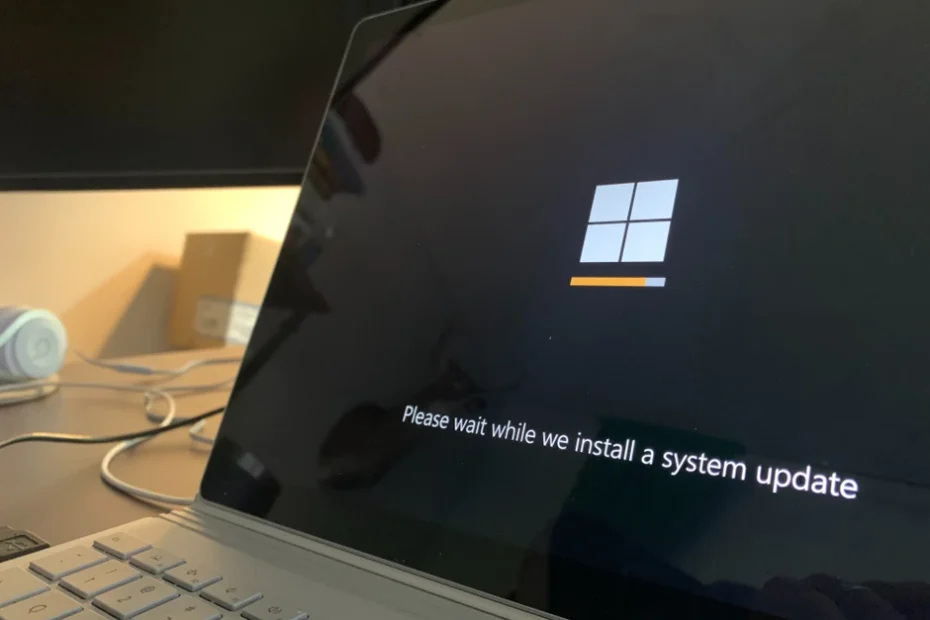
Watch Out for Ransomware Pretending to Be a Windows Update!

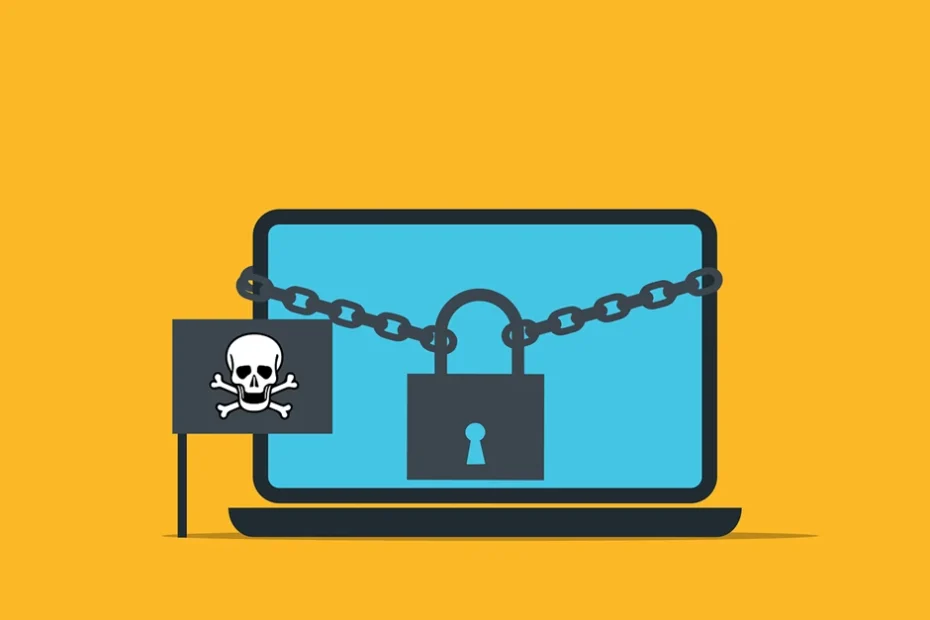
Imagine you’re working away on your PC and see a Windows update prompt. Instead of ignoring it, you take action. After all, you want to keep your device safe. But when you install what you think is a legitimate update, you’re infected with ransomware.

That’s the nightmare caused by an emerging cybersecurity threat.

Cybercriminals are constantly devising new ways to infiltrate systems. They encrypt valuable data, leaving victims with difficult choices. Once ransomware infects your system, your PC is pretty useless. You either have to pay a ransom or get someone to remove the malware. As well as install a backup (if you have one!).

One such variant that has emerged recently is the “Big Head” ransomware. It adds a new layer of deception by disguising itself as a Windows update. In this article, we’ll explore the ins and outs of Big Head ransomware. Including its deceptive tactics. We well as how you can protect yourself from falling victim to such attacks.

The Big Head Ransomware Deception

Ransomware attacks have long been infamous for their ability to encrypt files. This renders them inaccessible to the victim until a ransom is paid to the attacker. In the case of Big Head ransomware, the attackers have taken their tactics to the next level. The attack masquerades as a Windows update.

Big Head ransomware presents victims with a convincing and fake Windows update alert. Attackers design this fake alert to trick users. They think that their computer is undergoing a legitimate Windows update. The message may appear in a pop-up window or as a notification.

The deception goes even further. The ransomware uses a forged Microsoft digital signature. This makes the fake update appear more authentic. This adds an extra layer of credibility to the malicious message. And makes it even more challenging for users to discern its true nature.

The attack fools the victim into thinking it’s a legitimate Windows update. They then unknowingly download and execute the ransomware onto their system. From there, the ransomware proceeds to encrypt the victim’s files. Victims see a message demanding a ransom payment in exchange for the decryption key.

By 2031, it’s expected a ransomware attack will occur every 2 seconds.

Protect Yourself from Big Head Ransomware & Similar Threats

Cyber threats are becoming more sophisticated. It’s not just the good guys exploring the uses of ChatGPT. It’s crucial to take proactive steps to protect your data and systems. Here are some strategies to safeguard yourself from ransomware attacks like Big Head.

Keep Software and Systems Updated

This one is tricky. Because updating your computer is a best practice for security. Yet, Big Head ransomware leverages the appearance of Windows updates.

One way to be sure you’re installing a real update is to automate. Automate your Windows updates through your device or an IT provider (like us). This increases the chances of spotting a fake that pops up unexpectedly.

Verify the Authenticity of Update

Before installing any software update, verify its authenticity. Genuine Windows updates will come directly from Microsoft’s official website. Or through your IT service provider or Windows Update settings. Be cautious of unsolicited update notifications. Especially those received via email or from unfamiliar sources.

Verify the Authenticity of Update

Before installing any software update, verify its authenticity. Genuine Windows updates will come directly from Microsoft’s official website. Or through your IT service provider or Windows Update settings. Be cautious of unsolicited update notifications. Especially those received via email or from unfamiliar sources.

Backup Your Data

Regularly back up your important files. Use an external storage device or a secure cloud backup service. In the event of a ransomware attack, having backup copies is vital. Backups of your data can allow you to restore your files without paying a ransom.

Use Robust Security Software

Install reputable antivirus and anti-malware software on your computer. These programs can help detect and block ransomware threats. This helps prevent them from infiltrating your system.

Educate Yourself and Others

Stay informed about the latest ransomware threats and tactics. Educate yourself and your colleagues or family members. Discuss the dangers of clicking on suspicious links. As well as downloading attachments from unknown sources.

Use Email Security Measures

Ransomware often spreads through phishing emails. Put in place robust email security measures. Be cautious about opening email attachments or clicking on links. Watch out for emails from unknown senders.

Enable Firewall and Network Security

Activate your computer’s firewall. Use network security solutions to prevent unauthorized access to your network and devices.

Disable Auto-Run Features

Configure your computer to disable auto-run functionality for external drives. This can help prevent ransomware from spreading through infected USB drives.

Be Wary of Pop-Up Alerts

Exercise caution when encountering pop-up alerts. Especially those that ask you to download or install software. Verify the legitimacy of such alerts before taking any action.

Keep an Eye on Your System

Keep an eye on your computer’s performance and any unusual activity. If you notice anything suspicious, investigate immediately. Suspicious PC activity can be:

  • Unexpected system slowdowns
  • File changes
  • Missing files or folders
  • Your PC’s processor “whirring” when you’re not doing anything

Have a Response Plan

In the unfortunate event of a ransomware attack, have a response plan in place. Know how to disconnect from the network. Report the incident to your IT department or a cybersecurity professional. Avoid paying the ransom if possible.

Need a Cybersecurity Audit?

Don’t leave unknown threats lurking in your system. A cybersecurity audit can shed light on your system vulnerabilities. It’s an important proactive measure to ensure network security.

Give us a call today to schedule a chat.

Article used with permission from The Technology Press.
9 Reasons to Use Airplane Mode Even If You’re Not Traveling

Most people are familiar with their device’s Airplane Mode. You’ve probably used it when jetting off to exotic locations. But did you know that it’s not just for globetrotters? That’s right! Airplane Mode isn’t only for flying; it can be a handy feature for your everyday life. Here are some top reasons why you should consider toggling it on, even if you’re not traveling.

1. Save That Precious Battery Life

Who doesn’t want their smartphone battery to last longer? Airplane Mode can be your secret weapon against those battery-draining apps. The ones that are constantly running in the background. By switching on Airplane Mode, you effectively shut down all communication functions. This includes Wi-Fi, cellular data, and Bluetooth. This can be a lifesaver when you’re running low on battery and need your phone to last until you can find a charger.

2. Boost Your Charging Speed

We’ve all experienced those moments of panic when our phone’s battery is about to die. We desperately need to charge it ASAP. Well, here’s a neat trick: put your phone in Airplane Mode before plugging it in. Studies show that phones charge about 4 times faster in Airplane Mode. By doing this, your phone won’t be wasting power on syncing notifications. Or checking for updates or connecting to networks. As a result, it will charge up faster, getting you back in the game in no time.

3. A Tranquil Escape from Notifications

Life can get chaotic, and sometimes you need a break from constant pings. Turning on Airplane Mode grants you the gift of peace and tranquility, even if only for a little while. You can enjoy some quality “me” time. All without interruptions from social media alerts or work emails. It’s like creating your little digital oasis!

4. Focus Mode: Engaged!

We all struggle with staying focused from time to time. Whether it’s work, studying, or a creative project, distractions are everywhere. Airplane Mode can be your go-to tool to combat those distractions. By cutting off the internet connection, you’ll find it easier to concentrate on the task at hand. So, next time you need to get in the zone, remember to flip that Airplane Mode switch!

5. Prevent Embarrassing Moments

Picture this: You’re in an important meeting. Then suddenly your phone starts blaring an embarrassingly loud ringtone. Oops! And even if the ringer is off, phones often vibrate when getting a call or notification. Avoid these awkward moments. Use Airplane Mode in situations where silence is golden. You can still use your phone for notetaking or accessing offline content. But without any fear of accidental disruptions.

6. Roaming Woes, Be Gone!

When you’re in an area with poor cellular reception, what happens to your phone? It might tirelessly search for a signal. This can lead to battery drain. Airplane Mode can be a lifesaver in such situations. By turning it on, you prevent your phone from endlessly searching for a network. This saves precious battery power. It can also keep you from connecting to a dangerous network.

7. A Digital Detox

Sometimes we all need a break from the digital world. It can be to reconnect with loved ones, enjoy outdoor activities, or simply be present in the moment. Airplane Mode lets you temporarily disconnect from the online realm. But you still have access to your phone’s offline features.

8. Avoid Unwanted Radiation

The jury is still out on any health risks of mobile phone radiation. But some people prefer to err on the side of caution. Enabling Airplane Mode reduces your phone’s radiation emission. This is because it disables most of the communication features. If you’re concerned about exposure, using Airplane Mode can provide some peace of mind.

9. Save Data and Money

If you’re on a limited data plan, turning on Airplane Mode can help you manage your data usage. As well as avoiding unexpected charges. It’s a smart move. Especially when you’re nearing the end of your billing cycle and don’t want to exceed your data limit. Remember, Airplane Mode isn’t just for frequent flyers. It’s a nifty feature that can enhance your daily life in various ways. It offers longer battery life and faster charging. As well as escaping the constant barrage of notifications, it has benefits. Airplane Mode can be your digital ally in a world that’s always connected. So, don’t be shy to give it a try, and enjoy this underrated smartphone feature. Even when your feet are firmly on the ground!

Keep Your Smartphone Optimized & Secure

Do you need help securing your smartphone from viruses and attacks? Wish you knew how to use all its features better? Our team of experts can help with training and device security. Give us a call today to schedule a chat.

Article used with permission from The Technology Press.

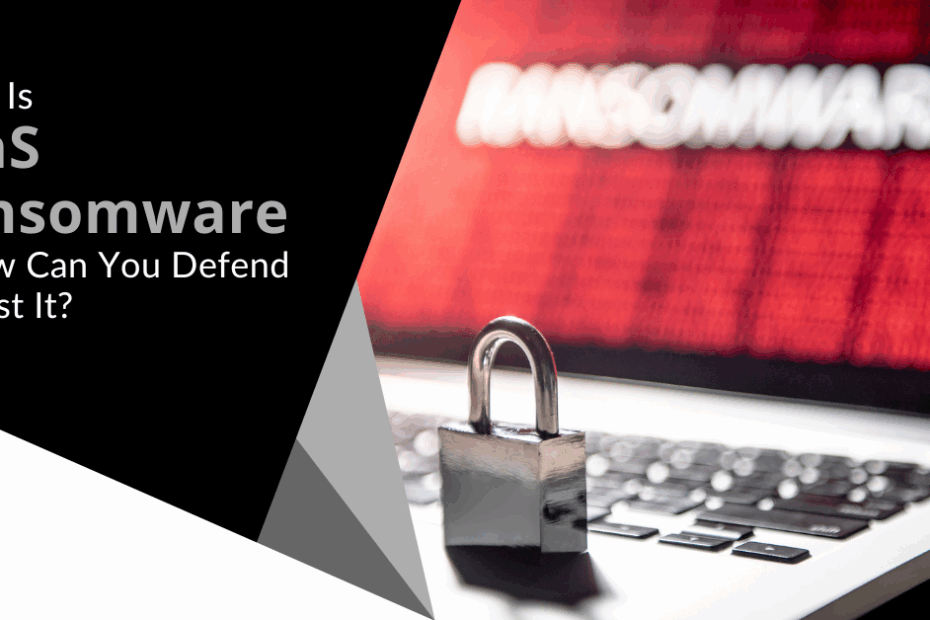
What Is SaaS Ransomware and How Can You Defend Against It?

Software-as-a-Service (SaaS) has revolutionized the way businesses operate. It offers convenience, scalability, and efficiency. No more dragging software from one device to another. Everyone can collaborate easily in the cloud.

But alongside its benefits, SaaS brings with it potential threats. When software and data are online, they’re more vulnerable to attacks. One of the latest threats to move from endpoint devices to the cloud is ransomware.

Ransomware has been around attacking computers, servers, and mobile devices for a while. But recently there has been an alarming uptick in SaaS ransomware attacks.

Between March and May of 2023, SaaS attacks increased by over 300%. A study in 2022 by Odaseva found that 51% of ransomware attacks targeted SaaS data.

In this article, we’ll delve into what SaaS ransomware is and the risks it poses. And, most importantly, how you can defend against it.

What is SaaS Ransomware?

SaaS ransomware is also known as cloud ransomware. It’s malicious code designed to target cloud-based applications and services. These include services like Google Workspace, Microsoft 365, and other cloud collaboration platforms.

The attackers exploit vulnerabilities in these cloud-based systems. The ransomware then encrypts valuable data. It effectively locks users out of their own accounts. Cybercriminals hold the data hostage. They then demand a ransom, often in the form of cryptocurrencies. The ransom is in exchange for the decryption key.

The Risks of SaaS Ransomware

SaaS ransomware adds a new layer of complexity to the cybersecurity landscape. It presents several risks to individuals and organizations.

  • Data Loss: The most immediate risk is the loss of critical data. You lose access to your cloud-based applications and files. This can cause productivity to grind to a halt.
  • Reputational Damage: A successful SaaS ransomware attack can tarnish your organization’s reputation. Customers and partners may lose trust in your ability to safeguard their data. This can negatively impact your brand image.
  • Financial Impact: Paying the ransom is not guaranteed to result in data recovery. It may encourage attackers to target you again. Furthermore, the cost of downtime and recovery efforts can be substantial.

Defending Against SaaS Ransomware

As the saying goes, prevention is better than cure. When it comes to SaaS ransomware, proactive defense is key. Here are some effective strategies to protect your organization against these threats.

<H3>Educate Your Team</H3>

Start by educating your employees about the risks of SaaS ransomware. Include how it spreads through phishing emails, malicious links, or breached accounts. Teach them to recognize suspicious activities and report any unusual incidents immediately.

Enable Multi-Factor Authentication (MFA)

MFA is an essential layer of security. It requires users to provide an extra form of authentication to access accounts. This is often a one-time code sent to their mobile device. Enabling MFA reduces the risk of unauthorized access. This is true, even if a hacker compromises an account’s login credentials.

Regular Backups

Frequently backing up your SaaS data is crucial. In the event of a ransomware attack, you still have your data. Having up-to-date backups ensures that you can restore your files. You won’t need to pay the attacker’s ransom demands.

Apply the Principle of Least Privilege

Limit user permissions to only the necessary functions. Follow the principle of least privilege. This means giving users the lowest privilege needed for their job. Doing this, you reduce the potential damage an attacker can do if they gain access.

Keep Software Up to Date

Ensure that you keep all software (SaaS applications, operating systems, etc.) up to date. They should have the latest security patches installed. Regular updates close known vulnerabilities and strengthen your defense.

Deploy Advanced Security Solutions

Consider using third-party security solutions that specialize in protecting SaaS environments. These solutions can provide many benefits. Including:

  • Real-time threat detection
  • Data loss prevention
  • And other advanced security features

Track Account Activity

Put in place robust monitoring of user activity and network traffic. Suspicious behavior can be early indicators of an attack. One example to watch for is several failed login attempts. Another is access from unusual locations.

Develop an Incident Response Plan

Prepare and practice an incident response plan. It should outline the steps to take in the event of a ransomware attack. A well-coordinated response can mitigate the impact of an incident. It can also aid in faster recovery. The sooner your team can respond, the faster business gets back to normal.

Don’t Leave Your Cloud Data Unprotected!

SaaS ransomware is a significant cybersecurity concern. The best defense is a good offense. Do you need help putting one together? 

Our team can help you stay ahead of the cyber threats that lurk in the digital world. Give us a call today to schedule a chat.

Article used with permission from The Technology Press.
Handy Tips to Optimize a Dual-Monitor Setup for the Best Experience

Two monitors are often better than one when it comes to getting things done efficiently. A dual-monitor setup can significantly enhance your productivity. This is true whether you’re a gamer, a creative professional, or an office wiz who loves to multitask.

A study by Jon Peddie Research found that dual displays can increase productivity by 42%. But it’s not as simple as just setting up an extra screen.

It’s common for people to feel “off kilter” when trying to work from two monitors. They may even find it harder despite having more screen real estate. The cause is usually the setup. They either have the screens positioned wrong or aren’t optimizing the settings.

We’ll dive into some dual-monitor setup best practices. These should help you improve your two-screen experience and take it to the next level.

Best Practices for a Great Two-Screen Setup

1. Match Size and Resolution

Before you jump into the excitement of a dual-monitor setup do some matching. Make sure your monitors are well-matched with each other. Try to use monitors of the same size and resolution. This helps to avoid any jarring differences in image quality or screen real estate. Your eyes will thank you for the consistency!

2. Get the Right Cables

Picture this: you’ve set up your dual monitors, and you’re all excited to fire them up. But your cables don’t fit the ports! To avoid this headache, check your device outputs and inputs to ensure you have the right cables on hand. HDMI, DisplayPort, and DVI are common options. But verify which ones you need for optimal performance.

3. Positioning is Everything

Now that you’ve got your monitors ready to go, let’s talk positioning. Placing your monitors correctly can make a world of difference. This is true for both your comfort and productivity.  

Ideally, arrange them side by side, keeping the top edges aligned. Adjust the angle to reduce neck strain, and make sure the distance is comfortable for your eyes. After all, you’ll be spending a lot of time in front of these screens.

4. Embrace the Extended Desktop

It’s tempting to mirror your displays and have the same content on both screens. But that’s not the full potential of a dual-monitor setup. Embrace the extended desktop feature. It allows you to have separate content on each screen.

This means you can work on a document on one screen. And browse the web or handle email on the other—double the productivity!

5. Focus on Taskbar Tweaks

A cluttered taskbar can quickly turn your dual-monitor setup into chaos. Keep things organized. Set the taskbar to display only the active applications on the screen they’re open in.

Steps:

  • Right-click on the taskbar, go to “Taskbar settings.”
  • Open “Taskbar behaviors”
  • Adjust the setting, “When using multiple displays, show my taskbar apps on.” Set it to the taskbar where the window is open.

No more hunting for the right window across two taskbars.

6. Leverage Shortcuts

Did you know that Windows has some nifty window-snapping shortcuts? Use the Windows key plus the left or right arrow to snap an application to one side of the screen. It will fill exactly half of it.

This is perfect for comparing documents. As well as writing while researching or watching a video while working. It’s a productivity boost that you won’t be able to live without once you’ve tried it!

7. Gaming in Style

If you’re a gamer, a dual-monitor setup can bring your gaming experience to a whole new level. Many modern games support dual monitors, allowing you to have an extended field of view. This is especially true in racing and flight simulation games. Just remember to adjust your graphics settings accordingly for the best performance.

8. Mastering Multitasking

Multitasking is where dual monitors truly shine. For example, you can have your design software open on one screen and your reference images on the other.

Writers can have research materials on one screen. With their writing software on the other. The possibilities are endless. It’s like having a productivity superhero at your disposal! Explore workflows that make the most of both screens.

9. Tame the Cable Chaos

Dual monitors mean double the cables. If you’re not careful, it can quickly turn into a cable jungle. To keep things tidy, invest in some cable management solutions. Such as adhesive cable clips or cable sleeves. Your setup will look cleaner. It’ll also be easier to make changes or upgrades in the future.

10. Don’t Forget the Ergonomics

As you immerse yourself in your dual-monitor world, remember to consider ergonomics. Ensure that your monitors are at eye level. And your keyboard and mouse are at a comfortable height and angle.

Good ergonomics can prevent strain and discomfort. This allows you to enjoy your setup for longer without any aches or pains.

Need Help with Hardware or Software Setup?

Why struggle with hardware or software setup? Come to the pros to save time and avoid frustration.

Give us a call today to schedule a chat about your technology needs.

Article used with permission from The Technology Press.
Does Your Business Have Any Cybersecurity Skeletons in the Closet?

Let’s dive into a topic that might give you the chills—cybersecurity skeletons in the closet. You may not have old skeletons hidden away in the basement. But there’s a good chance of cybersecurity vulnerabilities lurking in the shadows. Just waiting to wreak havoc.

You can’t fix what you can’t see. It’s time to shine a light on these hidden dangers. So, you can take action to protect your business from potential cyber threats.

Let’s get started uncovering threats that could leave your business in danger. Here are some of the most common cybersecurity issues faced by SMBs.

Outdated Software: The Cobweb-Covered Nightmare

We get it; updating software can be a hassle. But running outdated software is like inviting hackers to your virtual Halloween party.

When software vendors release updates, they often include crucial security patches. These patches fix vulnerabilities that hackers can exploit. So, don’t let outdated software haunt your business. Keep everything up to date to ensure your digital fortress is secure.

Weak Passwords: The Skeleton Key for Cybercriminals

If your passwords are weak, you might as well be handing out your office keys to cyber criminals. Using “123456” or “password” as your login credentials is a big no-no.

Instead, create strong and unique passwords for all accounts and devices. Consider using a mix of upper and lowercase letters, numbers, and special characters. Password managers can be a lifesaver for generating and storing complex passwords securely.

As a business owner, you can’t expect your employees to do this naturally. Provide them with requirements for creating passwords. You can also set up software to force strong password creation.

Unsecured Wi-Fi: The Ghostly Gateway

Picture this: a cybercriminal sitting in a parked car. He’s snooping on your business’s unsecured Wi-Fi network. Scary, right? Unsecured Wi-Fi can be a ghostly gateway for hackers to intercept sensitive data.

Ensure your Wi-Fi is password-protected. Make sure your router uses WPA2 or WPA3 encryption for an added layer of security. For critical business tasks consider a virtual private network (VPN). It can shield your data from prying eyes.

Lack of Employee Training: The Haunting Ignorance

Your employees can be your business’s strongest line of defense or its weakest link. Employee error is the cause of approximately 88% of all data breaches.

Without proper cybersecurity training, your staff might unknowingly fall victim to phishing scams. Or inadvertently expose sensitive information. Regularly educate your team about cybersecurity best practices.

Such as:

  • Recognizing phishing emails
  •  Avoiding suspicious websites
  •  Using secure file-sharing methods

No Data Backups: The Cryptic Catastrophe

Imagine waking up to find your business’s data gone, vanished into the digital abyss. Without backups, this nightmare can become a reality. Data loss can be due to hardware failures or ransomware attacks. As well as many other unforeseen disasters. 

Embrace the 3-2-1 rule. Have at least three copies of your data, stored on two different media types. With one copy stored securely offsite. Regularly test your backups to ensure they are functional and reliable.

No Multi-Factor Authentication (MFA): The Ghoulish Gamble

Using only a password to protect your accounts is asking for trouble. It’s like having nothing but a screen door at the entrance of your business.

Adding MFA provides an extra layer of protection. It requires users to provide extra authentication factors. Such as a one-time code or passkey. This makes it much harder for cyber attackers to breach your accounts.

Disregarding Mobile Security: The Haunted Phones

Mobile devices have become office workhorses. But they can also be haunted by security risks. Ensure that all company-issued devices have passcodes or biometric locks enabled. Consider implementing mobile device management (MDM) solutions. These will enable you to enforce security policies. As well as remotely wipe data and ensure devices stay up to date.

Shadow IT: The Spooky Surprise

Shadow IT refers to the use of unauthorized applications within your business. It might seem harmless when employees use convenient tools they find online. But these unvetted applications can pose serious security risks.

Put in place a clear policy for the use of software and services within your business. Regularly audit your systems to uncover any shadow IT lurking under cover.

Incident Response Plan: The Horror Unleashed

Even with all precautions in place, security incidents can still happen. Without an incident response plan, an attack can leave your business scrambling.

Develop a comprehensive incident response plan. It should outline key items. Such as how your team will detect, respond to, and recover from security incidents. Regularly test and update the plan to ensure its effectiveness.

Need Some “Threat Busters” to Improve Your Cybersecurity?

Don’t let cybersecurity skeletons in the closet haunt your business. We can help you find and fix potential vulnerabilities. As well as create a robust security posture that protects your business.

Give us a call today to schedule a cybersecurity assessment.

Article used with permission from The Technology Press.
Lightwire Solutions’ 2024 Cybersecurity Predictions

As we step into 2024, the cybersecurity landscape continues to evolve. Lightwire Solutions, in collaboration with our trusted security partner ICS Cyber, put together a list of 2024 cyber security predictions that businesses will face.

  • 1. Multifactor Auth moves to auth app only.

    One of the key predictions for 2024 is the transition towards using authentication apps for multifactor authentication. Employers will need to educate their employees on how to handle personal cell phones for this purpose.

  • 2. Email security records must be set.

    Any email being sent from your domain will need to make sure that the correct DMARC and DKIM records are set. This includes 3rd party apps like Constant Contact, Mailchimp, and any software that sends email on your behalf. All major email providers are now auto rejecting emails that do not have those records set correctly.

  • 3. Having a Zero Trust solution will become mandatory for compliance and cyber liability insurance.

    Zero trust software prevents unknown software from running on a computer. This is provided with the ICS Cyber package.

  • 4. Security concerns around AI will be validated.

    Phishing emails have already increased by 464% from 2022 to 2023 due to AI being used to send the emails. AI is already being used to spoof phones calls, voices, and video to steal sensitive information.

  • 5. The cost of Cybercrime will increase.

    Current predictions for the cost of cybercrime in 2024 is $9.5 trillion.

  • 6. User cyber training and testing will become required.

    Training users on how to spot phishing emails and testing their awareness is already required for most cyber liability insurance policies.

  • 7. Outdated operating systems.

    With Windows 10 reaching its end of life in 2025, transitioning all devices to Windows 11, or a new supported OS will be required. Making sure that all devices connected to the internet have the most up to date security patches is a must. Having proof that patches are done monthly from either your MSP or 3rd Party security vendor is recommended.

  • 8. Vendor management.

    An often overlooked aspect of cybersecurity is vendor management. Companies need to maintain a list of all vendors they use, monitor their access to network resources, and assess the risk associated with each vendor. If using a cloud solution from a vendor, thorough risk assessment and communication are essential to mitigate potential security risks.

Implementing these security measures and best practices can help safeguard your business’s sensitive data and protect against the ever-growing threat of cyberattacks in the year ahead.

To learn more about how to prepare your business for these changes in the cybersecurity landscape, contact Ligthwire Solutions today!

Cybersecurity Awareness Month: Strengthening Your Team’s Defense with Essential Cyber Hygiene

As technology continues to advance, so does the need for heightened awareness. As well as proactive measures to safeguard sensitive information. Cybersecurity can seem like an insurmountable task for everyday people. But it’s not only a job for the IT team. Everyone can play a part in keeping their organization’s data safe. Not to mention their own data. October is Cybersecurity Awareness Month. It serves as a timely reminder that there are many ways to safeguard data. Following the basics can make a big difference in how secure your network remains.

What Is Cybersecurity Awareness Month?

Cybersecurity Awareness Month (CAM) is an annual initiative held every October. It promotes cybersecurity awareness and education. It aims to empower individuals and organizations by giving them knowledge and resources. It helps people strengthen their defenses against cyber threats. CAM started as a U.S. initiative, National Cybersecurity Awareness Month. Then, it quickly spread around the globe. It’s led by two agencies: • National Cyber Security Alliance (NCSA) • Cybersecurity and Infrastructure Security Agency (CISA) This collaborative effort involves various stakeholders. Government agencies, industry leaders, and cybersecurity experts all come together. The goal is to raise awareness about cyber risks and best practices.

This Year’s Theme

This is CAM’s 20th year. To celebrate, the theme revolves around looking at how far cybersecurity has come. As well as how far it has to go. This year, CAM focuses on four key best practices of cybersecurity. These are: • Enabling multi-factor authentication • Using strong passwords and a password manager • Updating software • Recognizing and reporting phishing Let’s take a closer look at these four best practices of good cyber hygiene.

Essential Cyber Hygiene: 4 Keys to a Strong Defense

Central to Cybersecurity Awareness Month is the promotion of essential cyber hygiene practices. We follow good hygiene to maintain physical health. For example, we brush our teeth every day. Cybersecurity also requires ongoing good hygiene practices to secure the online environment. These practices form the foundation of a strong cybersecurity defense. They help both individuals and organizations.

Enabling Multi-Factor Authentication (MFA)

Implementing Multi-Factor Authentication (MFA) adds a vital layer of security to all logins. In most cases, a hacker can’t breach an account protected by MFA. This is the case even if the cyber crook has the password. According to Microsoft, MFA can block 99.9% of attempted account compromise attacks. With that strong track record, everyone really should be using it. And using it on every login they have.

Strong Passwords & a Password Manager

Passwords remain a critical aspect of securing online accounts. Despite the increased use of biometrics, passwords still rule. Encourage your team members to use strong, unique passwords for each account. Avoid easily guessable information like birthdays or names. Companies can help by setting strong password enforcement rules. This requires a strong password before it’s accepted in a system. For example, you may set up a policy that requires a password to have:

  • At least 12 characters
  • At least 1 upper case letter
  • At least 1 lower case letter
  • At least 1 number
  • At least 1 symbol

Updating Software

Outdated software creates vulnerabilities that cybercriminals can exploit. Regularly update operating systems, applications, and firmware. This ensures the latest security patches are in place. Automating updates is a good way to ensure they’re done promptly. Companies can use endpoint device managers to handle updates across all employee devices. Managers like Intune simplify the process and enhance endpoint security.

Recognizing and Reporting Phishing

Phishing attacks are a common vector for cyber threats. Train your team to identify phishing emails, suspicious links, and unsolicited attachments. Encourage them to verify the sender’s email address. As well as never provide sensitive information unless certain of the recipient’s authenticity. It’s also important to educate employees about phishing beyond email. Phishing via text messages has been increasing significantly. Some criminals phish via direct messages on social media platforms. Another important aspect of phishing awareness is to report phishing. If it’s reported, then other employees know to avoid that phishing trap. The organization’s IT team also needs to know so they can take action to mitigate the threat. Be sure to let employees know how they can report a phishing email when they suspect one.

We Can Help You Put the Best Cyber Hygiene Practices in Place

CAM offers a valuable opportunity to refocus on the significance of cybersecurity. As well as prioritizing essential cyber hygiene practices. Building a culture of cybersecurity awareness within your team is important. It can be the difference between vulnerability and resilience. Need some help ensuring a more secure and resilient future? Our team of experts can get you going on the basics. Once those are in place, your organization will be more productive and much more secure. Give us a call today to schedule a chat.

Article used with permission from The Technology Press.