
Skip to content

AI for Efficiency: How to Automate Daily Tasks and Free Up Your Time (Without a Huge Budget)

AI for Efficiency: How to Automate Daily Tasks and Free Up Your Time (Without a Huge Budget)

Why Does AI-Powered Automation Matter for Small Businesses?

Running a small business means wearing a lot of hats — from answering customer inquiries to managing daily operations. But AI-powered automation offers a solution that can lighten the load. Thanks to technological advancements, these tools are now more accessible and affordable than ever, allowing small business owners to automate tasks they once had to handle manually. With AI, you don’t need to break the bank or hire a large team. Whether you’re a solopreneur or leading a small crew, AI can step in as a virtual assistant — improving efficiency, cutting costs, and freeing you up to focus on what matters most.

Smart Ways to Automate Daily Tasks and Free Up Your Time (Without a Huge Budget)

Small changes can make a big impact. Here are five practical ways to start using AI to automate daily tasks, boost productivity, and win back more time in your day.

1. Automate Customer Support Without Losing the Personal Touch

Use AI Chatbots for First-Line Support: AI chatbots like Tidio and Chatfuel can answer FAQs, book appointments, and collect information. They provide instant, 24/7 responses — no extra staff needed.

Smart Email Assistants: Tools like Zendesk AI or Freshdesk categorize incoming emails, suggest replies, or even automate responses to common inquiries, helping you manage your inbox more efficiently.

AI-Enhanced Customer Feedback: Platforms like Survicate or Qualaroo analyze feedback in real-time, identifying trends and areas for improvement — without manual sorting.

2. Streamline Scheduling and Calendar Management

Let AI Handle Your Calendar: Tools like Calendly and Reclaim.ai find the best meeting times based on your availability, time zones, and preferences — even adding buffer time between meetings.

AI-Powered Appointment Booking: Apps like Acuity Scheduling let clients book directly from your calendar, syncing with platforms like Zoom or Google Meet.

Optimized Time Allocation: Tools like TimeHero and Trello analyze how you use your time and suggest better ways to schedule high-priority work.

3. Supercharge Your Marketing — Without Hiring an Agency

Create Content with AI Writing Tools: Use Jasper AI, Copy.ai, or ChatGPT to generate blog posts, social content, and emails quickly — then fine-tune for your brand voice.

Automate Social Media Posts: Platforms like Buffer and Later use AI to schedule posts, suggest hashtags, and analyze performance, helping you stay consistent without the time crunch.

AI-Driven Analytics for Better Decision-Making: Google Analytics and HubSpot provide real-time insights into campaign performance so you can optimize based on what’s working.

4. Financial Tasks Made Easier

Use AI Accounting Tools: QuickBooks Online and Xero automate expense tracking, bank reconciliation, and reporting — even predicting cash flow based on your history.

Automate Invoice Generation and Payment Reminders: Wave and Zoho Books handle invoice creation and follow-up reminders automatically, helping you maintain steady cash flow.

Financial Forecasting with AI Insights: Tools like Fathom and Float use historical data to forecast trends, helping you plan ahead with confidence.

5. Internal Team Collaboration & Workflow Automation

Automate Repetitive Team Tasks: Zapier and Make.com connect your tools and automate processes — like sending customer data to your CRM or assigning tasks automatically.

AI Note-Taking & Meeting Summaries: Otter.ai and Fireflies.ai record and transcribe meetings, then generate summaries so no important points are missed.

Streamlined Project Management: AI-enhanced tools like Asana and Monday.com assign tasks, track deadlines, and alert you to project roadblocks before they become problems.

Ready to Integrate AI Into Your Business?

If you’re feeling overwhelmed by daily tasks, AI-powered automation might be the key to working smarter. You don’t need a massive tech budget to get started — just the right tools and guidance. At Lightwire Solutions, we help businesses find the best-fit AI solutions to improve efficiency without adding overhead. Whether you’re just getting started or looking to scale smarter, we’re here to help.

Contact us today to explore how automation can lighten your load and drive growth.

Article used with permission from The Technology Press.

AI for Efficiency: How to Automate Daily Tasks and Free Up Your Time (Without a Huge Budget)

Is It Time For a Device Upgrade? Check For These 7 Signs

Is It Time For a Device Upgrade? Check For These 7 Signs

Technology is fast, and in no time, our gadgets get outdated. According to data from Statista, consumers replace their devices about every 2-3 years. Still, it can be tricky to determine when an upgrade is needed. Upgrading your device isn’t just about having the latest gadget. An up-to-date device is safer and more efficient. This article will help you in spotting the signs that your gadget needs replacement. We will talk about seven signs that it is time to get a new one.

7 Signs It’s Time for a Device Upgrade

It can be hard to tell when you need a new device, especially if you feel the current one is working fine. There are a few ways to tell your device is outdated, from slow loading times to lack of storage. Here are 7 signs it’s time for a device upgrade:

1. Is Your Device Slow and Laggy?

Slow performance is a major indicator. If your device takes an eternity to boot up, that might be a sign to get an upgrade. Apps that take too long to open can be really frustrating. Slow internet access could mean your gadget is getting older. Most of us use our phones, computers, and tablets for day-to-day activities. A slow device makes texting, sending emails, managing calendars, and doing work more difficult. If you can save time in your day with work and personal tasks, the cost of an upgrade may be worth it. If you’re experiencing slow performance and productivity is taking a hit, Lightwire Solutions can help you identify your needs and assist in selecting the right replacement. We also offer managed IT services to optimize the performance of your existing devices before making that big upgrade decision.

2. Frequent Freezing and Crashing

Does your device freeze often? Crashes are another bad sign. If you see the spinning wheel a lot, your device might be struggling. These issues mean your device can’t keep up with today’s demands. Freezing and crashing can impact your productivity. Imagine working on a document on your computer and losing everything when it crashes, or taking 20 minutes to type a simple email. This is why it’s important to have an up-to-date device. Lightwire Solutions offers expert support and troubleshooting for devices that crash or freeze regularly. We can help you extend the life of your device with repairs or upgrades, ensuring smoother operation.

3. How’s Your Battery Life?

Battery problems are a clear upgrade sign. If your device dies quickly, it’s a red flag. Needing to charge multiple times a day is not normal. A healthy device should last most of the day on one charge. Check to see if your battery is swollen. This is a safety hazard and should be dealt with immediately. If your device often overheats, the battery may be malfunctioning. These are some pretty serious issues that, in most cases, mean it’s time for a new device. Before you purchase a new device, consider talking to Lightwire Solutions for guidance on battery replacements or advice on whether your device is worth keeping. Our team provides recommendations on the most efficient devices for your needs.

4. Is Your Storage Always Full?

Running out of space all the time? That’s a good indication that an upgrade is due. It is frustrating when you can’t install new apps. Constantly deleting photos and files is a pain. More storage is one great reason to upgrade. If you’re always running out of space and need more storage, Lightwire Solutions can help by recommending devices with ample storage or cloud solutions to meet your needs.

5. Are You Missing Out on New Features?

New devices boast cool new features. If your device can’t get the latest updates, you’re missing out. Newer models often boast better cameras and screens. They also have faster processors and more memory. Age plays a huge factor in device performance. Most smartphones last around 2-3 years, and laptops, perhaps 3-5 years. If your device is older than this, then it might be time for an upgrade. Older devices struggle with new software and apps. At Lightwire Solutions, we stay on top of the latest tech and can guide you through the decision-making process to upgrade your device. Let us help you choose one that fits both your budget and your tech needs.

6. Are Repairs Costing Too Much?

Repairing old devices can be costly. If the repair costs are high, upgrading may be wiser. Sometimes, the repair costs are almost equal to a new device. In such cases, it is often better to buy a new one. Since older devices usually go for less on the market, repair costs can add up quickly. For example, if you break the screen on your iPhone X, it can cost more than $300 to repair it. An iPhone X can be purchased for around $175. These repair costs are more than the value of the actual device. If you’ve had it for a while, you may have paid closer to $1,000 at the time of release. When you combine what you spent on your current device with any repair costs, you’ll notice it’s much better to upgrade. Lightwire Solutions can help you analyze repair costs vs. upgrade costs, providing you with recommendations for both options. We can help keep your devices running efficiently, whether through repairs or guiding you to the best replacements.

7. Does Your Device Support the Latest Software?

Older devices often can’t run new software. This may be a security risk and also means you miss new features. Consider upgrading if your device can’t update to the latest OS. Old software has security holes in it. Your data can easily be compromised by this kind of threat. Most hackers usually attack those gadgets operating on older, obsolete systems. This is why it’s important to keep your devices updated. If you keep an old device around, your data becomes vulnerable. You won’t be protected by the latest security patches. A new device running on the latest update is the safest option. Lightwire Solutions offers managed IT security services to protect your devices and data. We can also provide you with recommendations for the most secure devices to meet your needs.

Ready for a Fresh Start?

If you have been noticing these signs, then that is probably the time for an upgrade. The new device will make your digital life easier, more fun, and a bit safer. Think about your needs and budget in choosing a new device. Don’t wrestle with an older, slower device; upgrade to one that will serve you much better. Your increased security and productivity will thank you in the future. If you need help choosing a new device, contact Lightwire Solutions today. Our team is ready to help you find the perfect fit for your needs and budget.

Article used with permission from The Technology Press.

Is It Time For a Device Upgrade? Check For These 7 Signs

7 Ways AI Can Complicate Work—Insights from Lightwire Solutions

7 Ways AI Can Complicate Work—Insights from Lightwire Solutions

AI is changing the way we work. While it can make certain tasks easier, it also comes with challenges. As businesses look to integrate AI into daily operations, it’s important to understand where it can go wrong and how to use it effectively. At Lightwire Solutions, we help businesses leverage AI safely and efficiently while ensuring their IT infrastructure remains secure and reliable.

What is AI and How Does It Affect Work?

AI (Artificial Intelligence) allows computers to perform tasks that typically require human intelligence—like writing, analyzing data, and even creating art. It has the potential to boost productivity, but it’s not perfect. Mistakes happen, and when they do, they can create real problems in the workplace. That’s why having a trusted IT partner, like Lightwire Solutions, is crucial in ensuring AI tools are properly integrated and monitored.

Where Can AI Go Wrong?

Incorrect Information

AI isn’t always accurate. It may mix up facts, pull outdated data, or make things up entirely. Relying on AI without verifying its output can lead to major workplace errors. Businesses that depend on AI-driven decisions should have IT safeguards in place, such as data validation processes and human oversight—something Lightwire Solutions helps implement for our clients.

Weird Outputs

AI can produce strange or nonsensical results—writing text that doesn’t make sense or generating odd images. This can waste time and cause confusion. With the right IT strategy, businesses can minimize these issues and ensure AI tools are optimized for efficiency.

Can AI Be Biased?

Yes. AI learns from human data, and if that data contains biases, AI will reflect them. This can lead to unfair or problematic decisions in the workplace. Lightwire Solutions helps businesses audit their AI tools and data sources to reduce biases and improve accuracy.

How Does AI Affect Jobs?

Job Loss Concerns

Many worry that AI will replace human jobs. It can perform some tasks faster and cheaper, which might reduce job opportunities in certain industries. However, with the right IT support, AI can be used to enhance human roles rather than replace them.

The Need for New Skills

On the flip side, AI is creating demand for new skills. Workers must learn how to collaborate with AI, which can be a challenge for some. Lightwire Solutions provides IT support and training to help teams adapt to evolving technology, ensuring businesses stay competitive.

Is AI Always Reliable?

No. AI can malfunction or break down, causing major disruptions. If businesses rely too heavily on AI without human oversight, these failures can be costly. With proactive IT management from Lightwire Solutions, companies can minimize downtime and ensure AI-driven systems run smoothly.

How Does AI Impact Teamwork?

AI can turn team-based tasks into solo work, reducing collaboration and creativity. While it can speed up processes, it may also lead to a more disconnected workforce. Businesses need to strike a balance between automation and human interaction—something we at Lightwire Solutions can help implement with the right collaboration tools and strategies.

What About Privacy and AI?

AI depends on vast amounts of data to function properly, raising privacy concerns. Businesses must ensure AI systems do not expose sensitive employee or customer data. Lightwire Solutions specializes in cybersecurity and data protection, helping businesses secure their AI-driven processes and maintain compliance with industry regulations.

How Can Businesses Use AI Safely?

To use AI effectively and safely at work, businesses should:

  • Check AI outputs carefully – Ensure accuracy before relying on AI-generated content.
  • Keep humans in charge of big decisions – AI should assist, not replace, critical decision-making.
  • Train workers to use AI effectively – Proper training prevents costly mistakes.
  • Have clear rules for AI use – Policies help guide responsible AI adoption.
  • Stay up-to-date on AI security and compliance – IT experts like Lightwire Solutions can help businesses navigate evolving AI regulations.

Get Started With AI the Right Way

AI can be a powerful tool, but it’s not without risks. Businesses that integrate AI without the right safeguards in place can face security vulnerabilities, misinformation issues, and operational disruptions. At Lightwire Solutions, we specialize in helping businesses implement AI securely and effectively. Whether you need IT support, cybersecurity solutions, or AI integration guidance, we’re here to help. Contact us today for a free assessment and see how we can make AI work for your business—without the headaches.

Article used with permission from The Technology Press.

7 Ways AI Can Complicate Work—Insights from Lightwire Solutions

Lightwire Solutions Highlights 5 Emerging Trends in the State of AI at Work

The pace of technological advancement is accelerating. This is not news to anyone wading through the ChatGPT craze. Artificial intelligence (AI) is at the forefront of this revolution. We are swiftly seeing companies adopting AI solutions. Even more rapidly are software providers like Microsoft adding AI to tools.

The goal is to use AI to do things like:

  • Streamline operations
  • Automate tasks
  • Reduce errors
  • Boost business output

The 2024 Work Trend Index is a joint report by Microsoft and LinkedIn. It provides valuable insights into the current state of AI in the workplace. The study sheds light on how AI is transforming the way we work and provides fresh ideas and considerations for using AI effectively. As a business IT provider, Lightwire Solutions keeps a close eye on these trends to help our clients navigate these changes. Our goal is to empower you to leverage the power of AI to drive your business forward, from understanding the trends to implementing practical AI solutions.

Next, we’ll look at the main trends identified in the report and explore how they can impact your operations.

Employees Want and Expect AI at Work

Is your company lagging in AI adoption? You may find it harder to attract and keep top talent. The study shows that 75% of knowledge workers now use AI at work.

Employees understand that AI helps them do certain things faster, but they also worry when companies are slow to adapt. Partnering with employees in AI integration is crucial. For instance, gathering feedback on how AI can support their roles can guide where to start.

Lightwire Solutions can assist in establishing an AI adoption plan tailored to your team’s needs, helping you enhance productivity and attract top talent by meeting their AI expectations.

AI Skills Are Becoming More in Demand

New AI-driven roles are emerging, with job titles like “prompt engineer” becoming highly sought-after. As companies increasingly seek staff with AI skills, adding AI training is essential. This not only supports company goals but also equips employees with skills that enhance their day-to-day productivity.

Lightwire Solutions can help your team upskill with AI training, enabling you to harness the power of AI across your business. Whether through targeted workshops or hands-on guidance, we ensure your staff are well-prepared to meet AI demands.

The Evolving Role of Employees Using AI

The report also highlights a divide among employees in AI usage, ranging from skeptics to “power users.” These power users, using AI to re-engineer workflows, save over 30 minutes a day through automation, data analysis, and customer support.

Leverage the knowledge of your AI-savvy employees by turning them into in-house trainers. Lightwire Solutions can help set up structured AI processes and templates, allowing your power users to become an invaluable resource for training other team members.

Things Can Get Messy Fast without a Plan

Without a clear AI use policy, employees may adopt unapproved AI tools on their own, which can lead to inefficiencies and privacy concerns. This makes having a structured AI policy crucial.

Lightwire Solutions specializes in crafting AI using policies and strategies, helping you stay in control of your AI tools while ensuring data security and consistent implementation. Let us help you harness AI without the chaos, so your company benefits without any “Wild West” repercussions.

The Ethical Considerations and Trust in AI

As AI becomes more prevalent, the Work Trend Index highlights three ethical pillars: transparency, privacy, and bias mitigation. Businesses must deploy AI responsibly, communicating clearly to both employees and customers about how AI is used.

Lightwire Solutions can guide you in ethical AI deployment, from ensuring transparent practices to aligning with privacy standards. Building trust in AI is key, and we’re here to support you every step of the way.

Final Thoughts on AI in the Workplace

The 2024 Work Trend Index offers invaluable insights that can help your business understand and strategically embrace the transformative power of AI. Understanding these trends and adopting AI wisely can unlock opportunities, boost productivity, and improve employee satisfaction.

Get Expert Help with an AI Game Plan

Lightwire Solutions is committed to helping you navigate the complexities of AI adoption. Our expert team will guide you in leveraging AI’s potential to drive your business forward with precision and insight.

Contact us today to discuss how we can support your AI journey, creating a strategy that aligns perfectly with your goals.

Article used with permission from The Technology Press.

Lightwire Solutions Highlights 5 Emerging Trends in the State of AI at Work

How Small Businesses Are Unlocking Growth With Generative AI

Staying ahead in business often means embracing cutting-edge technologies. New tools can unlock new avenues for growth. Especially for small businesses. SMBs are often looking for affordable ways to gain a competitive advantage.

One such transformative force is Generative Artificial Intelligence (GenAI). This is a technology that goes beyond automation and the AI we used to know. It can create content, solutions, and possibilities before the unimaginable. It’s so revolutionary that it’s hard to go online without seeing it everywhere.

Do you have a small business seeking to grow? Looking for innovative ways to navigate the competitive landscape? Generative AI can be a powerful ally. It can drive creativity, efficiency, and growth.

Let’s look at how small businesses are harnessing the potential of Generative AI. Using it to elevate their marketing strategies, streamline operations, and foster innovation.

The Rise of Generative AI in Small Business Marketing

The landscape of small business marketing is evolving rapidly. The integration of AI technologies is reshaping strategies for growth. Small businesses are turning to GenAI to enhance their marketing efforts. This is one example of how they are leveraging it to improve profitability.

60% of SMBs say attracting new customers is their biggest challenge. While 30% say it’s marketing to prospective clients. Not surprisingly, 74% expressed interest in using AI to help.

91% of surveyed SMBs say AI has made their business more successful.

This advanced form of AI enables businesses to generate things like:

  • Images
  • Ideas
  • Customer solutions

Companies can do it at the push of a button. This reduces manual effort and unlocks new possibilities for creativity.

How Are Small Businesses Using GenAI?

1. Image & Content Creation and Personalization

Generative AI is revolutionizing image and content creation. It automates the generation of diverse and engaging visuals. Using text prompts, you can generate countless image styles. Plus, create photos and graphics that resonate with target audiences.

Small businesses can leverage GenAI to personalize marketing messages. This improves customer engagement and builds stronger connections.

2. Enhanced Customer Experience

Small businesses strive to differentiate themselves through exceptional customer experiences. Generative AI can play a pivotal role. AI-powered chatbots and virtual assistants provide instant responses. They offer a seamless and efficient communication channel.

This enhances customer satisfaction. It also frees up staff to focus on strategic aspects of relationship management.

3. Data Analysis and Decision-Making

Generative AI excels at analyzing vast datasets. As well as extracting insights and informing data-driven decision-making. Small businesses can harness the power of AI algorithms. It can help them understand market trends as well as customer behaviors and competitive landscapes.

This data-driven approach enables more informed marketing strategies. This helps business owners optimize resource allocation. As well as maximize the impact of marketing campaigns.

4. Innovative Product Development

The creative capabilities of GenAI extend to product development. Businesses can use AI to generate innovative ideas and concepts. This includes designing new products and refining existing ones.

AI-driven tools provide a unique perspective. One that can spark creativity. As well as set small businesses on a path of continuous innovation.

5. Efficient Social Media Management

Social media has become a cornerstone of small business marketing. Generative AI is streamlining social media management. AI tools can analyze social media trends. They can also schedule posts for optimal engagement. And even generate relevant hashtags and captions. This automation allows small businesses to maintain a consistent social media presence.

Empowering Small Businesses for Future Growth

Generative AI stands at the forefront of technological innovation. It offers small businesses a gateway. One to enhance creativity, efficiency, and growth.

Those who harness the power of AI will gain a competitive edge. It can help smaller companies reach new heights of success. As well as do it affordably.

Small businesses that embrace GenAI can streamline their operations and marketing. They can also foster a culture of innovation that propels them into the future.

We’re now in a world where adaptability is key. GenAI provides small businesses with the tools to keep pace with industry changes. It also gives them the power to lead the way.

The growth potential unlocked by Generative AI extends beyond marketing. It permeates every aspect of business operations. This paves the way for a future where small businesses thrive. Well, the ones that capitalize on the innovation and strategic advantage.

Get Expert Guidance to Keep Your SMB Technologically Competitive

Things have always moved fast in the digital world. But GenAI seems to have accelerated that even more. Don’t let your small business get left behind. Our team of technology experts can help.

We’ll take a look at your current business needs. As well as how your technology is meeting them. Next, we’ll explore ways that newer solutions can cut costs and improve efficiency.

Give us a call today to schedule a chat.

Article used with permission from The Technology Press.

How Small Businesses Are Unlocking Growth With Generative AI

7 Transformative Technology Trends Changing the Way We Work

Technology is reshaping the world of work at an unprecedented pace. From artificial intelligence to web3, from the metaverse to the hybrid work model. We are witnessing a series of technological revolutions. They are transforming how we communicate, collaborate, create, and innovate.

Let’s explore some of the most impactful technology trends that are changing the way we work in 2024 and beyond.

1. Artificial Intelligence

AI and Generative AI are not just buzzwords. They are transforming the workplace. These technologies enable automation, allowing teams to handle mundane tasks more efficiently. They free up human resources for more creative and strategic endeavors.

AI is not a new concept, but it has become more powerful and accessible in recent years. This is thanks to advances in computing power, data availability, and algorithm development.

Artificial intelligence is now augmenting and automating various aspects of work. This includes data analysis, customer service, image creation, product design, and more.

But AI also poses significant challenges and risks. This includes ethical dilemmas, social implications, and workforce displacement. Thus, it’s essential to adopt responsible and human-centric approaches to AI. As well as ensure that workers have the skills and support to adapt to the changing nature of work.

2. Remote Collaboration Tools

Advanced collaboration tools have facilitated the rise of remote work. These include video conferencing, project management software, and cloud-based document sharing platforms.

This technology empowers teams to collaborate seamlessly from different corners of the globe. These tools break down geographical barriers, allowing for efficient teamwork and real-time communication.

3. Hybrid Work Model

The hybrid work model is a term that describes the combination of remote and in-office work. This is not a new concept, but it has become more prevalent in the wake of the Covid-19 pandemic.

The hybrid work model offers many benefits, such as:

  • Increased productivity
  • Reduced costs
  • Improved work-life balance
  • Enhanced employee satisfaction
  • Improved employee retention

The hybrid work model is transforming the way we work. It requires workers to have new skills, tools, and strategies. For example, hybrid work requires workers to have several capabilities to work effectively. These include strong digital literacy, communication, collaboration, and self-management skills.

4. Web3: The Decentralized Internet

Web3 is a term that refers to the next generation of the internet. An internet based on decentralized technologies, such as:

  • Blockchain
  • Cryptocurrencies
  • Smart contracts
  • Peer-to-peer networks

Web3 aims to create a more open, transparent, secure, and democratic internet. One where users have more control over their own data, identity, and digital assets. 

Web3 also enables new forms of collaboration and value creation. This includes:

  • Decentralized autonomous organizations (DAOs)
  • Non-fungible tokens (NFTs)
  • Decentralized finance (DeFi)
  • Social tokens

Web3 is transforming the way we work. It’s creating new business models, platforms, and communities. These are designed to be more inclusive, participatory, and innovative.

Web3 has the potential to generate $49.10 billion in economic value by 2030.

5. Internet of Things (IoT) in the Workplace

IoT devices are creating smart and optimized workplaces. This includes smart thermostats that adjust office temperatures based on occupancy. As well as wearable devices that track employees’ health and productivity. This connectivity enhances efficiency and reduces energy consumption. It also provides valuable data for informed decision-making.

6. Augmented Reality (AR) and Virtual Reality (VR)

AR and VR technologies are revolutionizing training, design, and customer interactions. In the workplace, AR and VR offer immersive training experiences. These allow employees to learn complex tasks in a simulated environment. These technologies are also used in product design. This enables professionals to visualize and modify prototypes in real time. This drives faster innovation cycles.

7. Cybersecurity Advancements

As digital technologies advance, so do cybersecurity threats. Businesses are investing in advanced cybersecurity measures to protect sensitive data. As well as ensuring the privacy of employees and customers.

These innovations include biometric authentication and AI-driven threat detection. Cybersecurity advancements are crucial. They help companies safeguard digital assets and maintain trust in the online workspace.

The Impact on the Future of Work

These transformative technology trends are not just fleeting novelties. They are shaping the future of work. Businesses that adapt and embrace these technologies gain a competitive edge.

Remote collaboration tools foster flexibility and work-life balance, appealing to the modern workforce. AI and automation enhance efficiency, reducing errors and operational costs.

IoT creates intelligent workspaces, enhancing employee well-being and environmental sustainability. AR and VR drive innovation, offering new ways to engage both employees and customers.

Challenges and Considerations

While these technologies bring immense benefits, they also pose challenges. Workforce training is essential to ensure employees can leverage these tools effectively. Additionally, there are ethical considerations about data privacy and security. As well as the impact of automation on employment. Striking a balance between technological advancement and human welfare is crucial. Especially in this transformative era.

Let Us Guide You Successfully Through Digital Transformation

Navigating new technologies can be complex. There are pitfalls that can waste time and money. Avoid this by working with our team of experts. We can help you customize your transformation to fit your business goals.

Give us a call today to schedule a chat.

Article used with permission from The Technology Press.

7 Transformative Technology Trends Changing the Way We Work

9 Smart Ways for Small Businesses to Incorporate Generative AI

There is no escaping the relentless march of AI. Software companies are rapidly incorporating it into many business tools. This includes tools like Microsoft 365, Salesforce, and others.

Many people are still concerned about where AI will go. But there is no denying that it makes certain work more efficient. It can generate custom images on demand. Or write a company device policy draft in seconds.

Staying ahead of the curve often means embracing cutting-edge technologies. Even if you’re a little wary about what the future holds.

Generative Artificial Intelligence (GenAI) is unique from the AI of a few years back. It can create, innovate, and optimize. These functions have become a game-changer for businesses of all sizes.

Leveraging Generative AI, small businesses can unlock a world of possibilities. This includes everything from enhancing customer experiences to streamlining operations.

Have you felt bombarded with AI tool options? Unsure where to begin with leveraging it for your business? Let’s explore some smart and practical ways to incorporate GenAI.

1. Personalized Customer Experiences

Generative AI algorithms can analyze customer data and preferences. Using these, it can create personalized experiences.

48% of customers expect specialized treatment for being loyal to a company.

Some of the ways AI can help you improve customer experience include:

  • Tailored product recommendations
  • Customized marketing messages
  • Custom coupons
  • Proactive engagement

These things help small businesses enhance customer satisfaction, fostering brand loyalty.

2. Presentations & Graphics Creation

Generating a great sales presentation can be time-consuming. AI tools can automate this process. Microsoft Copilot is one of these. It can take meeting notes and prompts and create a presentation. Including images!

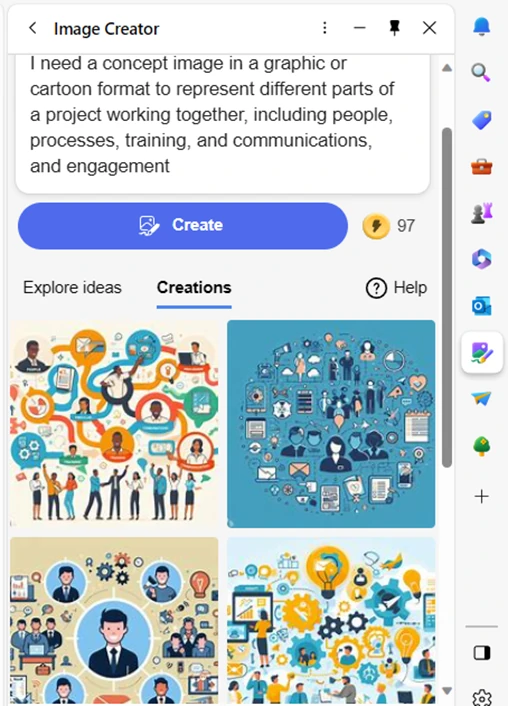
Have you ever had trouble finding a promotional image? Tell Bing’s new AI tool what you need. You’ll get several options, tailored to your description.

Example from Bing powered by DALL-E3 in Edge

AI-driven platforms can produce relevant and engaging graphics. This frees up valuable time and saves money for business owners.

3. Chatbots for Customer Support

AI-powered chatbots on websites and social media platforms are becoming commonplace. This is because they enable small businesses to provide instant customer support. Which is exactly what people expect these days.

These chatbots can handle frequently asked questions. They can also assist with product inquiries and customer transactions.

They help small companies provide round-the-clock help for customers. But without having to pay for extra staff hours.

4. Data Analysis and Insights

Generative AI can process vast datasets to extract meaningful insights. Small businesses can use AI algorithms to analyze important data.

Such as:

  • Market trends
  • Customer behavior
  • Operational data

These insights can inform strategic decision-making. Which helps businesses refine their offerings and marketing strategies.

5. Product Design and Prototyping

AI in product design process allows businesses to explore many design variations rapidly. AI algorithms can generate prototypes and simulations. They do this based on specified parameters. This enables small businesses to visualize products before investing in physical prototypes.

6. Supply Chain Optimization

AI can optimize supply chain operations. It can predict demand, identify inefficiencies, and suggest inventory levels. It takes away the human error component. As well as fees up teams from tedious administrative work.

Small businesses can reduce costs and improve efficiency. AI automates a lot of the supply process. This helps ensure products are readily available when customers need them.

7. Dynamic Pricing Strategies

AI-driven pricing algorithms can help companies make better pricing decisions. Pricing your products and services can be tricky. You don’t want to go too low or too high.

AI helps businesses quickly analyze:

  • Market trends
  • Competitor pricing
  • Customer behavior

These data insights help companies optimize pricing strategies. Small businesses can also dynamically adjust prices based on demand. This maximizes profits while remaining competitive in the market.

8. Human Resources and Recruitment

Generative AI can streamline the recruitment process. The hiring process includes a lot of work reviewing resumes. Many candidates don’t make the interview stage.

AI can help by analyzing resumes and screening candidates for you. It can even help with conducting initial interviews. Small businesses can find the best talent to drive their growth faster.

9. Predictive Maintenance

Downtime on a production line is costly. Proactive maintenance is vital. It’s another area where Generative AI can help.

The technology can predict maintenance needs based on data analysis. It helps businesses avoid costly downtimes. It proactively addresses maintenance requirements. As well as helps to ensure smooth operations.

Unsure How to Get Started with AI at Your Business?

Generative AI opens a world of opportunities for small businesses. It can also add to the complexity of a technology infrastructure.

We can help you use it effectively and affordably. Give us a call today to schedule a chat.

Article used with permission from The Technology Press.

9 Smart Ways for Small Businesses to Incorporate Generative AI

Lightwire Solutions’ 2024 Cyber Security Predictions

As we step into 2024, the cybersecurity landscape continues to evolve. Lightwire Solutions, in collaboration with our trusted security partner ICS Cyber, put together a list of 2024 cyber security predictions that businesses will face.

  • 1. Multifactor Auth moves to auth app only.

    One of the key predictions for 2024 is the transition towards using authentication apps for multifactor authentication. Employers will need to educate their employees on how to handle personal cell phones for this purpose.

  • 2. Email security records must be set.

    Any email being sent from your domain will need to make sure that the correct DMARC and DKIM records are set. This includes 3rd party apps like Constant Contact, Mailchimp, and any software that sends email on your behalf. All major email providers are now auto rejecting emails that do not have those records set correctly.

  • 3. Having a Zero Trust solution will become mandatory for compliance and cyber liability insurance.

    Zero trust software prevents unknown software from running on a computer. This is provided with the ICS Cyber package.

  • 4. Security concerns around AI will be validated.

    Phishing emails have already increased by 464% from 2022 to 2023 due to AI being used to send the emails. AI is already being used to spoof phones calls, voices, and video to steal sensitive information.

  • 5. The cost of Cybercrime will increase.

    Current predictions for the cost of cybercrime in 2024 is $9.5 trillion.

  • 6. User cyber training and testing will become required.

    Training users on how to spot phishing emails and testing their awareness is already required for most cyber liability insurance policies.

  • 7. Outdated operating systems.

    With Windows 10 reaching its end of life in 2025, transitioning all devices to Windows 11, or a new supported OS will be required. Making sure that all devices connected to the internet have the most up to date security patches is a must. Having proof that patches are done monthly from either your MSP or 3rd Party security vendor is recommended.

  • 8. Vendor management.

    An often overlooked aspect of cybersecurity is vendor management. Companies need to maintain a list of all vendors they use, monitor their access to network resources, and assess the risk associated with each vendor. If using a cloud solution from a vendor, thorough risk assessment and communication are essential to mitigate potential security risks.

Implementing these security measures and best practices can help safeguard your business’s sensitive data and protect against the ever-growing threat of cyberattacks in the year ahead.

To learn more about how to prepare your business for these changes in the cybersecurity landscape, contact Ligthwire Solutions today!

Lightwire Solutions’ 2024 Cyber Security Predictions

What Should You Expect in the New iOS 17?

Apple’s iOS updates have always been eagerly anticipated. iPhone and iPad users around the world get excited to see what their devices can do next. The newest major upcoming release will be for iOS 17. This fall, Apple is set to introduce a host of exciting new features and improvements.

iOS 17 promises to deliver an even more intuitive and seamless user experience. There will also be big changes for Messages and sharing across phones.

In this article, we’ll take a closer look at some of the key features you can expect. Get ready to explore the latest innovations that Apple has in store for its users

  • Get an Instant Transcript of Voicemails

    How do you know if that voicemail that came in while in a Zoom meeting is important? iOS 17 is going to make that much easier to determine. When you get a voicemail, you’ll see a transcript of the message on your screen. No more guesswork!

  • Personalized Contact Posters

    Do you hate the picture that someone has saved of you in your contact? The one that comes up every time you call them? You’ll now have power over how you look when you call others.

    Apple is introducing personalized Contact Posters. You can customize how you’ll look when calling people with whom you’ve shared your poster. You can appear as your photo, a Memoji, and more. You can also add text and colors.

  • Leave a Video or Audio FaceTime Message

    You have better options when calling someone on FaceTime and they’re not there. Instead of just leaving a missed call. FaceTime will support audio and video messages. These are like enhanced voicemails.

    Now, if you want to share an exciting visual in the moment, you can. Even if the person doesn’t pick up. You can leave it for them to watch later.

  • More FaceTime Enhancements – Reactions & Apple TV

    Another cool enhancement coming to FaceTime are more expressive reactions. Some of the new ways to express yourself include:

    • Hearts
    • Balloons
    • Fireworks
    • Laser beams
    • Rain
    • and more

    Also, a FaceTime call can now connect with AppleTV. See loved ones right from your large-screen television, as big as ever.

  • Stickers, Anyone?

    If you’re a fan of stickers in messages, you’re going to love this next feature. Messages will be getting a big sticker enhancement in iOS 17. This includes new emoji stickers. You’ll also have the ability to create Live Stickers from subjects in photos.

    You can also liven stickers up with effects. A sticker drawer is also going to be available to store them all neatly.

  • AirDrop & NameDrop for Easier Sharing

    Sharing photos, videos, and files across devices will get better. In just seconds, you can use AirDrop to share files from one phone to another.

    NameDrop gives you a quick way to share contact details. All you need to do is bring two iPhones together. It also works with an iPhone and Apple Watch. Oh, and music is included in the sharing fun!

    NameDrop is also how you’ll share that cool Contact Poster you made.

  • Smarter Autocorrect & Dictation

    Who hasn’t cursed an autocorrect choice that makes you look bad? Apple feels your pain and is introducing smarter autocorrection. This feature will get a machine learning language model upgrade. The update will help it predict text better to learn what you really meant to type.

    Dictation is also getting an upgrade. It will use a new speech recognition model to improve its accuracy.

  • StandBy Glanceable Screen Mode

    Image credit: Apple

    Apple wants your iPhone to be even more useful. Even when it’s charging across the room. So, iOS 17 introduces StandBy. This gives users a full-screen experience with information shown big on the screen.

    You can personalize the display with a full range of helpful views:

    • Clock styles
    • Favorite photos
    • Widgets (including Smart Stacks)
    • Live Activities
    • Siri
    • Incoming Calls
  • New Mental Health Features in the Health App

    Image credit: Apple

    Apple is introducing more mental health features. The health app will enable users to log daily moods and momentary emotions. The goal is to help people see what contributes to their state of mind. As well as easily access depression and anxiety assessments used in clinics.

    Screen Distance in Screen Time will also assist with digital eyestrain. It will encourage a user to move their device farther away from their face. It will do this if users have held their phone closer than 12 inches over a certain period of time.

Get Help with Smartphone Tutoring, Security & More

iOS 17 is shaping up to be an exciting update for Apple users. It offers a range of new features and enhancements. Even more than we could fit into this article.

If you’re looking for help learning how to use your phone’s features or enhancing security, give us a call.  We can improve your experience with one of the most important pieces of tech people use today. Their smartphone.

Give us a call, and let’s chat.

Article used with permission from The Technology Press.

What Should You Expect in the New iOS 17?

Best Ways to Use ChatGPT at Your Business (Without Things Getting Out of Hand)

It’s hard to turn around online these days without running into ChatGPT. Both Bing and Google are levering this advanced artificial intelligence language model. And you can expect it to show up in more business and personal tools that you use every day.

ChatGPT has revolutionized the way businesses interact with their customers. It has also affected how they get things done. Teams are using it for everything from emails to generating ideas for product names.

The tool’s personalized and informative responses in real-time definitely draw you in. But integrating ChatGPT into your business operations requires careful consideration. You want to ensure that things don’t get out of hand with employees using the tool irresponsibly.

In this article, we explore the best practices for using ChatGPT at your business.

Best Practices for Responsible Use of ChatGPT & Other
AI

Understand ChatGPT’s Weaknesses

This is still very new technology, and it makes mistakes. When you first use ChatGPT, you’ll see a warning about this. You shouldn’t use the responses it provides you without human review and editing.

Yes, it can write you an employee device use policy if you ask. But there may be things in that auto-generated policy that aren’t quite correct. Use it as a prompt but not as a replacement for human-generated content.

Another weakness is potential bias. As the engine trains on vast amounts of content, it can pick up some bad habits. Thus, you could get biased or shocking responses from ChatGPT. Understand that in human terms, the tool is still a toddler that needs supervision.

Define ChatGPT’s Role

Before integrating ChatGPT into your business, it’s essential to define its role. The role can range from answering customers to generating ideas for new products.

Defining ChatGPT’s role helps you leverage its power. But also ensures you put in guard rails. The technology still is very new, so you don’t want your employees using it for everything.

Determine exactly which tasks the company approves for ChatGPT use and which it does not. This empowers your team to use it where you deem best and avoids improper use.

Consider Customer Privacy

Privacy is a crucial aspect of any business, and ChatGPT should not be an exception. As you integrate the tool into your work, it’s important to consider customer privacy. In fact, in March, Italy banned ChatGPT due to data privacy concerns.

Be aware of any exposure of employee or customer data to ChatGPT. Limit the potential for data leakage.

For example, you can configure ChatGPT to stop collecting customer data. Such as, after data collection reaches particular threshold.

Ensure Human Oversight

ChatGPT is a powerful tool, but it’s not a substitute for human interaction. It’s crucial to have human oversight to ensure the output it gives is relevant and accurate. Human oversight can help stop inappropriate responses that may negatively impact your business.

Integrate ChatGPT Into Your Existing Customer Service

Integrating ChatGPT into your customer service channels can benefit customers. It can improve customer experience while also reducing workload. You can integrate it into your website, social media, and other support channels. It can provide real-time responses to customer queries. But, again, human beings need to watch ChatGPT and its responses.

Leveraging it intelligently reduces the waiting time for customers. It can also improve their experience with your business.

Measure Performance and Optimize

Measuring ChatGPT’s performance is crucial to ensure that it’s providing value. Measure its performance by analyzing customer satisfaction, response time, and responses handled.

You can also look at productivity statistics. Is using ChatGPT to write the framework for customer emails saving time? Or does it take just as much time for your team to edit responses?

Based on the analysis, you can optimize ChatGPT to improve its performance. This helps it to be a better support for your business.

Be Transparent About Using It

Be transparent if you’re using ChatGPT for email responses or other things. Your customers will appreciate your honesty. For example, you could simply state in your policies the following.

“We leverage AI for certain content, and always edit and fact-check its outputs.”

The use of AI-generated content is a murky area right now. Responsible companies tell their customers exactly where and how they are using it. 

Get Help Navigating the Changing World of Business Technology

ChatGPT is an excellent tool for businesses looking to leverage its AI power. But this tool is still in its infancy. Integrating ChatGPT into your business requires careful consideration. You need to ensure that it’s effective and secure.

Need help navigating the changing technology landscape? Give us a call today to schedule a chat about AI, where to leverage it, and business concerns.

Article used with permission from The Technology Press.

Best Ways to Use ChatGPT at Your Business (Without Things Getting Out of Hand)