Skip to content

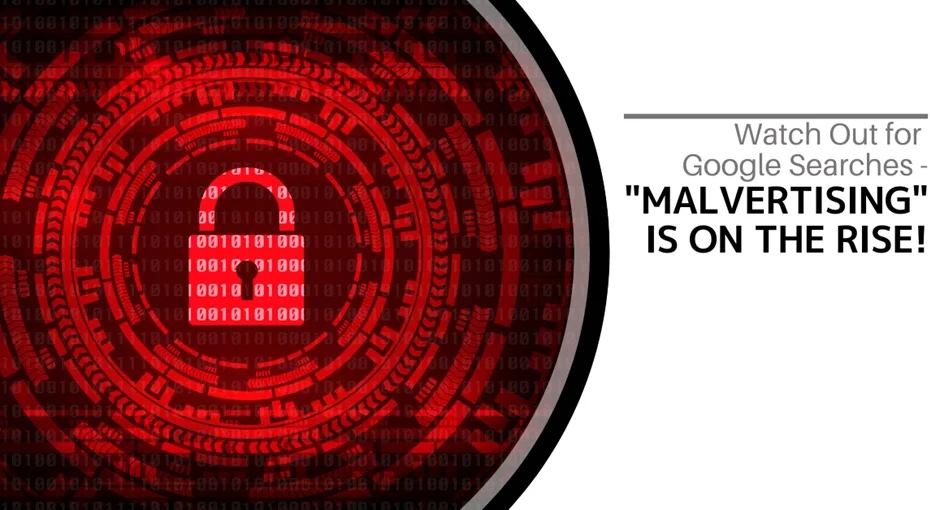
Watch Out! Lightwire Solutions Warns of Rising ‘Malvertising’ in Google Searches

There are many types of malware, and one of the most common is called “malvertising.” It crops up everywhere, including on social media sites and reputable websites. You can even see these malicious ads in Google searches.

Two factors are making malvertising even more dangerous. Hackers are using AI to make it incredibly convincing, and malvertising is rapidly increasing. In the fall of 2023, malvertising saw a 42% month-over-month rise, according to Malwarebytes.

Knowing about malvertising is key to protecting yourself online. Lightwire Solutions wants to help you understand this digital threat and share actionable tips on identifying and avoiding it.

What Is “Malvertising?”

Malvertising is the use of online ads for malicious activities. Take, for instance, when the PlayStation 5 first launched. The high demand and low supply created an ideal environment for hackers. Malicious ads cropped up in Google searches, looking like official sites but instead leading users to fake websites. These copycat sites were designed to steal credentials and credit card details.

Google works hard to police its ads, but hackers often manage to keep malicious ads active for hours or even days before they’re caught. These ads appear just like any other sponsored search ad on Google.

Malvertising isn’t limited to Google; it can appear on various well-known sites and social media feeds, posing risks to anyone online. Lightwire Solutions shares some valuable tips below to help keep you safe.

Tips for Protecting Yourself from Malicious Online Ads

Review URLs Carefully

Look closely at URLs in online ads. Malvertising, like phishing, often relies on small URL changes. If anything looks off, avoid clicking.

Visit Websites Directly

A great way to stay safe is to skip ads altogether and go directly to the brand’s website. If a sale is real, it will be listed there. Lightwire Solutions recommends using this tip to help avoid not only malvertising but also other forms of phishing.

Use a DNS Filter

DNS filters redirect your browser to a warning page if it detects a risky site. They analyze website activity and block dangerous links. DNS filters are highly effective in protecting you from accidental clicks on harmful ads. Lightwire Solutions can help you implement DNS filters to secure your browsing.

Do Not Log in After Clicking an Ad

If you click an ad and are prompted to log in, don’t! Many malvertising schemes lead you to copycat login pages that appear legitimate but are designed to steal credentials. Always open the brand’s actual site in a separate tab if you need to log in.

Don’t Call Ad Phone Numbers

Some malvertising ads include phone numbers, often targeting seniors. People call, unknowingly speaking to scammers who work to gain their trust or scare them into providing personal information. Lightwire Solutions advises against calling any phone numbers found in online ads.

Don’t Download from Ads

Be cautious of ads offering “free software” or “free PC cleaners.” These often inject your device with malware disguised as popular software. Avoid downloading anything directly from online ads, as it may be a trap.

Warn Others When You See Malvertising

If you come across a suspicious ad, share your knowledge. Tell friends, family, and colleagues so they can stay informed and cautious. Creating a community of cyber-aware individuals strengthens everyone’s security. Lightwire Solutions encourages our clients to stay informed and help spread awareness about the latest scams.

Improve Your Online Security Today

Are your devices up to date with security patches? Do you have a reliable anti-malware solution? Is DNS filtering installed to block dangerous websites? If you’re unsure about any of these areas, Lightwire Solutions can help. Our cybersecurity experts provide affordable solutions to secure your online activities. Contact us today to discuss strengthening your online defenses.

Article used with permission from The Technology Press.

Watch Out! Lightwire Solutions Warns of Rising ‘Malvertising’ in Google Searches
Cyber Experts & Lightwire Solutions Recommend These Best Practices for Event Logging

Today’s businesses are no stranger to the word cybersecurity. They face a growing wave of cyberattacks, from ransomware to sophisticated phishing schemes. How can you stay ahead of these threats? A strong cybersecurity strategy is essential, and one crucial component of this strategy is event logging—something not every business owner is fully aware of.

Think of event logging as a digital detective. Tracking activities and events across your IT systems help spot potential security breaches and allows for a swift response. At Lightwire Solutions, we’re here to guide you through implementing event logging best practices to safeguard your network effectively.

What is Event Logging?

Event logging involves tracking all events that occur within your IT systems. An “event” can cover many different things, including:

  • Login attempts
  • File access
  • Software installations
  • Network traffic
  • Denial of access
  • System changes
  • And much more

By tracking these events and adding timestamps, you gain a robust, ongoing view of your IT environment, helping you quickly detect and respond to threats. Lightwire Solutions can help you manage and leverage event logging for optimal security.

Why is it critical to track and log all these events?

  • Detect suspicious activity: By monitoring user behavior and system events, you can identify unusual patterns that might signal an attack. 
  • Respond quickly to incidents: Event logs provide a clear record of what happened during a breach, allowing for an efficient response.
  • Meet regulations: Certain industries require accurate record-keeping of system activities. Event logging helps ensure compliance and prevent penalties.

Best Practices to Use Event Logging Effectively

Event logging is most effective when you follow best practices. At Lightwire Solutions, we guide businesses in adopting these strategies to optimize event logging and strengthen their cybersecurity defenses.

Log What Matters Most

It’s essential to log the events that can reveal security breaches and compliance risks without overwhelming yourself with data. Here are the most important events to track:

  • Logins and Logouts: Track all access points to your systems, including failed attempts and new account setups.
  • Accessing Sensitive Data: Keep an eye on who’s viewing sensitive information.
  • System Changes: Record any adjustments to system configurations, software installations, or updates, which may reveal vulnerabilities.

Lightwire Solutions can help you focus on logging the critical events, making this process manageable and cost-effective for your business.

Centralize Your Logs

Imagine solving a puzzle with pieces scattered across different rooms, it’s chaotic! Centralizing logs with a Security Information and Event Management (SIEM) system gathers all event logs in one place, making them easier to manage and act upon. Here’s why centralization matters:

  • Spot patterns: Connect the dots between suspicious activities across systems.
  • Respond faster: All the evidence you need is at your fingertips in case of an incident.
  • Get a complete picture: See your network to identify weaknesses.

Lightwire Solutions can implement SIEM solutions that help centralize and streamline your log management for a more proactive security stance.

Ensure Logs Are Tamper-Proof

Securing your event logs is essential to prevent attackers from covering their tracks. Protecting your logs ensures they remain accurate and intact. Here’s how:

  • Encrypt your logs: Encryption keeps logs unreadable to unauthorized viewers.
  • Use WORM storage: Write-Once-Read-Many storages keeps logs unalterable.
  • Access controls: Limit log access to authorized personnel only.

Our team at Lightwire Solutions can implement these safeguards, ensuring your logs remain a trusted source for post-incident analysis.

Establish Log Retention Policies

A clear log retention policy helps keep necessary data without overwhelming your storage or losing valuable information too soon. Consider these points:

  • Compliance requirements: Some industries mandate minimum retention times.
  • Business needs: Keep logs as long as necessary for investigations and audits.
  • Storage capacity: Ensure the policy aligns with available storage.

Lightwire Solutions assists businesses in setting retention policies that balance compliance needs and practical storage management.

Check Logs Regularly

Event logging works only if you actively monitor the data. Automated alerts and periodic reviews help you identify potential threats before they escalate. Here’s how to make the most of your logs:

  • Set automated alerts: Notify your team of critical events.
  • Perform periodic reviews: Regular log analysis uncovers hidden threats.
  • Correlate events: Connect activities to reveal larger patterns or attacks.

Lightwire Solutions can automate these checks, allowing your business to respond to threats proactively.

Need Help with Event Logging Solutions?

Lightwire Solutions is your trusted partner in managed IT services. With expertise in event logging and cybersecurity, we can help you set up these best practices, optimize your IT infrastructure, and protect your business. Call or email us today to discuss how event logging can strengthen your security and compliance efforts.

Article used with permission from The Technology Press.

Cyber Experts & Lightwire Solutions Recommend These Best Practices for Event Logging

Why Securing Your Software Supply Chain is Critical   

In today’s world, everything’s connected. That includes the software your business relies on. Whether you’ve installed that software locally or use it in the cloud. Protecting the entire process that creates and delivers your software is very important. From the tools developers use to the way updates reach your computer, every step matters. A breach or vulnerability in any part of this chain can have severe consequences. A recent example is the global IT outage that happened last July. This outage brought down airlines, banks, and many other businesses. The culprit for the outage was an update gone wrong. This update came from a software supplier called CrowdStrike. It turns out that the company was a link in a LOT of software supply chains. What can you do to avoid a similar supply chain-related issue? Let’s talk about why securing your software supply chain is absolutely essential.

1. Increasing Complexity and Interdependence

Many Components

Modern software relies on several components. These include open-source libraries, third-party APIs, and cloud services. Each component introduces potential vulnerabilities. Ensuring the security of each part is essential to maintaining system integrity.

Continuous Integration and Deployment

Continuous integration and deployment (CI/CD) practices are now common. These practices involve frequent updates and integrations of software. While this speeds up development, it also increases the risk of introducing vulnerabilities. Securing the CI/CD pipeline is crucial to prevent the introduction of malicious code.

2. Rise of Cyber Threats

Targeted Attacks

Cyber attackers are increasingly targeting the software supply chain. Attackers infiltrate trusted software to gain access to wider networks. This method is often more effective than direct attacks on well-defended systems.

Sophisticated Techniques

Attackers use sophisticated techniques to exploit supply chain vulnerabilities. These include advanced malware, zero-day exploits, and social engineering. The complexity of these attacks makes them difficult to detect and mitigate. A robust security posture is necessary to defend against these threats.

Financial and Reputational Damage

A successful attack can result in significant financial and reputational damage. Companies may face regulatory fines, legal costs, and loss of customer trust. Recovering from a breach can be a lengthy and expensive process. Proactively securing the supply chain helps avoid these costly consequences.

3. Regulatory Requirements

Compliance Standards

Various industries have strict compliance standards for software security. These include regulations like GDPR, HIPAA, and the Cybersecurity Maturity Model Certification (CMMC). Non-compliance can result in severe penalties. Ensuring supply chain security helps meet these regulatory requirements.

Vendor Risk Management

Regulations often require robust vendor risk management. Companies must ensure that their suppliers adhere to security best practices. This includes assessing and monitoring vendor security measures. A secure supply chain involves verifying that all partners meet compliance standards.

Data Protection

Regulations emphasize data protection and privacy. Securing the supply chain helps protect sensitive data from unauthorized access. This is especially important for industries like finance and healthcare. In these industries, data breaches can have serious consequences.

4. Ensuring Business Continuity

Preventing Disruptions

A secure supply chain helps prevent disruptions in business operations. Cyber-attacks can lead to downtime, impacting productivity and revenue. Ensuring the integrity of the supply chain minimizes the risk of operational disruptions.

Maintaining Trust

Customers and partners expect secure and reliable software. A breach can erode trust and damage business relationships. By securing the supply chain, companies can maintain the trust of their stakeholders.

Steps to Secure Your Software Supply Chain

Put in Place Strong Authentication

Use strong authentication methods for all components of the supply chain. This includes multi-factor authentication (MFA) and secure access controls. Ensure that only authorized personnel can access critical systems and data.

Do Phased Update Rollouts

Keep all software components up to date, but don’t do all systems at once. Apply patches and updates to a few systems first. If those systems aren’t negatively affected, then roll out the update more widely.

Conduct Security Audits

Perform regular security audits of the supply chain. This involves assessing the security measures of all vendors and partners. Identify and address any weaknesses or gaps in security practices. Audits help ensure ongoing compliance with security standards.

Use Secure Development Practices

Adopt secure development practices to reduce vulnerabilities. This includes code reviews, static analysis, and penetration testing. Ensure that security is integrated into the development lifecycle from the start.

Monitor for Threats

Install continuous monitoring for threats and anomalies. Use tools like intrusion detection systems (IDS). As well as security information and event management (SIEM) systems. Monitoring helps detect and respond to potential threats in real-time.

Educate and Train Staff

Educate and train staff on supply chain security. This includes developers, IT personnel, and management. Awareness and training help ensure that everyone understands their role in maintaining security.

Get Help Managing IT Vendors in Your Supply Chain

Securing your software supply chain is no longer optional. A breach or outage can have severe financial and operational consequences. Investing in supply chain security is crucial for the resilience of any business. Need some help managing technology vendors or securing your digital supply chain? Reach out today and let’s chat.

Article used with permission from The Technology Press.

Why Securing Your Software Supply Chain is Critical   

Don’t Be a Victim – Common Mobile Malware Traps 

Your smartphone is a digital wallet, communication hub, and personal assistant. All rolled into one portable device. It’s packed with sensitive data, from financial information to personal photos. This makes it a prime target for cybercriminals. Mobile malware is often overlooked. People focus on securing their laptops or desktops. But they don’t pay as close attention to smartphone and tablet security.

In 2023, attacks on mobile devices increased by 50% over the prior year. The fact is that hackers haven’t overlooked mobile devices. They set many traps to get users to infect their devices with malware. We’ll uncover common mobile malware traps and tell you how to avoid them.

Common Mobile Malware Traps

Mobile malware is just like its computer counterpart. It is malicious software designed to harm your device or steal your data. It can arrive in various forms, from sneaky apps to deceptive links. Ignorance is not bliss here. Understanding the common traps is your first line of defense.

  1. Phishing Attacks: These are the most common. You receive a text or email appearing legitimate, often mimicking trusted brands. Clicking links or downloading attachments can lead to malware infection.
  2. Malicious Apps: Not all apps are safe. Some apps contain hidden malware that can steal data, display ads, or even control your device. Always research apps before downloading.
  3. SMS Scams: Phishing SMS scams, or smishing, use text messages to trick you. They lure you into clicking links or sharing personal information. Be wary of unexpected messages, especially those asking for sensitive info.
  4. Wi-Fi Risks: Public Wi-Fi networks are often unsecured. Connecting to them without caution can expose your device to hackers. Avoid accessing sensitive information on public Wi-Fi.
  5. Fake Apps: These mimic popular apps but are actually malware in disguise. They can steal your login credentials, financial information, or even control your device. Always verify app authenticity.
  6. Adware: While less harmful than other malware, adware can be annoying. It can also potentially expose you to other threats. It often comes bundled with other apps.

Protecting Yourself: Essential Tips

  • Stay Updated: Keep your phone’s operating system and apps updated. Install the latest security patches or turn on auto-update.
  • Be Wary of Links and Attachments: Avoid clicking on links or downloading attachments. Particularly from unknown senders.
  • Strong Passwords: Create complex passwords for your phone and all your apps. Consider using a password manager.
  • App Store Safety: Only download apps from official app stores like Google Play or the Apple App Store. Read reviews and check permissions before installing.
  • Beware of Public Wi-Fi: Use a VPN when connecting to public Wi-Fi to encrypt your data.
  • Regular Backups: Back up your phone regularly to protect your data from loss or corruption.
  • Security Software: Consider using a reputable mobile security app for added protection.

Extra Steps to Safeguard Your Smartphone

Here are a few more layers of protection you can use to fortify your smartphone’s defenses.

Physical Security Matters

  • Lock It Up: Always set a strong passcode, fingerprint, or facial recognition lock. Avoid simple patterns that can be easily guessed.
  • Beware of Public Charging: Avoid using public USB charging stations. These can be compromised, allowing hackers to access your device.
  • Lost or Stolen Phone: If your phone is lost or stolen, remotely wipe its data. This protects your sensitive information.

App Permissions: A Closer Look

  • Limit App Permissions: When installing apps, carefully review the requested permissions. Deny unnecessary permissions to safeguard your privacy and data. For instance, a flashlight app doesn’t need access to your contacts.
  • Regular App Audits: Periodically review the apps on your phone. Uninstall apps you no longer use to reduce potential vulnerabilities.

Backup Your Data

  • Cloud Backups: Use cloud storage services to back up your data regularly. This ensures you have a copy of your important files even if your phone is lost, stolen, or damaged.
  • Local Backups: Consider backing up your phone to your computer. This is another added layer of protection. 

Empower Yourself: Take Control of Your Digital Life

By following these tips, you can significantly enhance your smartphone’s security. Remember, prevention is always better than cure. Stay vigilant, informed, and proactive in protecting your digital life. Your smartphone is a powerful tool. But it’s also a potential target for cybercriminals. By understanding the threats and taking proactive steps, you can prevent catastrophe. Enjoy the benefits of mobile technology without compromising your (or your company’s) security!

Contact Us to Fortify Mobile Security at Home and Office

A majority of employees use personal devices for work. This means mobile malware can impact more than one individual. It can also lead to a data breach of an entire company network. Be proactive and put mobile security in place now. Our team of experts can help with reliable solutions to secure all your devices. Contact us today to schedule a chat about mobile device protection.

Article used with permission from The Technology Press.

Don’t Be a Victim – Common Mobile Malware Traps 

Phishing AI

Phishing has always been a threat. Now, with AI, it’s more dangerous than ever. Phishing 2.0 is here. It’s smarter, more convincing, and harder to detect. Understanding this new threat is crucial.

A recent study found a 60% increase in AI-driven phishing attacks. This is a wake-up call that phishing is only getting worse. Here’s how AI is amplifying phishing and what you can do to protect yourself.

The Evolution of Phishing

Phishing began simply. Attackers sent out mass emails. They hoped someone would take the bait. The emails were often crude, using poor grammar and obvious lies were common. Many people could spot them easily. But things have changed. Attackers now use AI to improve their tactics. AI helps them craft convincing messages. It also helps them target specific individuals. This makes phishing more effective.

How AI Enhances Phishing

  • Creating Realistic Messages

    AI can analyze huge amounts of data. It studies how people write and speak. This helps it create realistic phishing messages. These messages sound like they come from a real person. They mimic the tone and style of legitimate communications. This makes them harder to spot.
  • Personalized Attacks

    AI can gather information from social media and other sources. It uses this information to create personalized messages. These messages mention details about your life. They might reference your job, hobbies, or recent activities. This personalization increases the chances that you’ll believe the message is real.
  • Spear Phishing

    Spear phishing targets specific individuals or organizations. It’s more sophisticated than regular phishing. AI makes spear phishing even more dangerous. It helps attackers research their targets in depth. They can craft highly tailored messages. These messages are hard to distinguish from legitimate ones.
  • Automated Phishing

    AI automates many aspects of phishing. It can send out thousands of phishing messages quickly. It can also adapt messages based on responses. If someone clicks a link but doesn’t enter information, AI can send a follow-up email. This persistence increases the likelihood of success.
  • Deepfake Technology

    Deepfakes use AI to create realistic fake videos and audio. Attackers can use deepfakes in phishing attacks. For example, they might create a video of a CEO asking for sensitive information. This adds a new layer of deception. It makes phishing even more convincing.

The Impact of AI-Enhancing Phishing

  • Increased Success Rates

    AI makes phishing more effective. More people fall for these sophisticated attacks. This leads to more data breaches. Companies lose money. Individuals face identity theft and other issues.
  • Harder to Detect

    Traditional phishing detection methods struggle against AI-enhanced attacks. Spam filters may not catch them. Employees may not recognize them as threats. This makes it easier for attackers to succeed.
  • Greater Damage

    AI-enhanced phishing can cause more damage. Personalized attacks can lead to significant data breaches. Attackers can gain access to sensitive information. They can also disrupt operations. The consequences can be severe.

How to Protect Yourself

  • Be Skeptical

    Always be skeptical of unsolicited messages. Even if they appear to come from a trusted source. Verify the sender’s identity. Don’t click on links or download attachments from unknown sources.
  • Check for Red Flags

    Look for red flags in emails. These might include generic greetings, urgent language, or requests for sensitive information. Be cautious if the email seems too good to be true.
  • Use Multi-Factor Authentication (MFA)

    MFA adds an extra layer of security. Even if an attacker gets your password, they’ll need another form of verification. This makes it harder for them to access your accounts.
  • Educate Yourself and Others

    Education is key. Learn about phishing tactics. Stay informed about the latest threats. Share this knowledge with others. Training can help people recognize and avoid phishing attacks.
  • Verify Requests for Sensitive Information

    Never provide sensitive information via email. If you receive a request, verify it through a separate communication channel. Contact the person directly using a known phone number or email address.
  • Use Advanced Security Tools

    Invest in advanced security tools. Anti-phishing software can help detect and block phishing attempts. Email filters can screen out suspicious messages. Keep your security software up to date.
  • Report Phishing Attempts

    Report phishing attempts to your IT team or email provider. This helps them improve their security measures. It also helps protect others from similar attacks.
  • Enable Email Authentication Protocols

    Email authentication protocols like SPF, DKIM, and DMARC help protect against email spoofing. Ensure these protocols are enabled for your domain. This adds an extra layer of security to your emails.
  • Regular Security Audits

    Conduct regular security audits. This helps identify vulnerabilities in your systems. Addressing these vulnerabilities can prevent phishing attacks.

Need Help with Safeguards Against Phishing 2.0?

Phishing 2.0 is a serious threat. AI amplifies the danger, making attacks more convincing and harder to detect. Have you had an email security review lately? Maybe it’s time.

Contact us today to schedule a chat about phishing safety.

Article used with permission from The Technology Press.

Phishing AI

Security Practices for Remote

The rise of remote work has redefined the modern workplace. Gone are the days of rigid office schedules and commutes. But with this flexibility comes a new set of challenges – cybersecurity threats. Remote work environments often introduce vulnerabilities to your organization’s data and systems.

73% of executives believe that remote work increases security risk. But this doesn’t mean you can’t mitigate that risk. Below, we’ll equip you with essential security practices for remote teams. You’ll learn how to keep company data safe and secure, no matter your location.

1. Securing Home Networks

  • Strong Wi-Fi Encryption

    Ensure that your Wi-Fi is encrypted with the latest security protocols, such as WPA3. This is a foundational step in securing a home network. This prevents unauthorized users from accessing your network and intercepting data.

  • Changing Default Router Settings

    Many routers come with default usernames and passwords. These are well-known to cyber criminals. Change these to unique, strong credentials. This helps prevent unauthorized access to your network.

2. Use Strong, Unique Passwords

  • Password Managers

    Remote workers use several accounts and services to access their work. This means managing passwords can be a daunting task. Password managers can generate, store, and autofill complex passwords. This helps ensure that each account has a unique and strong password.
  • Multi-Factor Authentication (MFA)

    Installing MFA adds an extra layer of security. Even if a hacker compromises a password, MFA requires a second form of verification. This is usually a text message code or app authentication. This second step makes it much harder for attackers to breach accounts.

3. Protecting Devices

  • Antivirus/Anti-Malware Software

    Ensure that all devices used for work purposes have up-to-date anti-malware software installed. These tools can detect and neutralize threats before they cause significant damage.
  • Regular Software Updates

    Outdated software can have vulnerabilities that are exploited by cybercriminals. To stay protected against the latest threats, enable automatic updates for your:

    • Operating system
    • Applications
    • Security software
  • Encrypted Storage

    Use encrypted storage for sensitive data. This ensures that even if a device is lost or stolen, the data remains inaccessible to hackers. You can use both built-in options and third-party solutions.

4. Secure Communication Channels

  • Virtual Private Networks (VPNs)

    A VPN encrypts your internet traffic. This makes it difficult for attackers to intercept and access your data. Using a reputable VPN service is crucial. Especially when accessing company resources over public or unsecured networks.
  • Encrypted Messaging and Email

    Use encrypted communication tools. These protect the content of your messages and emails. When choosing messaging and email services, ask about encryption. This can ensure that your communications remain private and secure.

5. Safe Browsing Practices

  • Browser Security

    Ensure that your web browser is up-to-date and configured for security. This includes:

    • Enabling features such as pop-up blockers
    • Disabling third-party cookies
    • Using secure (HTTPS) connections whenever possible
  • Avoiding Phishing Attacks

    Phishing attacks are a common threat to remote workers. Be vigilant about unsolicited emails or messages asking for sensitive information. Verify the sender’s identity before clicking on links or downloading attachments. Report suspicious communications to your IT department. This helps others on your team avoid the same emails.

  • Use of Ad Blockers

    Ad blockers can prevent malicious ads from displaying on your browser. These often contain malware or phishing links. This adds an extra layer of security while browsing the web.

6. Education and Training

  • Regular Security Training

    Continuous education on the latest security practices and threats is essential. This includes phishing simulations and best practices for device and data security. Teams should also be aware of any new security protocols.
  • Incident Response Plan

    Put a clear incident response plan in place. This ensures that all employees know what steps to take in the event of a security breach. This should include:

    • Reporting procedures
    • Mitigation steps
    • Contact information for the IT support team

7. Personal Responsibility and Vigilance

  • Personal Device Hygiene

    Employees should maintain good digital hygiene on their personal devices. This includes regular backups and secure configurations. They should also separate personal and professional activities where possible.

  • Being Aware of Social Engineering

    Social engineering attacks exploit emotions to gain access to systems and data. Being aware of common tactics, such as pretexting and baiting. Maintaining a healthy skepticism can prevent falling victim to these attacks.

Need Help Improving Remote Work Cybersecurity?

The transition to remote work has brought about significant changes. You need to evolve how you approach digital security. As cyber threats continue to grow, so too must security practices.

Do you need some help? Our experts can help ensure that you are well-equipped to handle remote work securely.

Contact us today to schedule a chat about your cybersecurity.

Article used with permission from The Technology Press.

Security Practices for Remote

AI Data Breaches

Artificial intelligence (AI) is rapidly transforming industries. It offers businesses innovative solutions and automation capabilities. But with this progress comes a growing concern: AI data breaches. As AI becomes more integrated into our systems, the risks increase. The data it collects, analyzes, and utilizes becomes a target.

A recent study on AI security breaches revealed a sobering truth. In the last year, 77% of businesses have experienced a breach of their AI. This poses a significant threat to organizations. A breach can potentially expose sensitive data. As well as compromise intellectual property and disrupt critical operations.

But wait before you hit the panic button. Let’s explore why AI data breaches are on the rise. As well as what steps you can take to safeguard your company’s valuable information.

Why AI Data Breaches are Growing in Frequency

Several factors contribute to the increasing risk of AI data breaches:

  • The Expanding Attack Surface: AI adoption is increasing fast. As it increases, so does the number of potential entry points for attackers. Hackers can target vulnerabilities in AI models and data pipelines. As well as the underlying infrastructure supporting them.
  • Data, the Fuel of AI: AI thrives on data. The vast amount of data collected for training and operation makes a tempting target. This data could include customer information, business secrets, and financial records. And even personal details of employees.
  • The “Black Box” Problem: Many AI models are complex and opaque. This makes it difficult to identify vulnerabilities and track data flow. This lack of transparency makes it challenging to detect and prevent security breaches.
  • Evolving Attack Techniques: Cybercriminals are constantly developing new methods to exploit security gaps. Techniques like adversarial attacks can manipulate AI models. This can produce incorrect outputs or leak sensitive data.

The Potential Impact of AI Data Breaches

The consequences of an AI data breach can be far-reaching:

  • Financial Losses: Data breaches can lead to hefty fines, lawsuits, and reputational damage. This can impact your bottom line significantly.
  • Disrupted Operations: AI-powered systems are often critical to business functions. A breach can disrupt these functionalities, hindering productivity and customer service.
  • Intellectual Property Theft: AI models themselves can be considered intellectual property. A breach could expose your proprietary AI models, giving competitors a significant advantage.
  • Privacy Concerns: AI data breaches can compromise sensitive customer and employee information. This can raise privacy concerns and potentially lead to regulatory action.

Protecting Your Company from AI Data Breaches: A Proactive Approach

The good news is that you can take steps to mitigate the risk of AI data breaches. Here are some proactive measures to consider.

  • Data Governance

    Put in place robust data governance practices. This includes:

    • Classifying and labeling data based on sensitivity
    • Establishing clear access controls
    • Regularly monitoring data usage
  • Security by Design

    Integrate security considerations into AI development or adoption. Standard procedures for AI projects should be:

    • Secure coding practices
    • Vulnerability assessments
    • Penetration testing
  • Model Explainability

    Invest in techniques like explainable AI (XAI) that increase transparency in AI models. This allows you to understand how the model arrives at its results. As well as identify potential vulnerabilities or biases.

  • Threat Modeling

    Conduct regular threat modeling exercises. This identifies potential weaknesses in your AI systems and data pipelines. This helps you rank vulnerabilities and allocate resources for remediation.
  • Employee Training

    Educate your employees about AI security threats and best practices for data handling. Empower them to identify and report suspicious activity.
  • Security Patch Management

    Keep all AI software and hardware components updated with the latest security patches. Outdated systems are vulnerable to known exploits, leaving your data at risk.
  • Security Testing

    Regularly conduct security testing of your AI models and data pipelines. This helps identify vulnerabilities before attackers exploit them.
  • Stay Informed

    Keep yourself updated on the latest AI security threats and best practices. You can do this by:

    • Subscribing to reliable cybersecurity publications
    • Attending industry conferences
    • Seeking out online workshops on AI and security

Partnerships for Enhanced Protection

Consider working with a reputable IT provider that understands AI security. We can offer expertise in threat detection. As well as a vulnerability assessment and penetration testing tailored to AI systems.

Additionally, explore solutions from software vendors who offer AI-powered anomaly detection tools. These tools can analyze data patterns. They identify unusual activity that might suggest a potential breach.

Get Help Building a Fortress Against AI Data Breaches

AI offers immense benefits. But neglecting its security risks can leave your company exposed. Do you need a trusted partner to help address AI cybersecurity? Our team of experts will look at your entire IT infrastructure. Both AI and non-AI components. We’ll help you put proactive measures in place for monitoring and protection. Our team can help you sleep soundly at night in an increasingly dangerous digital space.

Contact us today to schedule a chat about your cybersecurity.

Article used with permission from The Technology Press.

AI Data Breaches

Updated NIST 2.0 Cybersecurity Framework

Staying ahead of threats is a challenge for organizations of all sizes. Reported global security incidents grew between February and March of 2024. They increased by 69.8%. It’s important to use a structured approach to cybersecurity. This helps to protect your organization.

The National Institute of Standards and Technology (NIST) created a Cybersecurity Framework (CSF). It provides an industry-agnostic approach to security. It’s designed to help companies manage and reduce their cybersecurity risks. The framework was recently updated in 2024 to NIST CSF 2.0.

CSF 2.0 is a comprehensive update that builds upon the success of its predecessor. It offers a more streamlined and flexible approach to cybersecurity. This guide aims to simplify the framework as well as make it more easily accessible to small and large businesses alike.

Understanding the Core of NIST CSF 2.0

At the heart of CSF 2.0 is the Core. The Core consists of five concurrent and continuous Functions. These are: Identify, Protect, Detect, Respond, and Recover. These Functions provide a high-level strategic view of cybersecurity risk as well as an organization’s management of that risk. This allows for a dynamic approach to addressing threats. Here are the five Core Functions of NIST CSF 2.0.

  • 1. Identify

    This function involves identifying and understanding the organization’s assets, cyber risks, and vulnerabilities. It’s essential to have a clear understanding of what you need to protect. You need this before you can install safeguards.
  • 2. Protect

    The protect function focuses on implementing safeguards. These protections are to deter, detect, and mitigate cybersecurity risks. This includes measures such as firewalls, intrusion detection systems, and data encryption.
  • 3. Detect

    Early detection of cybersecurity incidents is critical for minimizing damage. The detect function emphasizes the importance of detection as well as having mechanisms to identify and report suspicious activity.
  • 4.Respond

    The respond function outlines the steps to take in the event of a cybersecurity incident. This includes activities such as containment, eradication, recovery, and lessons learned.
  • 5.Recover

    The recover function focuses on restoring normal operations after a cybersecurity incident. This includes activities such as data restoration, system recovery, and business continuity planning.

Profiles and Tiers: Tailoring the Framework

The updated framework introduces the concept of Profiles and Tiers. These help organizations tailor their cybersecurity practices. They can customize them to their specific needs, risk tolerances, and resources.
  • Profiles

    Profiles are the alignment of the Functions, Categories, and Subcategories. They’re aligned with the business requirements, risk tolerance, and resources of the organization.
  • Tiers

    Tiers provide context on how an organization views cybersecurity risk. As well as the processes in place to manage that risk. They range from Partial (Tier 1) to Adaptive (Tier 4).

Benefits of Using NIST CSF 2.0

There are many benefits to using NIST CSF 2.0, including:

  • Improved Cybersecurity Posture: By following the guidance in NIST CSF 2.0, organizations can develop a more comprehensive and effective cybersecurity program.
  • Reduced Risk of Cyberattacks: The framework helps organizations identify and mitigate cybersecurity risks. This can help to reduce the likelihood of cyberattacks.
  • Enhanced Compliance: NIST aligned CSF 2.0 with many industry standards and regulations. This can help organizations to meet compliance requirements.
  • Improved Communication: The framework provides a common language for communicating about cybersecurity risks. This can help to improve communication between different parts of an organization.
  • Cost Savings: NIST CSF 2.0 can help organizations save money. It does this by preventing cyberattacks and reducing the impact of incidents.

Getting Started with NIST CSF 2.0

If you are interested in getting started with NIST CSF 2.0, there are a few things you can do:

  • Familiarize yourself with the framework: Take some time to read through the NIST CSF 2.0 publication. Familiarize yourself with the Core Functions and categories.
  • Assess your current cybersecurity posture: Conduct an assessment of your current cybersecurity posture. This will help you identify any gaps or weaknesses.
  • Develop a cybersecurity plan: Based on your assessment, develop a cybersecurity plan. It should outline how you will put in place the NIST CSF 2.0 framework in your organization.
  • Seek professional help: Need help getting started with NIST CSF 2.0? Seek out a managed IT services partner. We’ll offer guidance and support.

By following these steps, you can begin to deploy NIST CSF 2.0 in your organization. At the same time, you’ll be improving your cybersecurity posture.

Schedule a Cybersecurity Assessment Today

The NIST CSF 2.0 is a valuable tool. It can help organizations of all sizes manage and reduce their cybersecurity risks. Follow the guidance in the framework. It will help you develop a more comprehensive and effective cybersecurity program.

Are you looking to improve your organization’s cybersecurity posture? NIST CSF 2.0 is a great place to start. We can help you get started with a cybersecurity assessment. We’ll identify assets that need protecting and security risks in your network. We can then work with you on a budget-friendly plan.

Contact us today to schedule a cybersecurity assessment.

Article used with permission from The Technology Press.

Updated NIST 2.0 Cybersecurity Framework

Cybersecurity Must

Imagine this: you leave your house for vacation. You live in a shady neighborhood but feel confident your locks are secure. But you also don’t check them daily. Are they really locked and safe? A tiny crack or hidden weakness could have occurred. It’s a disaster waiting to happen.

That’s the risk of neglecting continuous cybersecurity monitoring. Cyber threats are constantly evolving, and traditional security measures are no longer enough. Continuous monitoring acts as your vigilant digital guard. It’s constantly checking for weaknesses. It sounds the alarm before attackers exploit them.

Why Continuous Monitoring Matters

There are several reasons you need to watch your network. It’s not just a
“good to have.” Here’s why continuous monitoring is a cybersecurity must for businesses of all sizes.
  • Breaches Happen Fast

    Cyberattacks can happen in seconds. They exploit vulnerabilities before you even know they exist. Continuous monitoring provides real-time insights. It allows you to identify and respond to threats swiftly, minimizing potential damage.
  • Advanced Threats Need Advanced Defenses

    Hackers are constantly developing sophisticated techniques. Some can bypass traditional perimeter defenses. Continuous monitoring delves deeper. It analyzes network traffic, user behavior, and system logs. It uncovers hidden threats lurking within your network.
  • Compliance Requirements Often Mandate It

    Many industry regulations and data privacy laws require organizations to have continuous monitoring. Failure to comply can result in hefty fines and reputational damage.
  • Peace of Mind and Reduce Costs

    Continuous monitoring helps prevent costly breaches and downtime. It also reduces the workload for security teams. It automates routine tasks, allowing them to focus on strategic initiatives.

What Does Continuous Monitoring Look Like?

Continuous monitoring isn’t a single tool. It’s a holistic approach that combines different elements. These include:

  • Log Management: Security logs are collected and analyzed for suspicious activity. Logs come from firewalls, devices, and applications.
  • Security Information and Event Management (SIEM): SIEM systems collect security data. They tap into various sources. They provide a centralized view of your security posture and identify potential threats.
  • Vulnerability Scanning: Regular scans identify weaknesses in your systems and applications. This allows you to patch them before attackers exploit them.
  • User Activity Monitoring: Monitoring user behavior can identify suspicious activity. For example, unauthorized access attempts or data exfiltration.
  • Network Traffic Analysis: Monitoring network traffic can reveal several risks:
    • Malware
    • Suspicious communication patterns
    • Attempts to breach your network defenses

Benefits Beyond Threat Detection

Continuous monitoring offers advantages beyond just identifying threats. Here are some extra benefits.

  • Improved Threat Detection Accuracy

    Continuous monitoring reduces false positives. It does this by analyzing vast amounts of data. This allows your security team to focus on genuine threats.
  • Faster Incident Response

    Continuous monitoring provides real-time alerts. This enables a quicker response to security incidents, minimizing potential damage.
  • Enhanced Security Posture

    Continuous monitoring aids in identifying vulnerabilities. It helps you rank patching and remediation efforts. This proactively strengthens your security posture.
  • Compliance Reporting

    Continuous monitoring systems can generate reports. This helps you prove compliance with relevant regulations. It also saves you time and resources during audits.

Getting Started with Continuous Monitoring

Implementing continuous monitoring doesn’t have to be overwhelming. You can begin with a few commonsense steps.
  • Assess Your Needs

    Identify your organization’s specific security needs and compliance requirements. Have a cybersecurity assessment done. This is the best way to identify vulnerabilities you should address.
  • Choose the Right Tools

    Select monitoring tools that align with your needs and budget. Consider managed security service providers (MSSPs) for a comprehensive solution. We can help you ensure a holistic cybersecurity strategy. Plus, we can tailor solutions for your budget.
  • Develop a Monitoring Plan

    Define what your monitoring plan will look like. This helps ensure that things don’t get missed. Here are some things to include in your plan:

    • How you will track data
    • How you will handle alerts
    • Who handles responding to incidents
  • Invest in Training

    Train your security team on how to use the monitoring tools as well as how to effectively respond to security alerts. Include training on reporting from monitoring systems. Ensure your team knows how to understand the insights they offer.

Continuous Monitoring: Your Cybersecurity Lifeline

In today’s threat landscape, continuous monitoring is not a luxury. It’s a security necessity. Proactive monitoring of your systems and data has many benefits. You can identify threats early and respond swiftly as well as reduce the impact of cyberattacks.

Don’t wait for a security breach to be your wake-up call. Embrace continuous monitoring and take control of your cybersecurity posture. An ounce of prevention is worth a pound of cure, especially in the digital world.

Need Help with Your Cybersecurity Strategy?

Monitoring is one part of a holistic approach to cybersecurity. We’ll be happy to help you protect your business. We can customize a plan that works for your needs and budget.

Contact us today to discuss your needs.

Article used with permission from The Technology Press.

Cybersecurity Must

Building A Culture of Cyberawareness (10 Easy Steps)

Cyberattacks are a constant threat in today’s digital world. Phishing emails, malware downloads, and data breaches. They can cripple businesses and devastate personal lives. Employee error is the reason many threats get introduced to a business network. A lack of cybersecurity awareness is generally the culprit. People don’t know any better, so they accidentally click a phishing link. They also create weak passwords, easy for hackers to breach.

It’s estimated that 95% of data breaches are due to human error. But here’s the good news, these mistakes are preventable. Building a strong culture of cyber awareness can significantly reduce your risks.

Why Culture Matters

Think of your organization’s cybersecurity as a chain. Strong links make it unbreakable, while weak links make it vulnerable. Employees are the links in this chain. By fostering a culture of cyber awareness, you turn each employee into a strong link. This makes your entire organization more secure.

Easy Steps, Big Impact

Building a cyber awareness culture doesn’t require complex strategies or expensive training programs. Here are some simple steps you can take to make a big difference.
  • 1. Start with Leadership Buy-in

    Security shouldn’t be an IT department issue alone. Get leadership involved! When executives champion cyber awareness, it sends a powerful message to the organization. Leadership can show their commitment by:

    • Participating in training sessions
    • Speaking at security awareness events
    • Allocating resources for ongoing initiatives
  • 2. Make Security Awareness Fun, Not Fearful

    Cybersecurity training doesn’t have to be dry and boring. Use engaging videos, gamified quizzes, and real-life scenarios. These keep employees interested and learning. Think of interactive modules. Ones where employees choose their path through a simulated phishing attack. Or short, animated videos. Videos that explain complex security concepts in a clear and relatable way.

  • 3. Speak Their Language

    Cybersecurity terms can be confusing. Communicate in plain language, avoiding technical jargon. Focus on practical advice employees can use in their everyday work.

    Don’t say, “implement multi-factor authentication.” Instead, explain that it adds an extra layer of security when logging in. Like needing a code from your phone on top of your password.

  • 4. Keep it Short and Sweet

    Don’t overwhelm people with lengthy training sessions. Opt for bite-sized training modules that are easy to digest and remember. Use microlearning approaches delivered in short bursts throughout the workday. These are a great way to keep employees engaged and reinforce key security concepts.
  • 5. Conduct Phishing Drills

    Regular phishing drills test employee awareness and preparedness. Send simulated phishing emails and track who clicks. Use the results to educate employees on red flags and reporting suspicious messages.

    But don’t stop there! After a phishing drill, take the opportunity to dissect the email with employees. Highlight the telltale signs that helped identify it as a fake.

  • 6. Make Reporting Easy and Encouraged

    Employees need to feel comfortable reporting suspicious activity without fear of blame. Create a safe reporting system and acknowledge reports promptly. You can do this through:

    • A dedicated email address
    • An anonymous reporting hotline
    • A designated security champion employees can approach directly
  • 7. Security Champions: Empower Your Employees

    Identify enthusiastic employees who can become “security champions.” These champions can answer questions from peers as well as promote best practices through internal communication channels. This keeps security awareness top of mind. Security champions can be a valuable resource for their colleagues. They foster a sense of shared responsibility for cybersecurity within the organization.

  • 8. Beyond Work: Security Spills Over

    Cybersecurity isn’t just a work thing. Educate employees on how to protect themselves at home too. Share tips on strong passwords, secure Wi-Fi connections, and avoiding public hotspots. Employees who practice good security habits at home are more likely to do so in the workplace.
  • 9. Celebrate Success

    Recognize and celebrate employee achievements in cyber awareness. Did someone report a suspicious email? Did a team achieve a low click-through rate on a phishing drill? Publicly acknowledge their contributions to keep motivation high. Recognition can be a powerful tool. It’s helps reinforce positive behavior and encourages continued vigilance.
  • 10. Bonus Tip: Leverage Technology

    Technology can be a powerful tool for building a cyber-aware culture. Use online training platforms that deliver microlearning modules and track employee progress. You can schedule automated phishing simulations regularly to keep employees on their toes. Tools that bolster employee security include:

The Bottom Line: Everyone Plays a Role

Building a culture of cyber awareness is an ongoing process. Repetition is key! Regularly revisit these steps. Keep the conversation going. Make security awareness a natural part of your organization’s DNA. Cybersecurity is a shared responsibility. By fostering a culture of cyber awareness your business benefits. You equip everyone in your organization with the knowledge and tools to stay safe online. Empowered employees become your strongest defense against cyber threats.

Contact Us to Discuss Security Training & Technology

Need help with email filtering or security rules setup? Would you like someone to handle your ongoing employee security training? We can help you reduce your cybersecurity risk in many ways.

Contact us today to learn more.

Article used with permission from The Technology Press.

Building A Culture of Cyberawareness (10 Easy Steps)