Skip to content

Spotting the Difference Between Malware and Ransomware Tips From Lightwire Solutions

Spotting the Difference Between Malware and Ransomware Tips From Lightwire Solutions
Malware and ransomware are two types of bad software. They can damage your computer or steal your data. Downloading this harmful software comes with serious consequences. In 2024, there were more than 60 million new strains of malware found on the internet. This is why it’s critical to understand the difference between them. This article will help you understand both types of threats.

What is Malware?

Malware is a general term that means “malicious software.” It includes many types of harmful programs. Depending on the type, malware can do different bad things to your computer. These are the four main types of malware:

  • Viruses: These spread from one computer to another.
  • Worms: They can copy themselves without your help.
  • Trojans: They trick you into thinking they’re good programs.
  • Spyware: This type watches what you do on your computer.

Malware can cause a lot of problems. If you get malware on your device, it can:

  • Slow down your computer
  • Delete your files
  • Steal your personal info
  • Use your computer to attack others.

At Lightwire Solutions, we offer managed security services that can help protect your devices from malware and reduce the risk of infection.

What is Ransomware?

Ransomware is a type of malware. It locks your files or your entire computer. Then it demands money to unlock them. It is a form of digital kidnapping of your data. Ransomware goes by a pretty basic pattern:

  1. It infects your computer, normally through an e-mail or download.
  2. It encrypts your files. This means it locks them with a secret code.
  3. It displays a message. The message requests money to decrypt your files. 
  4. You may be provided with a key to unlock the files if you pay. In other cases, the attackers abscond with your money.

As of 2024, the average ransom was $2.73 million. This is almost a $1 million increase from the previous year according to Sophos. There are primarily two types of ransomware:

  • Locker ransomware: This locks the whole computer.
  • Crypto ransomware: This only encrypts your files. If you want to safeguard your organization against ransomware attacks.

Lightwire Solutions offers advanced cybersecurity services that include ransomware-specific protection tools. We can help you mitigate risk before it becomes a problem.

How are Malware and Ransomware Different?

The main difference between malware and ransomware is their goal. Malware wants to cause damage or steal info. Ransomware wants to get money from you directly. While malware wants to take your data, ransomware will lock your files and demand payment to unlock them. Their methods are also different. Malware works in secret and you may not know it’s there. Ransomware makes its presence known so the attackers can ask you for money. Lightwire Solutions specializes in comprehensive malware and ransomware protection for businesses and individuals alike. Our solutions can keep your data secure and ensure your devices are safeguarded from the latest threats.

How Does It Get Onto Your Computer?

Malware and ransomware can end up on your computer in many of the same ways. These include: 

  • Through email attachments
  • Via phony websites
  • Via a USB drive with an infection
  • From using outdated software

These are the most common methods, but new techniques are on the rise. Fileless malware was expected to grow 65% in 2024, and AI-assisted malware may make up 20% of strains in 2025. If you get infected by malware or ransomware, it’s important to act quickly.

You should know these signs of infection to protect yourself.

For malware: 

  • Your computer is slow
  • Strange pop-ups appear
  • Programs crash often

For ransomware:

  • You can’t open your files •
  • You see a ransom note on your screen
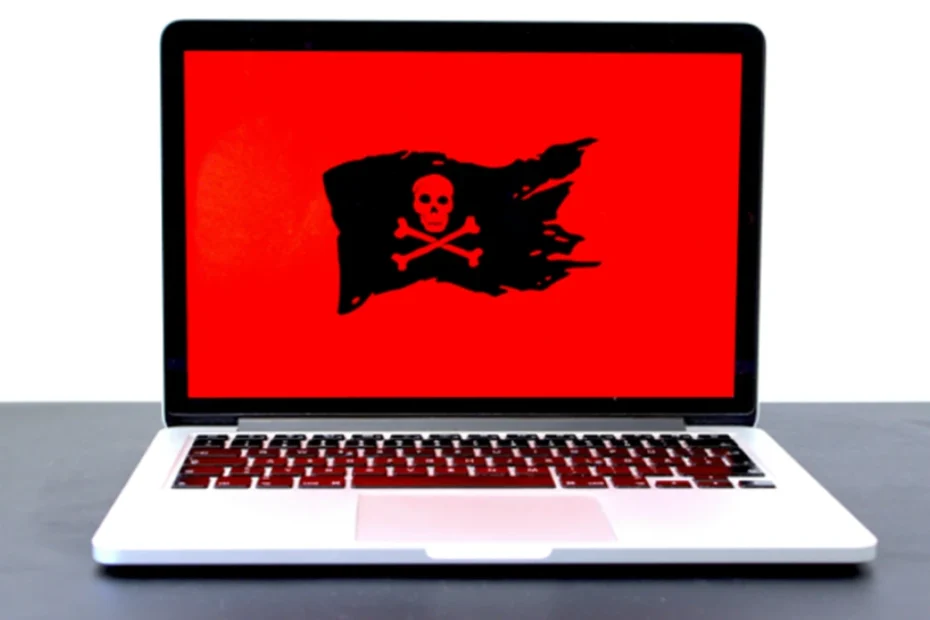
  • Your desktop background changes to a warning

At Lightwire Solutions, we provide cybersecurity awareness training and advanced security monitoring to help prevent these types of infections.

How Can You Protect Yourself?

You can take steps to stay safe from both malware and ransomware. First, here are some general safety tips for malware and ransomware: 

  • Keep your software up to date
  • Use strong passwords
  • Don’t click on strange links or attachments 
  • Backup your files regularly

For malware specifically, you can protect yourself by using anti-virus programs and being selective with what you download. To stay safe from ransomware, take offline backups of your files and use ransomware-specific protection tools. Lightwire Solutions offers ongoing IT support and security services, including software updates, endpoint protection, and backup solutions, to ensure that your devices are secure against malware and ransomware.

What to Do If You’re Attacked

If you suspect that you have malware or ransomware, take action right away.

For Malware:

  1. Go offline 
  2. Run full anti-virus
  3. Delete infected files
  4. Change all your passwords

For Ransomware:

  1. Go offline Don’t pay the ransom (it may not work)
  2. Report the attack to the police
  3. Restore your files from a backup

Our team at Lightwire Solutions can guide you through these steps if you’re ever infected and offer professional assistance to minimize the damage and restore your files quickly.

Why It Pays to Know the Difference

Knowing the difference between malware and ransomware can help with better protection. This will help you respond in the best way when attacked. The more you know what you are against, the better your chance at taking the right steps to keep yourself safe. If you are under attack, knowing what type of threat it is helps you take quicker action. You can take proper steps towards rectifying the problem and keeping your data safe. Lightwire Solutions can be your trusted partner in cybersecurity, providing the expertise and tools necessary to protect your data, minimize the risk of malware and ransomware, and ensure business continuity.

Stay Safe in the Digital World

The digital world can be hazardous. But you can keep safe if you’re careful. Keep in mind the differences between malware and ransomware, and practice good safety habits daily. And, if you are in need of help to keep yourself safe on the internet, never hesitate to ask for assistance. For further information on protecting your digital life, contact us at Lightwire Solutions. We want to help keep you secure in the face of all types of cyber threats.

Article used with permission from The Technology Press.

Spotting the Difference Between Malware and Ransomware Tips From Lightwire Solutions
The Cyber Trust Mark: What It Means for Your Smart Devices and How Lightwire Solutions Can Help

The Cyber Trust Mark: What It Means for Your Smart Devices and How Lightwire Solutions Can Help

The Cyber Trust Mark is a new smart device label created by the US government to prove that a device is safe. Internet of Things (IoT) devices have risen in popularity recently. Devices like smart thermostats and baby monitors make our lives easier, but also open us up to cyber threats. There were over 112 million IoT cyber attacks worldwide in 2022, and this number continues to grow. With an increase in AI-powered attacks, an 82% increase was expected in 2024. The United States created new standards to confirm a device is safe. As a result, you may see a shield with the “U.S. Cyber Trust Mark” when device shopping. Let’s take a look at what this means and how you can use this new feature next time you make a purchase.

What is the Cyber Trust Mark?

Smart devices are everywhere nowadays, from our homes to offices. Yet, some such devices are still insecure, leaving openings for hackers to steal our info and spy on us. In 2023, TVs, smart plugs, and digital video recorders had the most IoT vulnerabilities and attacks. Many more types of devices may be dangerous without our knowledge. This problem is now being solved through the Cyber Trust Mark. It will tell you which device is safe without a doubt. Even if you’re not tech-savvy, you can purchase with confidence. At Lightwire Solutions, we help businesses navigate security risks and ensure that the technology you rely on remains safe and secure.

How Does a Device Get the Cyber Trust Mark?

To get the U.S. Cyber Trust Mark, a device has to undergo tests to verify its security. These tests cover several points and examine things like: • Password strength • Data protection • Software updates First, the device should have strong passwords. Weak passwords are easily guessed by hackers. This is one of the most common ways cybercriminals hack into devices. Next, the device should keep your information safe. It should use appropriate methods to lock up your data for privacy and security. The device should also be regularly updated. These updates fix problems and keep the device safe from hackers. Devices with frequent updates are more secure than others. At Lightwire Solutions, we understand the importance of device security and can help implement strategies to keep your business technology up to date and secure.

How Often Are the Standards That Define the Cyber Trust Mark Updated?

Companies have to apply to get the mark. They send their devices for testing, and if it passes, it gets the mark. The company can then put the mark on the box of the device. This requires time and costs, but it’s worth it for businesses. It can help them sell more devices with an increase in consumer trust. Lightwire Solutions works with businesses to ensure that their technology infrastructure is both secure and compliant with the latest industry standards, so your company stays protected.

When Will We See the Cyber Trust Mark?

It is new, but the mark will start showing up on devices soon. They want stores to start using it immediately, meaning the next time we go shopping, we may see it. Many types of smart devices may obtain the Cyber Trust Mark, including but not limited to the following: • Smart TVs • Smart speakers • Security cameras • Smart thermostats • Smart locks As a business, it’s essential to consider security from the start. Lightwire Solutions offers comprehensive IT security solutions, ensuring your devices and systems are protected from emerging threats, even before new marks like the Cyber Trust Mark are introduced.

How Does The Mark Help Consumers?

The Cyber Trust Mark makes shopping simpler. It doesn’t require any technical knowledge. All you have to do is look for the mark to confirm which device is safe. The mark also encourages companies to make safer devices. They want the mark, so they work harder at security. When it comes to securing your office or home devices, Lightwire Solutions is here to help you ensure all your tech is protected and compliant.

What If a Device Doesn’t Have the Mark?

If a device doesn’t have the mark, that doesn’t mean it’s not safe. In this case, you should look into its safety features. You may also ask the store or check online for more information. Wherever possible, it’s best to choose devices that carry the mark. This way, you can be sure they have passed important safety tests. If you’re uncertain about the safety of any device, Lightwire Solutions can assist in evaluating its security and offering solutions to protect your business from vulnerabilities.

What to Do If You Already Have Smart Devices?

If you already have smart devices, don’t worry. You can still take steps to make them safer, even without the trust mark. Here are some tips: • Change default passwords • Keep the software updated • Turn off features you don’t use • Use a strong Wi-Fi password Follow these steps to help protect your devices and your info. Lightwire Solutions can help you implement a comprehensive security strategy, making sure your devices are optimized and protected from cyber threats.

What’s Next for Smart Device Safety?

The Cyber Trust Mark is a big step for device safety, but it’s just the beginning. We’ll see more changes in the future. These may include: • Stricter standards for the mark • More types of devices getting the mark • Better ways to test device safety The goal is to make all our smart devices safer to protect our info and our privacy. For now, the mark will only apply within the U.S., but other countries may create something similar in the future. At Lightwire Solutions, we’re always on top of evolving security trends, ensuring your systems remain secure as new standards emerge.

Stay Safe and Smart

The Cyber Trust Mark helps us in making informed choices; it’s an easy way to know what devices are safe. When you shop, look for the mark. It’s your sign of a trustworthy device. For businesses looking to secure their tech, Lightwire Solutions offers tailored IT services to keep your infrastructure protected from cyber threats. Whether it’s smart devices or overall network security, we’re here to help. Contact Lightwire Solutions today to get started on a safer, more secure future for your business.

Article used with permission from The Technology Press.

The Cyber Trust Mark: What It Means for Your Smart Devices and How Lightwire Solutions Can Help

How to Spot Hidden Malware on Your Devices – Tips from Lightwire Solutions

Malware is bad software that can harm your computer or phone. It can slow down your device, steal your data, or even lock your files. At Lightwire Solutions, we help businesses stay protected from these cyber threats. Here’s how you can identify and prevent malware before it causes trouble.

What is Malware?

The word “malware” is short for “malicious software.” It’s any program designed to harm your device or data. Hackers create malware to steal information, damage systems, or demand money. There are several types of malware to watch out for:

Viruses

Viruses spread from device to device, damaging files and making your computer run painfully slow.

Trojans

Trojans disguise themselves as safe programs but secretly steal your information.

Ransomware

Ransomware locks your files and demands a payment to unlock them. Lightwire Solutions helps businesses defend against these attacks with advanced security solutions.

How Does Malware Get on Your Device?

Malware can sneak onto your device in different ways:

Downloading Bad Files

Malware often hides in unsafe downloads. Always verify the source before clicking.

Visiting Dangerous Websites

Some websites install malware when you visit them. A strong web filter can help block these threats.

Opening Suspicious Emails

Hackers send emails with infected attachments or links. If you don’t recognize the sender, don’t open it! Lightwire Solutions provides advanced email security to keep phishing attempts out of your inbox.

What Are Signs of Hidden Malware?

Malware is sneaky, but here are some red flags:

Sluggish Device

If your device suddenly slows down, malware could be the cause.

Suspicious Pop-ups

Unexpected ads or pop-ups may indicate malware infection.

High Data Usage

If your internet usage spikes without reason, malware might be running in the background.

How Can You Check for Malware?

Here’s how to check your device for malware:

Use Antivirus Software

Run a scan with reliable antivirus software. Lightwire Solutions offers managed security solutions to protect your systems.

Review Installed Apps

Go through your apps. Delete any you don’t recognize.

Check Task Manager

On a computer, open Task Manager and look for strange programs using too many resources.

Inspect Browser Extensions

Remove browser extensions you don’t remember installing.

What to Do If You Discover Malware?

If you suspect malware, don’t panic! Follow these steps:

Run a Full Scan

Use antivirus software to remove threats.

Update Your Software

Make sure your operating system and programs are up to date. Lightwire Solutions can manage these updates for you.

Change Your Passwords

Update passwords for important accounts, just in case.

Backup Your Data

Save important files to a secure location like the cloud. Our backup solutions keep your data protected.

How to Avoid Malware?

Prevention is the best strategy! Here’s how to stay safe:

Keep Everything Up-to-Date

Regular updates patch security flaws.

Be Careful What You Click

Think before clicking links or downloading files.

Use Strong Passwords

Create complex passwords and use a password manager.

Install Antivirus Software

Run frequent scans and keep protection software active. Lightwire Solutions can provide advanced threat detection.

Stay Safe Online with Lightwire Solutions!

Malware is a serious threat, but with the right precautions, you can keep your devices secure. If you need help protecting your business from malware, Lightwire Solutions is here for you. Contact us today to learn more about our cybersecurity solutions!

Article used with permission from The Technology Press.

How to Spot Hidden Malware on Your Devices – Tips from Lightwire Solutions

10 Steps to Prevent a Data Breach – A Guide from Lightwire Solutions

10 Steps to Prevent a Data Breach – A Guide from Lightwire Solutions

Data breaches can harm your business, costing you money and damaging your reputation. At Lightwire Solutions, we help businesses stay secure by implementing proactive IT strategies. Let’s explore how you can prevent data breaches before they happen.

What is a Data Breach?

A data breach happens when sensitive information—such as names, emails, or credit card numbers—is accessed or stolen by unauthorized individuals. This can be devastating for your customers and your business.

Why Should You Care About Data Breaches?

A data breach isn’t just an IT issue—it’s a business problem. It can result in financial losses, legal consequences, and a loss of customer trust. That’s why Lightwire Solutions emphasizes the importance of cybersecurity as a fundamental part of your business operations.

How Do You Prevent a Data Breach?

Here are 10 key steps to strengthen your business’s security and protect your data:

1. Use Strong Passwords

Weak passwords are an easy target for hackers. Use long, complex passwords with a mix of letters, numbers, and symbols. A password manager can help keep them secure.

2. Update Your Software

Outdated software leaves vulnerabilities that cybercriminals exploit. Enable automatic updates for your systems, and let Lightwire Solutions manage your software patches to keep your business secure.

3. Train Your Employees

Your employees are your first line of defense. Regular security training helps them recognize phishing emails, suspicious links, and potential cyber threats. Lightwire Solutions offers cybersecurity awareness training to keep your team prepared.

4. Use Encryption

Encryption protects sensitive data by making it unreadable to unauthorized users. We implement encryption strategies to safeguard your emails, files, and communications.

5. Limit Access to Data

Not every employee needs access to all data. Restrict access based on job roles to minimize risk. Lightwire Solutions can help set up role-based permissions and secure access controls.

6. Create Backups of Your Data

Regular data backups ensure you can recover lost information if an attack occurs. We provide managed backup solutions, including cloud-based and offline backups, to keep your business resilient.

7. Use a Firewall

Firewalls act as a security barrier between your network and potential threats. Lightwire Solutions ensures your firewall is properly configured and updated for maximum protection.

8. Be Careful with Emails

Most data breaches start with phishing emails. Never click on links or download attachments from unknown sources. Our advanced email security solutions help filter out malicious messages before they reach your inbox.

9. Protect Your Wi-Fi

Unsecured Wi-Fi networks are an easy entry point for hackers. Use strong passwords, disable guest access, and regularly update your Wi-Fi security settings. Lightwire Solutions can help secure your network and implement advanced protections.

10. Have a Plan

Even the best defenses can be breached. Having a response plan in place minimizes damage. Lightwire Solutions helps businesses create and test incident response plans so you can react quickly and effectively in case of an attack.

How Often Should Security Be Checked?

Cyber threats are constantly evolving, so security isn’t a one-time fix. Regular security audits help identify vulnerabilities before they become problems. Lightwire Solutions provides ongoing monitoring and risk assessments to keep your defenses strong.

Are Small Businesses at Risk of Data Breaches?

Yes! Small businesses are prime targets for cybercriminals because they often lack the security measures of larger companies. That’s why Lightwire Solutions offers enterprise-level protection tailored for businesses of all sizes.

What Tools Help Prevent Data Breaches?

Firewalls, encryption, multi-factor authentication, and endpoint protection are all essential tools. Lightwire Solutions provides a comprehensive suite of cybersecurity solutions to keep your business safe.

How Much Does It Cost to Prevent a Data Breach?

Investing in cybersecurity costs far less than recovering from a data breach. The cost of prevention is like an insurance policy for your business—it protects your data, finances, and reputation. Lightwire Solutions offers affordable security solutions that scale with your business needs.

Stay Safe and Secure with Lightwire Solutions

Data security is critical to protecting your business and customers. By taking these proactive steps, you reduce your risk of a data breach. Lightwire Solutions is here to help—whether you need cybersecurity training, advanced threat protection, or managed IT security. Don’t wait until a breach happens. Contact Lightwire Solutions today to strengthen your business’s security and stay ahead of cyber threats. 

Article used with permission from The Technology Press.

10 Steps to Prevent a Data Breach – A Guide from Lightwire Solutions

Don’t let cybercriminals hold your data hostage – be prepared.

How to Protect Yourself and Your Business from Ransomware – Insights from Lightwire Solutions

Ransomware has become a major threat to individuals and businesses alike. It can lock up your files and demand payment to get them back. Understanding how to prevent attacks and respond effectively is key to keeping your data safe. At Lightwire Solutions, we specialize in cybersecurity measures that help businesses stay protected from ransomware and other cyber threats.

What is Ransomware?

Ransomware is a type of malicious software designed to infiltrate your computer, encrypt your files, and demand a ransom for their release. This can be both a frightening and costly experience, especially for businesses that rely on access to critical data. Lightwire Solutions helps businesses implement cybersecurity strategies that minimize the risk of ransomware attacks.

How Does Ransomware Work?

Ransomware often spreads through phishing emails or compromised websites. It can also move across networks, affecting multiple devices. Once inside, it encrypts files using strong algorithms, rendering them inaccessible until a ransom is paid. Having a solid cybersecurity plan in place, like the ones Lightwire Solutions provides, can help businesses defend against these threats.

How Does Encryption Work?

Encryption secures data by transforming it into unreadable code using algorithms and keys. While encryption is crucial for protecting sensitive information, ransomware attackers use it against victims by locking files and withholding the decryption key. Lightwire Solutions offers data protection solutions that ensure your encryption works for you, not against you.

How Can You Prevent Ransomware Attacks?

There are many proactive steps to reduce the risk of ransomware infections. Here are some key preventive measures:

Keep Your Software Up to Date

Regularly updating your operating system and applications helps close security gaps that ransomware exploits. Lightwire Solutions provides managed IT services to ensure your systems remain secure and up to date.

Use Strong Antivirus Software

A robust antivirus solution can detect and block ransomware before it causes harm. Lightwire Solutions helps businesses implement advanced security tools to enhance protection against cyber threats.

Be Careful with Emails

Many ransomware attacks start with phishing emails. Avoid opening emails from unknown senders and never click suspicious links. Lightwire Solutions provides cybersecurity awareness training to help employees recognize phishing attempts.

Back Up Your Files

Regularly backing up important data to an external source or secure cloud storage can save you in case of an attack. Lightwire Solutions offers reliable backup and disaster recovery solutions to ensure your data is always protected.

What Should You Do If You Get Ransomware?

If you suspect a ransomware infection, follow these steps to minimize damage:

Disconnect from the Network

Immediately disconnect your device from the internet to prevent the ransomware from spreading. Lightwire Solutions can help contain and assess the attack to prevent further damage.

Don’t Pay the Ransom

Cybersecurity experts advise against paying the ransom, as there’s no guarantee your files will be restored. Paying also fuels more attacks. Lightwire Solutions can assist with data recovery and mitigation strategies.

Report the Attack

Report the incident to law enforcement and relevant cybersecurity authorities. Sharing details can help prevent future attacks. Lightwire Solutions helps businesses navigate the reporting process and implement stronger security measures.

Use Your Backups

If you have clean backups, restore your files to recover lost data. Lightwire Solutions provides automated backup solutions that ensure your data is always recoverable in case of an attack.

How Can Businesses Protect Themselves?

Businesses need additional security measures to defend against ransomware threats. Here’s how to stay protected:

Train Your Employees

Cybersecurity awareness is crucial. Employees should be trained to recognize phishing emails and suspicious activities. Lightwire Solutions offers security awareness training to empower teams against cyber threats.

Limit Access to Key Files

Restrict file access to only those who need it. This helps minimize the spread of ransomware if an infection occurs. Lightwire Solutions can implement role-based access controls to strengthen security.

Have a Response Plan

A well-defined incident response plan ensures quick action in the event of an attack. Lightwire Solutions helps businesses create and test cybersecurity response strategies to reduce downtime.

How is Ransomware Evolving?

Cybercriminals are continuously developing new ransomware tactics. Here’s what to watch for:

Attacks on Mobile Devices

Ransomware is no longer just a computer problem—attackers are now targeting smartphones and tablets. Lightwire Solutions offers mobile security solutions to protect all business devices.

Double Extortion

Some ransomware now steals data before encrypting it. Attackers threaten to leak sensitive information if victims refuse to pay. Lightwire Solutions helps businesses safeguard data and prevent unauthorized access.

Attacks on Cloud Services

As businesses move more data to the cloud, ransomware is targeting cloud storage and services. Lightwire Solutions provides secure cloud solutions and monitoring to prevent cloud-based attacks.

Stay Safe and Prepared

Ransomware is a serious and growing threat, but with the right precautions, you can protect yourself and your business. Keeping software updated, training employees, and maintaining secure backups are essential steps.

At Lightwire Solutions, we specialize in proactive cybersecurity solutions to safeguard businesses from ransomware and other cyber threats. **If you need assistance securing your network or recovering from an attack, contact us today.**

Article used with permission from The Technology Press.

Don’t let cybercriminals hold your data hostage – be prepared.

Can Password Managers Be Hacked? Insights from Lightwire Solutions

Password managers keep our online accounts safe. They store all our passwords in one place. But are they hackable?

What are Password Managers?

Password managers are like digital vaults: they save all your passwords inside themselves. You need only remember one master password, of course. This makes keeping a lot of accounts much easier to handle.

How Do They Work?

You make one main password. The manager scrambles your passwords. What this means is, it changes them into an unreadable format without a key.

Why Use Them?

People use password managers out of convenience and security. One single factor is the difficulty in remembering several strong passwords. A password manager allows you to generate and securely store all these.

Can Password Managers be Hacked?

Hackers always hunt for ways to steal your information. However, breaking into a password manager is not easy.

Security Measures

Password managers use very strong encryption. This makes them barely readable by hackers. They are also using two-factor authentication (2FA). The addition of this adds a layer of security. No system is perfect. If a hacker gets your master password, then they can access your vault. A few managers have had security issues in the past, but these are rare. At Lightwire Solutions, we ensure our clients are educated about these risks and equipped with the right tools to minimize them.

How Can You Protect Your Password Manager?

You can take steps to keep your password manager safe.

Choose a Strong Master Password

Make your master password long and unique. Use a mix of letters, numbers, and symbols.

Enable Two-Factor Authentication

2FA adds a layer of security. Even if someone knows your password, they need another code to log in.

Keep Software Up-to-Date

Always update your password manager. Updates fix security issues and keep your data safe. Lightwire Solutions can help you implement these practices across your organization to ensure maximum security.

What Happens If a Password Manager Gets Hacked?

If a password manager gets hacked, it can be serious. Hackers could access all your passwords.

Immediate Actions

Change your master password immediately. Decide which accounts could be affected and change their passwords as well.

Long-Term Solutions

Consider shifting to another password manager if it has been compromised anytime earlier. Keep up to date with any security news about your manager. Lightwire Solutions partners with businesses to implement secure password management systems and provide ongoing monitoring for potential risks.

Is the Use of Password Managers Worth the Risks?

Despite the risks, many people still use password managers. They make managing passwords much easier. It’s also safer than trying to remember them all yourself.

Benefits Outweigh Risks

The benefits of using a password manager usually outweigh the risks. They help you create strong, unique passwords for each account.

Trustworthy Options

Choose a reputable password manager with good reviews and security features. Do some research before deciding which one to use.

Take Control of Your Online Security Today!

Using a password manager will go a long way in enhancing your online security. Remember to choose a strong master password. You should also use two-factor authentication and keep your software updated. If you have any questions or need help in the selection of a password manager, contact Lightwire Solutions today! We’re here to help you secure your digital world with expert advice and tailored IT solutions.

Article used with permission from The Technology Press.

Can Password Managers Be Hacked? Insights from Lightwire Solutions

The Ultimate Guide to Encryption Methods, Presented by Lightwire Solutions

Encryption is a method of securing information. It converts readable data into secret code. Only the right key can decode it. This guide will help you understand different encryption methods.

What is Encryption?

Encryption is like a secret language. It converts regular text into unreadable text. This unreadable text is called ciphertext. Only people who have the right key will be able to convert it into normal text, called plaintext. At **Lightwire Solutions**, we help businesses implement strong encryption methods to protect their sensitive information and keep their operations secure.

Why Do We Use Encryption?

We use encryption to keep our information safe. It makes our data safe from hackers. This is very important for privacy and security. Whether you’re dealing with customer data or confidential business information, **Lightwire Solutions** can assist in setting up the right encryption methods to safeguard your organization’s data.

How does Encryption Work?

Encryption uses algorithms and keys. An algorithm is a set of rules for solving problems. A key is somewhat like a password that unlocks the secret message. Our team at **Lightwire Solutions** is experienced in implementing these algorithms to ensure your data is protected at every level.

Symmetric vs Asymmetric Encryption

There are two main types of encryption: symmetric and asymmetric. Symmetric encryption uses the same key for encryption and decryption. The same key is shared between the sender and receiver. It’s fast but less secure when the key is shared. Asymmetric encryption uses two keys: a public key and a private key. A public key can encrypt a message, while a private key can decrypt it. It’s more secure since only the private key unlocks the message. At **Lightwire Solutions**, we offer solutions based on both symmetric and asymmetric encryption, helping you find the right fit for your business needs.

What Are Some Common Encryption Methods?

There are numerous encryption methods in use today. Here are some of the most common ones:

AES (Advanced Encryption Standard)

AES is one of the most secure forms of encryption. It is symmetric encryption. AES can have 128, 192, or 256-bit keys. The longer the key, the harder it is to break. **Lightwire Solutions** uses AES for securing sensitive data, ensuring that your information is protected with some of the most advanced encryption methods available.

RSA (Rivest-Shamir-Adleman)

RSA is an asymmetric encryption method. It uses two keys: a public and a private key. RSA is widely used for secure data transmission. We help businesses implement RSA encryption to ensure secure communications, whether it’s for email or data transfer.

DES (Data Encryption Standard)

DES was once a popular symmetric encryption method. It uses a 56-bit key, which is now considered weak. DES has mostly been replaced by AES. If you’re still using older encryption methods like DES, **Lightwire Solutions** can help you upgrade to a more secure system, safeguarding your data with modern encryption standards.

ECC (Elliptic Curve Cryptography)

ECC is an asymmetric technique that offers better security and more compact key sizes. It is efficient and widely adopted in various mobile gadgets. We recommend ECC for mobile security to keep your data protected on-the-go.

How Do We Use Encryption in Everyday Life?

Encryption plays a major role in our daily life routines.

Online Shopping

When you purchase online, your payment information is encrypted. This protects your credit card information against hackers. At **Lightwire Solutions**, we ensure your business’s e-commerce platforms are secured with the latest encryption technologies to protect your customers’ sensitive data.

Messaging Apps

Apps like WhatsApp use encryption to keep your messages private. Only you and the person you are chatting with can read them. We also provide solutions for secure messaging for businesses, ensuring that internal communications stay private and protected.

Email Security

Many email services use encryption to protect your emails from being read by others. **Lightwire Solutions** offers email encryption solutions to protect sensitive business communication and prevent unauthorized access.

What Are the Challenges of Encryption?

Encryption has many benefits, but it also faces challenges.

Key Management

Managing keys securely is a challenge. If someone loses their key, they probably will lose their data. **Lightwire Solutions** helps organizations with key management strategies, ensuring that your encryption keys are kept secure and easily accessible to those who need them.

Performance Issues

Encryption could slow down the systems since it needs processing power for encryption and decryption. Our team can help optimize your systems to minimize performance slowdowns while keeping encryption in place, ensuring your data stays secure without sacrificing speed.

How Can You Stay Safe with Encryption?

You can take some steps to securely use encryption.

Use Strong Passwords

Always use strong passwords for accounts and devices. That will make hacking difficult as it will take time to access. **Lightwire Solutions** offers secure password management systems to help you maintain strong, unique passwords for all your accounts.

Keep Software Up-to-Date

Regularly update your software to protect against security vulnerabilities in software. We provide proactive software updates as part of our managed IT services to ensure your encryption methods stay up-to-date and secure.

Use Caution with Public Wi-Fi

If you need to use public Wi-Fi, avoid sensitive transactions unless you can encrypt your internet connection using a VPN. **Lightwire Solutions** can help you set up secure VPNs to protect your data, even when using public Wi-Fi.

Ready to Secure Your Data?

Encryption helps protect your personal information from threats. Understanding different methods can help you choose the right one for your needs. If you’re ready to take the next step in securing your data, **Lightwire Solutions** is here to help. Our team specializes in providing comprehensive encryption services tailored to your business. If you want more information or need help securing your data, contact us today!

Article used with permission from The Technology Press.

The Ultimate Guide to Encryption Methods, Presented by Lightwire Solutions

5 Common Cyber Threats in 2025 (Lightwire Solutions’ Guide to Staying Safe)

In 2025, cyber threats are in almost every nook and corner. They might be with the intent to destroy computers, steal data, or take money. Understanding what they are and how protection against them works will come in handy. At Lightwire Solutions, we specialize in helping businesses navigate and defend against these evolving threats.

What Are the Most Common Cyber Threats?

They come in so many forms, some old, some new, and very tricky. Here are some of the most common ones you should know about.

Phishing Attacks

Phishing attacks will always be in vogue. They make you give away your personal data. It may involve a phony message or fake websites. Always check the sender’s email address. Do not click on suspicious links. **Lightwire Solutions** offers advanced email security tools to detect and block phishing attempts before they reach your inbox.

Ransomware

Ransomware locks your files and demands money to unlock them. It can spread through email attachments or unsafe downloads. Keep your software updated and back up your files regularly. With **Lightwire Solutions**, you get reliable backup and disaster recovery services to keep your business running smoothly, even in the face of ransomware.

Malware

Malware is bad software that may cause damage to your computer. It can steal data or spy on you. Use antivirus software and avoid downloading files from unknown sources. **Lightwire Solutions** provides managed antivirus and endpoint detection to safeguard your devices.

How Can You Protect Yourself Online?

Safety online is important. Here are some simple steps to take to protect yourself from cyber threats.

Use Strong Passwords

Use strong and unique passwords for each account. A strong password includes letters, numbers, and symbols. Change your password regularly. **Lightwire Solutions** offers secure password management tools to simplify and strengthen your password practices.

Enable Two-Factor Authentication

Two-factor authentication is an added layer of security. When it is in place, one has to take an extra step to log in, for example, getting a code on one’s phone. Whenever possible, turn that on. We can help you set up two-factor authentication across your business systems.

Be Careful with Public Wi-Fi

Public Wi-Fi is not secure. It is easy for hackers to hack into the data of people who use public networks. Always connect your VPN when using any public Wi-Fi network. **Lightwire Solutions** provides secure remote access solutions to keep your data safe, no matter where you work.

Why is Cybersecurity Important for Everyone?

Cybersecurity doesn’t only apply to big corporations. Everyone should be knowledgeable about cyber threats and their prevention techniques.

Protect Personal Information

Your personal information is worth something. Cybercriminals can use it for identity theft or fraud. Be careful about what you share online. Our team at **Lightwire Solutions** offers end-user training programs to educate your employees on protecting sensitive information.

Secure Financial Transactions

Online banking and shopping are convenient but risky if not done securely. Use secure websites and monitor your accounts regularly for any suspicious activity.

What Should You Do If You Are a Victim of a Cyber Attack?

Sometimes, despite all precautions, you may still become the victim of a cyber-attack. Knowing your next step is paramount.

Report the Incident

An immediate report of the cyber-attack should be made to the authorities. This could help in investigations and reduce damage. **Lightwire Solutions** provides fast response times to minimize the impact of cyber incidents on your business.

Change Your Passwords

Immediately change all your passwords if you suspect a breach. This prevents further unauthorized access to your accounts.

How Will Cyber Threats Evolve in the Future?

Cyber threats will continually change with emerging technologies. It’s recommended to stay up-to-date on new threats for better protection.

AI-Powered Attacks

Cybercriminals will leverage artificial intelligence for more sophisticated attacks. AI supports them in selecting the right victims. Our team at **Lightwire Solutions** stays ahead of these developments to keep your business protected.

Internet of Things (IoT) Vulnerabilities

There are more and more devices connecting via the internet. They start to become the main targets of hackers. Make sure that all devices have updated security measures on them. **Lightwire Solutions** can help secure all your IoT devices for better peace of mind.

Stay Safe Online: Contact Lightwire Solutions for More Tips!

Cyber threats are real and growing every day. In this digital age, it is very important to protect yourself online. At **Lightwire Solutions**, we make cybersecurity simple and effective for businesses of all sizes. For more tips on staying safe online, contact us today! We are here to help you keep your digital life secure and your business thriving.

Article used with permission from The Technology Press.

5 Common Cyber Threats in 2025 (Lightwire Solutions’ Guide to Staying Safe)

6 Simple Steps to Enhance Your Email Security, Recommended by Lightwire Solutions

Email is a fundamental communication tool for businesses and individuals alike. But it’s also a prime target for cybercriminals. Cyberattacks are increasing in sophistication, making it more critical than ever to enhance your email security. Ninety-five percent of IT leaders say cyberattacks have become more sophisticated. Over half (51%) have already seen AI-powered attacks in their organization. By taking proactive measures, you can protect your sensitive information and maintain communication integrity. Here are six simple steps to enhance your email security, along with how Lightwire Solutions can help.

1. Use Strong, Unique Passwords

Passwords are the first line of defense for your email accounts. A weak password is like an open invitation for cybercriminals. To enhance your email security, use strong, unique passwords that are difficult to guess.

Create Complex Passwords

A strong password should include a mix of:

  • Letters (both uppercase and lowercase)
  • Numbers
  • Special characters Avoid using common words or easily guessable information. A complex password makes it harder for attackers to gain access to your email account.

Use a Password Manager

Remembering several complex passwords can be challenging. A password manager can help you generate and store unique passwords for all accounts. With a password manager, you only need to remember one master password. This simplifies the process while enhancing security. Lightwire Solutions offers recommendations for reliable password managers to streamline your security.

Avoid Reusing Passwords

Using the same password across multiple accounts increases your risk. Make sure each of your email accounts has a unique password to prevent a single breach from spreading.

2. Enable Two-Factor Authentication (2FA)

Two-factor authentication (2FA) adds an extra layer of security to your email accounts. Even if someone gains access to your password, they won’t be able to access your account without the second factor of authentication.

Choose a 2FA Method

Common 2FA methods include SMS codes, authenticator apps, and hardware tokens. Choose the method that best suits your needs, and Lightwire Solutions can assist with the setup and management of these security features.

Set Up 2FA for All Accounts

Enable 2FA for all your email accounts. Most email providers offer this feature and setting it up usually takes just a few minutes. This simple step significantly improves your email security.

3. Be Cautious with Email Attachments and Links

Email attachments and links are common vectors for malware and phishing attacks. Clicking on a malicious link or attachment can compromise your system.

Verify the Sender

Before opening an attachment or clicking on a link, verify the sender’s identity. For unexpected emails, contact the sender through a different channel. For unknown senders, exercise extra caution.

Scan Attachments

Use antivirus software to scan email attachments before opening them. Many email providers also offer built-in scanning features. Lightwire Solutions provides comprehensive cybersecurity solutions to safeguard your email and systems.

Avoid Clicking on Suspicious Links

Be wary of links that seem out of place or too good to be true. Always hover over links to check the URL before clicking.

4. Keep Your Email Software Updated

Software updates often include security patches that address vulnerabilities. Keeping your email software updated ensures you have the latest protections against known threats.

Enable Automatic Updates

Most email clients and operating systems offer automatic updates. Enable this feature to reduce the risk of missing critical security patches.

Regularly Check for Updates

Even with automatic updates enabled, manually checking for updates is wise to ensure your email client runs smoothly and securely.

5. Use Encryption for Sensitive Emails

Encryption adds a layer of protection to your emails. It encodes the content, making it readable only by the intended recipient.

Encrypt Emails Containing Sensitive Information

If you need to send sensitive information via email, use encryption. Many email providers offer built-in encryption options. Lightwire Solutions can guide you on the best encryption tools to use for your business needs.

Educate Recipients

If you’re sending encrypted emails, ensure recipients know how to decrypt them. Clear instructions are vital for secure communication.

6. Watch Your Email Activity

Regularly monitoring your email activity can help you detect suspicious behavior early.

Set Up Activity Alerts

Many email providers offer activity alerts. Enable these alerts to stay informed about your account’s security status.

Regularly Review Account Activity

Review your email account activity regularly, including login history and devices connected to your account. If you notice any unfamiliar activity, change your password immediately and investigate further.

Respond Quickly to Suspicious Activity

If you detect suspicious activity in your email account, respond quickly. Lightwire Solutions is here to support you with rapid response strategies and ongoing email security management.

Get Expert Email Security Solutions

Email security is essential for protecting your personal and professional information. At Lightwire Solutions, we provide effective solutions to reduce the potential for email compromise and phishing risk. Contact us today to schedule a chat about enhancing your email security and protecting your organization.

Article used with permission from The Technology Press.

6 Simple Steps to Enhance Your Email Security, Recommended by Lightwire Solutions

Lightwire Solutions Shares 8 Essential Steps to Protect Yourself After a Data Breach Notice

When it happens, you feel powerless. You get an email or letter from a business saying someone breached your data. It happens all too often today. Data breaches happen at banks, online sites like Facebook, and ecommerce stores. Not only that, but governments are also victims. This leaves things like your address, SSN, and credit card details exposed to thieves. A business getting hacked is something you have little control over. But you can take important steps afterward. We’ve outlined the most important things to do below. These steps can help you mitigate the financial losses.

Change Your Passwords

The very first thing you should do is change your passwords. Change the password for the service that sent you the breach notification first. Then, change it for any login using the same password. This is one of the reasons it’s the best practice to use unique logins for every site. Many people get in the habit of using the same password in several places. This leaves more than the single breached login at risk. Use a password manager to help you create strong passwords. You only need to remember one to access all the others.

Enable Multifactor Authentication (MFA)

Multifactor authentication can keep accounts secure, even if a hacker stole the password. Enable it for the breached service. Then, ensure you have MFA activated for all other logins, where possible. MFA is also called two-factor authentication or two-step verification. Common forms of MFA are:

  • Text message
  • Authentication app
  • Security key

Check Your Bank Accounts

If payment card details were breached, check bank accounts. You’ll want to watch these for several weeks for fraudulent charges. Report the breach to your bank to have them issue you a new card, if needed. Notify your bank about the 3rd party data breach. This can help keep you from being held responsible for fraudulent charges. It’s good to get out ahead of it. Your bank can then help you with appropriate steps to avoid fraud.

Freeze Your Credit

Online criminals will often sell breached personal details. These details can enable someone to take out credit in your name. Contact the three credit agencies. They each have ways to freeze your credit to protect you. You can do this right on their websites. The three credit agencies are:

  • Equifax
  • Experion
  • TransUnion

Carefully Review the Breach Notification

It’s important to understand exactly how the data breach may impact you. Review the notice you received. Additionally, look for updates on the company website. These are the things you should be looking for:

  • The type of data exposed (passwords, card numbers, etc.)
  • What reparations the company is making (e.g., credit monitoring)
  • Any instructions given to secure your account

Regularly check the company’s website. Often, they don’t immediately know how far-reaching the breach is. You may check back later and find out other types of sensitive data were exposed.

Get Good Cybersecurity Protections

Make sure you protect your device and network. There are some simple tools you can use to beef up personal device security. These include:

  • A good antivirus/anti-malware program
  • DNS filtering to block malicious sites
  • Email spam filtering for phishing

Another good protection you can use is a VPN. This helps mask your traffic. It is especially helpful if you’re using public Wi-Fi. VPNs are easy to use for both computers and mobile devices.

Be on the Lookout for Phishing Scams

Emails are often exposed in data breaches. This means you may receive an uptick in phishing emails. Phishing is very convincing since criminals have AI at their disposal. Phishing emails often are hard to spot from the real thing. Stay ultra-aware of any unexpected emails. Follow best practices to avoid becoming a phishing victim:

  • Hover over links to see them
  • Go to websites directly. Don’t click email or SMS links
  • Beware of unknown senders
  • Watch for phishing on social media and text messages
  • When in doubt, double-check through an official source

Make Sure to Update Software & Systems

Hackers often exploit unpatched vulnerabilities. How do you get unpatched vulnerabilities? Most times it’s from failing to keep software updated. Make sure to update your device operating system. Update all apps or software on your devices. Update firmware for routers and printers. Update firmware for smart devices. There are so many updates we need to do with our electronics. Automating your updates is a good way to stay protected.

Managed Security Services You Can Count On

Lightwire Solutions offers managed services that can keep you protected at work and at home. Need help improving device security? We’ll be happy to discuss our options. Contact Lightwire Solutions today to schedule a chat about device security.

Article used with permission from The Technology Press.

Lightwire Solutions Shares 8 Essential Steps to Protect Yourself After a Data Breach Notice