
Skip to content

What Is Push-Bombing & How Can You Prevent It?

Cloud account takeover has become a major problem for organizations. Think about how much work your company does that requires a username and password. Employees end up having to log into many different systems or cloud apps.

Hackers use various methods to get those login credentials. The goal is to gain access to business data as a user. As well as launch sophisticated attacks, and send insider phishing emails. 

How bad has the problem of account breaches become? Between 2019 and 2021, account takeover (ATO) rose by 307%.

Doesn’t Multi-Factor Authentication Stop Credential Breaches?

Many organizations and individuals use multi-factor authentication (MFA). It’s a way to stop attackers that have gained access to their usernames and passwords. MFA is very effective at protecting cloud accounts and has been for many years.

But it’s that effectiveness that has spurred workarounds by hackers. One of these nefarious ways to get around MFA is push-bombing.

How Does Push-Bombing Work?

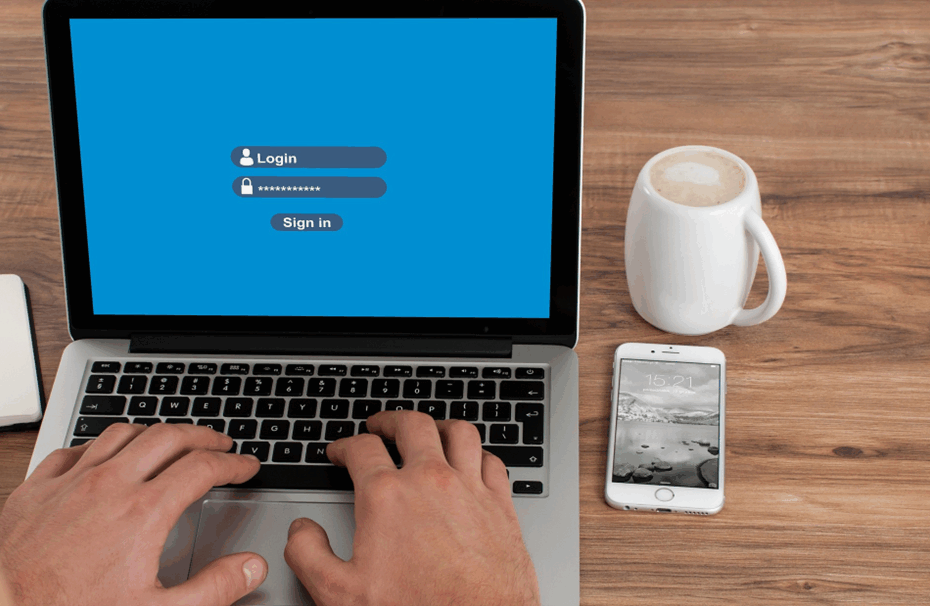
When a user enables MFA on an account, they typically receive a code or authorization prompt of some type. The user enters their login credentials. Then the system sends an authorization request to the user to complete their login.

The MFA code or approval request will usually come through some type of “push” message. Users can receive it in a few ways:

  • SMS/text
  • A device popup
  • An app notification

Receiving that notification is a normal part of the multi-factor authentication login. It’s something the user would be familiar with.

With push-bombing, hackers start with the user’s credentials. They may get them through phishing or from a large data breach password dump.

They take advantage of that push notification process. Hackers attempt to log in many times. This sends the legitimate user several push notifications, one after the other.

Many people question the receipt of an unexpected code that they didn’t request. But when someone is bombarded with these, it can be easy to mistakenly click to approve access.

Push-bombing is a form of social engineering attack designed to:

  • Confuse the user
  • Wear the user down
  • Trick the user into approving the MFA request to give the hacker access

Ways to Combat Push-Bombing at Your Organization

Educate Employees

Knowledge is power. When a user experiences a push-bombing attack it can be disruptive and confusing. If employees have education beforehand, they’ll be better prepared to defend themselves.

Let employees know what push-bombing is and how it works. Provide them with training on what to do if they receive MFA notifications they didn’t request.

You should also give your staff a way to report these attacks. This enables your IT security team to alert other users. They can then also take steps to secure everyone’s login credentials.

Reduce Business App “Sprawl”

On average, employees use 36 different cloud-based services per day. That’s a lot of logins to keep up with. The more logins someone has to use, the greater the risk of a stolen password.

Take a look at how many applications your company uses. Look for ways to reduce app “sprawl” by consolidating. Platforms like Microsoft 365 and Google Workspace offer many tools behind one login. Streamlining your cloud environment improves security and productivity.

Adopt Phishing-Resistant MFA Solutions

You can thwart push-bombing attacks altogether by moving to a different form of MFA. Phishing-resistant MFA uses a device passkey or physical security key for authentication. 

There is no push notification to approve with this type of authentication. This solution is more complex to set up, but it’s also more secure than text or app-based MFA.

Enforce Strong Password Policies

For hackers to send several push notifications, they need to have the user’s login. Enforcing strong password policies reduces the chance that a password will get breached.

Standard practices for strong password policies include:

  • Using at least one upper and one lower-case letter
  • Using a combination of letters, numbers, and symbols
  • Not using personal information to create a password
  • Storing passwords securely
  • Not reusing passwords across several accounts

Put in Place an Advanced Identity Management Solution

Advanced identity management solutions can also help you prevent push-bombing attacks. They will typically combine all logins through a single sign-on solution. Users, then have just one login and MFA prompt to manage, rather than several.

Additionally, businesses can use identity management solutions to install contextual login policies. These enable a higher level of security by adding access enforcement flexibility. The system could automatically block login attempts outside a desired geographic area. It could also block logins during certain times or when other contextual factors aren’t met.

Do You Need Help Improving Your Identity & Access Security?

Multi-factor authentication alone isn’t enough. Companies need several layers of protection to reduce their risk of a cloud breach.

Are you looking for some help to reinforce your access security? Give us a call today to schedule a chat.

Article used with permission from The Technology Press.
What Is Push-Bombing & How Can You Prevent It?

Is It Time to Ditch the Passwords for More Secure Passkeys?

Passwords are the most used method of authentication, but they are also one of the weakest. Passwords are often easy to guess or steal. Also, many people use the same password across several accounts. This makes them vulnerable to cyber-attacks.

The sheer volume of passwords that people need to remember is large. This leads to habits that make it easier for criminals to breach passwords. Such as creating weak passwords and storing passwords in a non-secure way.

61% of all data breaches involve stolen or hacked login credentials.

In recent years a better solution has emerged – passkeys. Passkeys are more secure than passwords. They also provide a more convenient way of logging into your accounts.

What is Passkey Authentication?

Passkeys work by generating a unique code for each login attempt. This code is then validated by the server. This code is created using a combination of information about the user and the device they are using to log in.

You can think of passkeys as a digital credential. A passkey allows someone to authenticate in a web service or a cloud-based account. There is no need to enter a username and password. 

This authentication technology leverages Web Authentication (WebAuthn). This is a core component of FIDO2, an authentication protocol. Instead of using a unique password, it uses public-key cryptography for user verification.

The user’s device stores the authentication key. This can be a computer, mobile device, or security key device. It is then used by sites that have passkeys enabled to log the user in.

Advantages of Using Passkeys Instead of Passwords

  • More Secure

    One advantage of passkeys is that they are more secure than passwords. Passkeys are more difficult to hack. This is true especially if the key generates from a combination of biometric and device data.

    Biometric data can include things like facial recognition or fingerprint scans. Device information can include things like the device’s MAC address or location. This makes it much harder for hackers to gain access to your accounts.

  • More Convenient

    Another advantage of passkeys over passwords is that they are more convenient. With password authentication, users often must remember many complex passwords. This can be difficult and time-consuming. 

    Forgetting passwords is common and doing a reset can slow an employee down. Each time a person has to reset their password, it takes an average of three minutes and 46 seconds.

    Passkeys erase this problem by providing a single code. You can use that same code across all your accounts. This makes it much easier to log in to your accounts. It also reduces the likelihood of forgetting or misplacing your password.

  • Phishing-Resistant

    Credential phishing scams are prevalent. Scammers send emails that tell a user something is wrong with their account. They click on a link that takes them to a disguised login page created to steal their username and password.

    When a user is authenticating with a passkey instead, this won’t work on them. Even if a hacker had a user’s password, it wouldn’t matter. They would need the device passkey authentication to breach the account.

Are There Any Disadvantages to Using Passkeys?

Passkeys are definitely looking like the future of authentication technology. But there are some issues that you may run into when adopting them right now.

  • Passkeys Aren’t Yet Widely Adopted

    One of the main disadvantages is that passkeys are not yet widely adopted. Many websites and cloud services still rely on passwords. They don’t have passkey capability yet.

    This means that users may have to continue using passwords for some accounts. At least until passkeys become more widely adopted. It could be slightly awkward to use passkeys for some accounts and passwords for others.

  • Passkeys Need Extra Hardware & Software

    One thing about passwords is that they’re free and easy to use. You simply make them up as you sign up for a site.

    Passkeys need extra hardware and software to generate and validate the codes. This can be costly for businesses to put in place at first. But there is potential savings from improved security and user experience. These benefits can outweigh the cost of passkeys.

Prepare Now for the Future of Authentication

Passkeys are a more secure and convenient alternative to passwords. They are more difficult to hack, and they provide a more convenient way of logging into your accounts. But passkeys are not yet widely adopted. Additionally, businesses may need to budget for implementation.

Despite these challenges, passkeys represent a promising solution. Specifically, to the problem of weak passwords. They have the potential to improve cybersecurity. As well as boost productivity for businesses and individuals alike.

Need Help Improving Your Identity & Account Security?

Take advantage of new authentication methods now. It’s the perfect time to ease in and begin putting them in place for your organization.

Give us a call today to schedule a consultation.

Article used with permission from The Technology Press.

Is It Time to Ditch the Passwords for More Secure Passkeys?

What Is App Fatigue & Why Is It a Security Issue?

The number of apps and web tools that employees use on a regular basis continues to increase. Most departments have about 40-60 different digital tools that they use. 71% of employees feel they use so many apps that it makes work more complex.

Many of the apps that we use every day have various alerts. We get a “ping” when someone mentions our name on a Teams channel. We get a notification popup that an update is available. We get an alert of errors or security issues.

App fatigue is a very real thing and it’s becoming a cybersecurity problem. The more people get overwhelmed by notifications, the more likely they are to ignore them.

Just think about the various digital alerts that you get. They come in:

  • Software apps on your computer
  • Web-based SaaS tools
  • Websites where you’ve allowed alerts
  • Mobile apps and tools
  • Email banners
  • Text messages
  • Team communication tools

Some employees are getting the same notification on two different devices. This just adds to the problem. This leads to many issues that impact productivity and cybersecurity.

Besides alert bombardment, every time the boss introduces a new app, that means a new password. Employees are already juggling about 191 passwords. They use at least 154 of them sometime during the month.

How Does App Fatigue Put Companies at Risk?

  • Employees Begin Ignoring Updates

    When digital alerts interrupt your work, you can feel like you’re always behind. This leads to ignoring small tasks seen as not time-sensitive. Tasks like clicking to install an app update.

    Employees overwhelmed with too many app alerts, tend to ignore them. When updates come up, they may quickly click them away. They feel they can’t spare the time right now and aren’t sure how long it will take.

    Ignoring app updates on a device is dangerous. Many of those updates include important security patches for found vulnerabilities. When they’re not installed, the device and its network are at a higher risk. It becomes easier to suffer a successful cyberattack.

  • Employees Reuse Passwords (and They’re Often Weak)

    Another security casualty of app fatigue is password security. The more SaaS accounts someone must create, the more likely they are to reuse passwords. It’s estimated that passwords are typically reused 64% of the time.

    Credential breach is a key driver of cloud data breaches. Hackers can easily crack weak passwords. The same password used several times leaves many accounts at risk.

  • Employees May Turn Off Alerts

    Some alerts are okay to turn off. For example, do you really need to know every time someone responds to a group thread? Or just when they @name you? But, turning off important security alerts is not good.

    There comes a breaking point when one more push notification can push someone over the edge. They may turn off all the alerts they can across all apps. The problem with this is that in the mix of alerts are important ones. Such as an anti-malware app warning about a newly found virus.

What’s the Answer to App Fatigue?

It’s not realistic to just go backward in time before all these apps were around. But you can put a strategy in place that puts people in charge of their tech, and not the other way around.

  • Streamline Your Business Applications

    From both a productivity and security standpoint, fewer apps are better. The fewer apps you have, the less risk. Also, the fewer passwords to remember and notifications to address.

    Look at the tools that you use to see where redundancies may be. Many companies are using two or more apps that can do the same function.

    Consider using an umbrella platform like Microsoft 365 or Google Workspace. These platforms include several work tools, but users only need a single login to access them.

  • Have Your IT Team Set up Notifications

    It’s difficult for users to know what types of notifications are the most important. Set up their app notifications for them. This ensures they aren’t bombarded yet are still getting the important ones.

  • Automate Application Updates

    A cybersecurity best practice is to automate device and software updates. This takes the process out of employees’ hands. It enhances productivity by removing unnecessary updates from their view. 

    Automating device updates through a managed services solution improves security. It also mitigates the chance there will be a vulnerable app putting your network at risk.

  • Open a Two-Way Communication About Alerts

    Employees may never turn off an alert because they’re afraid they might get in trouble. Managers may not even realize constant app alert interruptions are hurting productivity.

    Communicate with employees and let them know they can communicate with you. Discuss how to use alerts effectively. As well as the best ways to manage alerts for a better and more productive workday.

Need Help Taming Your Cloud App Environment?

Today, it’s easy for cloud tools to get out of hand. Get some help consolidating and optimizing your cloud app environment. Give us a call today.

Article used with permission from The Technology Press.

What Is App Fatigue & Why Is It a Security Issue?

These Everyday Objects Can Lead to Identity Theft

You wouldn’t think a child’s toy could lead to a breach of your personal data. But this happens all the time. What about your trash can sitting outside? Is it a treasure trove for an identity thief trolling the neighborhood at night?

Many everyday objects can lead to identity theft. They often get overlooked because people focus on their computers and cloud accounts. It’s important to have strong passwords and use antivirus on your PC. But you also need to be wary of other ways that hackers and thieves can get to your personal data.

Here are six common things that criminals can use to steal your information.

Old Smart Phones

People replace their smartphones about every two and a half years. That’s a lot of old phones laying around containing personal data.

Just think of all the information our mobile phones hold. We have synced connections with cloud services. Phones also hold banking apps, business apps, and personal health apps. These are all nicely stored on one small device.

As chip technology has advanced, smartphones have been able to hold more “stuff.” This means documents and spreadsheets can now be easily stored on them. Along with reams of photos and videos.

A cybercriminal could easily strike data theft gold by finding an old smartphone. They often end up at charity shops or in the trash. Make sure that you properly clean any old phones by erasing all data. You should also dispose of them properly. You shouldn’t just throw electronics away like normal garbage.

Wireless Printers

Most printers are wireless these days. This means they are part of your home or work network. Printing from another room is convenient. But the fact that your printer connects to the internet can leave your data at risk.

Printers can store sensitive documents, such as tax paperwork or contracts. Most people don’t think about printers when putting data security protections in place. This leaves them open to a hack. When this happens, a hacker can get data from the printer. They could also leverage it to breach other devices on the same network.

Protect printers by ensuring you keep their firmware updated. Always install updates as soon as possible. You should also turn it off when you don’t need it. When it’s off it’s not accessible by a hacker. 

USB Sticks

Did you ever run across a USB stick laying around? Perhaps you thought you scored a free removable storage device. Or you are a good Samaritan and want to try to return it to the rightful owner. But first, you need to see what’s on it to find them.

You should never plug a USB device of unknown origin into your computer. This is an old trick in the hacker’s book. They plant malware on these sticks and then leave them around as bait. As soon as you plug it into your device, it can infect it.

Old Hard Drives

When you are disposing of an old computer or old removable drive, make sure it’s clean. Just deleting your files isn’t enough. Computer hard drives can have other personal data stored in system and program files.

Plus, if you’re still logged into a browser, a lot of your personal data could be at risk. Browsers store passwords, credit cards, visit history, and more.

It’s best to get help from an IT professional to properly erase your computer drive. This will make it safe for disposal, donation, or reuse.

Trash Can

Identity theft criminals aren’t only online. They can also be trolling the neighborhood on trash day. Be careful what you throw out in your trash.

It’s not unusual for garbage to enable identity theft. It can include pre-approved credit card offers that you considered “junk mail.” Your trash can also hold voided checks, old bank statements, and insurance paperwork. Any of these items could have the information thieves need to commit fraud or pose as you.

A shredder can be your best friend in this case. You should shred any documents that contain personal information. Do this before you throw them out. This extra step could save you from a costly incident.

Children’s IoT Devices

Electronic bears, smart kid watches, Wi-Fi-connected Barbies… all toys that hackers love. Mattel’s Hello Barbie was found to enable the theft of personal information. A hacker could also use its microphone to spy on families.

These futuristic toys are often what kids want. Parents might think they’re cool, but don’t consider their data security. After all, these are children’s toys. But that often means they can be easier to hack. Cybercriminals also zero in on these IoT toys, knowing they aren’t going to be as hard to breach.

You should be wary of any new internet-connected devices you bring into your home. That includes toys! Install all firmware updates. Additionally, do your homework to see if a data breach has involved the toy.

Schedule an IT Security Audit & Sleep Better at Night

Don’t let the thought of identity theft keep you up at night. Give us a call today and schedule an IT security audit. You’ll be glad you did.

Article used with permission from The Technology Press.

These Everyday Objects Can Lead to Identity Theft

Data Backup Is Not Enough, You Also Need Data Protection

The need to back up data has been around since floppy disks. Data loss happens due to viruses, hard drive crashes, and other mishaps. Most people using any type of technology have experienced data loss at least once.

There are about 140,000 hard drive crashes in the US weekly. Every five years, 20% of SMBs suffer data loss due to a major disaster. This has helped to drive a robust cloud backup market that continues to grow.

But one thing that’s changed with data backup in the last few years is security. Simply backing up data so you don’t lose it, isn’t enough anymore. Backing up has morphed into data protection.

What does this mean?

It means that backups need more cybersecurity protection. They face threats such as sleeper ransomware and supply chain attacks. Cloud-based backup has the benefit of being convenient, accessible, and effective. But there is also a need for certain security considerations with an online service.

Companies need to consider data protection when planning a backup and recovery strategy. The tools used need to protect against the growing number of threats.

Some of the modern threats to data backups include:

  • Data Center Outage

    The “cloud” basically means data on a server. That server is internet accessible. Those servers can crash. Data centers holding the servers can also have outages.
  • Sleeper Ransomware

    This type of ransomware stays silent after infecting a device. The goal is to have it infect all backups. Then, when it’s activated, the victim doesn’t have a clean backup to restore.
  • Supply Chain Attacks

    Supply chain attacks have been growing. They include attacks on cloud vendors that companies use. Those vendors suffer a cyberattack that then spreads throughout their clients.
  • Misconfiguration

    Misconfiguration of security settings can be a problem. It can allow attackers to gain access to cloud storage. Those attackers can then download and delete files as they like.

What to Look for in a Data Protection Backup System

Just backing up data isn’t enough. You need to make sure the application you use provides adequate data protection. Here are some of the things to look for when reviewing a backup solution.

  • Ransomware Prevention

    Ransomware can spread throughout a network to infect any data that exists. This includes data on computers, servers, and mobile devices. It also includes data in cloud platforms syncing with those devices.

    95% of ransomware attacks also try to infect data backup systems.

    It’s important that any data backup solution you use have protection from ransomware. This type of feature restricts automated file changes that can happen to documents.

  • Continuous Data Protection

    Continuous data protection is a feature that will back up files as users make changes. This differs from systems that back up on a schedule, such as once per day.

    Continuous data protection ensures that the system captures the latest file changes. This mitigates data loss that can occur if a system crashes before the next backup. With the speed of data generation these days, losing a day’s worth of data can be very costly.

  • Threat Identification

    Data protection incorporates proactive measures to protect files. Look for threat identification functions in a backup service. Threat identification is a type of malware and virus prevention tool.

    It looks for malware in new and existing backups. This helps stop sleeper ransomware and similar malware from infecting all backups.

  • Zero-Trust Tactics

    Cybersecurity professionals around the world promote zero-trust security measures. This includes measures such as multi-factor authentication and application safelisting.

    A zero-trust approach holds that all users and applications need ongoing authentication. So, just because a user is logged into the system today, doesn’t mean they are completely trusted.

    Some of the zero-trust features to look for include:

    • Multi-factor authentication
    • Distinct file and folder permissions
    • Contextual authentication
    • Verification of permissions for file changes
  • Backup Redundancy

    If you back up to a USB drive or CD, you have one copy of those files. If something happens to that copy, you could experience data loss.

    Cloud backup providers should have backup redundancy in place. This means that the server holding your data mirrors that data to another server. This prevents data loss in the case of a server crash, natural disaster, or cyberattack.

  • Air Gapping for More Sensitive Data

    Air gapping is a system that keeps a copy of your data offline or separated in another way. This would entail making a second backup copy of your data. Then, putting it on another server. A server disconnected from external sources.

    This is a feature that you may want to seek out if you deal with highly sensitive data. It helps to ensure that you have at least one other copy of your backup. A copy walled off from common internet-based attacks.

  • 7. It’s Difficult to Grow Without Tech Innovation

    People are limited by what they can mentally and physically do in a day. Computers and technology have exponentially increased that. They do a lot of the processing and manual work.

    The cloud is often touted as leveling the playing field for small businesses. It allows smaller companies to leverage technology to do more affordably.

    It’s hard to continue growing your business without the smart use of digital tools. This includes reviewing your technology infrastructure and looking at innovations on the horizon.

  • 8. Business Continuity Needs

    Business continuity is about keeping your company running despite any crisis events. One natural disaster could severely impact a building and everything in it. But, if you are storing your data in the cloud and using cloud software, your business can still operate.

    Companies that aren’t employing backup systems are at significant risk. Tech solutions create the ability to continue operating from anywhere, increasing business resiliency. 

Need Help With Secure Backup & Data Protection Solutions?

Have you updated your backup process for today’s threats? Give us a call today to schedule a chat about data backup and protection.

Article used with permission from The Technology Press.

Data Backup Is Not Enough, You Also Need Data Protection

6 Steps to Effective Vulnerability Management for Your Technology

Technology vulnerabilities are an unfortunate side effect of innovation. When software companies push new updates, there are often weaknesses in the code. Hackers exploit these. Software makers then address the vulnerabilities with a security patch. The cycle continues with each new software or hardware update.

It’s estimated that about 93% of corporate networks are susceptible to hacker penetration. Assessing and managing these network weaknesses isn’t always a priority for organizations. Many suffer breaches because of poor vulnerability management.

61% of security vulnerabilities in corporate networks are over 5 years old.

Many types of attacks take advantage of unpatched vulnerabilities in software code. This includes ransomware attacks, account takeover, and other common cyberattacks.

Whenever you see the term “exploit” when reading about a data breach, that’s an exploit of a vulnerability. Hackers write malicious code to take advantage of these “loopholes.” That code can allow them to elevate privileges. Or to run system commands or perform other dangerous network intrusions.

Putting together an effective vulnerability management process can reduce your risk. It doesn’t have to be complicated. Just follow the steps we’ve outlined below to get started.

Vulnerability Management Process

  • Step 1. Identify Your Assets

    First, you need to identify all the devices and software that you will need to assess. You’ll want to include all devices that connect to your network, including:

    • Computers
    • Smartphones
    • Tablets
    • IoT devices
    • Servers
    • Cloud services

    Vulnerabilities can appear in many places. Such as the code for an operating system, a cloud platform, software, or firmware.  So, you’ll want a full inventory of all systems and endpoints in your network.

    This is an important first step, so you will know what you need to include in the scope of your assessment.

  • Step 2: Perform a Vulnerability Assessment

    Next will be performing a vulnerability assessment. This is usually done by an IT professional using assessment software. This could also include penetration testing.

    During the assessment, the professional scans your systems for any known vulnerabilities. The assessment tool matches found software versions against vulnerability databases.

    For example, a database may note that a version of Microsoft Exchange has a vulnerability. If it detects that you have a server running that same version, it will note it as a found weakness in your security.

  • Step 3: Prioritize Vulnerabilities by Threat Level

    The assessment results provide a roadmap for mitigating network vulnerabilities. There will usually be several, and not all are as severe as others. You will next need to rank which ones to address first.

    At the top of the list should be those experts consider severe. Many vulnerability assessment tools will use the Common Vulnerability Scoring System (CVSS). This categorizes vulnerabilities with a rating score from low to critical severity.

    You’ll also want to rank vulnerabilities by your own business needs. If a software is only used occasionally on one device, you may consider it a lower priority to address. While a vulnerability in software used on all employee devices, you may rank as a high priority.

  • Step 4: Remediate Vulnerabilities

    Remediate vulnerabilities according to the prioritized list. Remediation often means applying an issued update or security patch. But it may also mean upgrading hardware that may be too old for you to update.

    Another form of remediation may be ringfencing. This is when you “wall off” an application or device from others in the network. A company may do this if a scan turns up a vulnerability for which a patch does not yet exist.

    Increasing advanced threat protection settings in your network can also help. Once you’ve remediated the weaknesses, you should confirm the fixes.

  • Step 5: Document Activities

    It’s important to document the vulnerability assessment and management process. This is vital both for cybersecurity needs and compliance.

    You’ll want to document when you performed the last vulnerability assessment.  Then document all the steps taken to remediate each vulnerability. Keeping these logs will be vital in the case of a future breach. They also can inform the next vulnerability assessment.

  • Step 6. Schedule Your Next Vulnerability Assessment Scan

    Once you go through a round of vulnerability assessment and mitigation, you’re not done. Vulnerability management is an ongoing process.

    In 2022, there were over 22,500 new vulnerabilities documented. Developers continue to update their software continuously. Each of those updates can introduce new vulnerabilities into your network.

    It’s a best practice to have a schedule for regular vulnerability assessments. The cycle of assessment, prioritization, mitigation, and documentation should be ongoing. This fortifies your network against cyberattacks. It removes one of the main enablers of hackers. 

Get Started with a Vulnerability Assessment

Take the first step towards effective vulnerability management. We can help you fortify your network against attacks. Give us a call today to schedule a vulnerability assessment to get started.

Article used with permission from The Technology Press.

6 Steps to Effective Vulnerability Management for Your Technology